
+2 more


Best Credit Cards
When used responsibly, credit cards are a useful financial tool. Our research team vetted 40 credit card companies rated by more than 28,032 customers. Use our guide to research and find the best credit card for your needs by comparing annual fees, rewards and cash back benefits.
- Our recommendations are based on what reviewers say.
- 4,963,525 reviews on ConsumerAffairs are verified.
- We require contact information to ensure our reviewers are real.
- We use intelligent software that helps us maintain the integrity of reviews.
- Our moderators read all reviews to verify quality and helpfulness.
Contents

What credit card should I get?
Your current financial situation and credit history should determine the best credit card for you. There are even credit cards for those with bad credit. Most credit card companies have an application process that requires you to provide background information, such as personal information and income, before being approved for the card. The credit card company also reviews your credit report and credit score. Credit companies vary when it comes to applying for and using their credit cards, though.
- 1. Check your credit score
There are lots of ways to check your credit. Your FICO credit score will help narrow down which credit cards you can qualify for, so it’s smart to know what your credit score is before you start comparing different rates and rewards. Credit is scored from 300 to 850, and a credit score of 700 is generally considered “good.” People with good scores who use credit cards responsibly can boost their scores into the excellent FICO score range (750+).
Cards available to those with fair credit usually have lower credit limits and higher APRs. Only a few cards in this category offer rewards. But these cards can help people improve their credit scores so they can eventually qualify for cards with better terms.
If your score is too low to get approved for an unsecured card, there are steps you can take to improve your credit score. Credit card issuers will also evaluate your income and already established credit accounts (if applicable) to determine if you are eligible for a credit card.
- 2. Decide which credit card you need
Ask yourself why you want a credit card. For example, there are many good business credit cards available that offer a variety of tools to help with money management, taxes and other problems. For personal use, you can select credit cards with cash back, travel and rewards programs or balance transfer options that help you save on interest and pay down other debts.
To select the best credit card for your financial situation, consider the following factors for common credit card objectives.
- To earn rewards: Travel, cash back and rewards credit cards
The key is to match your spending patterns to the right kind of rewards since rewards cards are best to use for purchases you have to make anyway. This way, you can earn a profit from your rewards cards. Note that APRs for rewards credit cards tend to be higher than for cards without rewards. So don’t start using rewards cards unless you plan to pay the balance in full by the due date every month. Annual fees range from zero to hundreds of dollars, so pay close attention to the rates and fees as well as the rewards program details. - To manage business expenses: Business credit cards
Comparing business credit cards is similar to comparing personal credit cards — entrepreneurs can earn rewards and make balance transfers, and business credit card issuers often offer a sign-up bonus if you spend a certain amount within a few months of opening the account. Pick a business card that gives higher rewards when you spend in categories relevant to your business. Some business credit cards also come with extra perks that make running your business easier. - To save on interest: Balance transfer credit cards
Many credit card issuers offer balance transfer credit cards to help you save on interest while paying off debt. Some issuers will even assist you in setting up a debt repayment plan. The key differentiating factors across balance transfer credit cards are the length of the introductory period, balance transfer policies and rates for ongoing APR.- Introductory period: A longer introductory period will give you more time to pay off debts without interest. Note whether or not new purchases have the same APR.
- Balance transfer policy: Credit card issuers charge a fee for transferring balances, but some are lower than others. Also, consider restrictions on amounts of balance types transferred and if there's a specified amount of time you have to complete transfers. Late fees and penalty APRs vary by card.
- Ongoing APR: APR stands for annual percentage rate. The APR includes fees and other costs of the card. Some credit card companies lower the APR over time if the cardholder consistently pays on time. But sometimes you have to be proactive; if you have excellent credit and you think your APR is too high, call your issuer and request a lower rate.
- To build credit: Secured credit cards
If you’re getting a secured credit card to build your credit, be sure that the issuer reports to all three major consumer credit bureaus: Equifax, Experian and TransUnion. Secured credit cards require a deposit, but that amount will vary across issuers, and not all issuers charge interest on the deposit. Some, but not all, issuers will charge an annual fee. Find out if your credit limit will automatically increase as your credit score goes up, and try to pick a secured credit card issuer that can upgrade to your account with more competitive terms.
- To earn rewards: Travel, cash back and rewards credit cards
- 3. Apply for the credit card
- Most credit card companies have an application process that requires the consumer to provide background information, such as personal information and income, before being approved for the card. The credit card company also reviews the consumer’s credit report and credit score. Credit companies vary a little when it comes to applying for and using the credit card. They pay attention to credit scores and credit reports, but each issuer looks at additional factors when making a decision. Approved applicants can expect to receive their new cards within seven to 10 days.
Find the right credit card for you
It can be difficult to know what credit card is right for you, especially if you don’t often use credit cards. Finding the right card starts with knowing what options are out there, asking the right questions and ensuring you get the expected outcome. Below are some types of credit cards that you can explore before making a decision.
All prices are correct as of the time of publishing.
Balance transfer credit cards
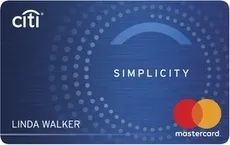
Low-interest or 0% APR credit cards are a good option for people who already have balances on a credit card with high-interest APR. Balance transfer credit card holders can transfer the balance on the high-interest card to a balance transfer card that offers a 0% introductory APR period. This allows you to pay off — or at least pay down — the debt without paying interest during the introductory period, which is usually a year or more.
|
|

COMPARE BALANCE TRANSFER CARDS
Travel credit cards
Travel rewards credit cards earn points or miles when you use the card to make purchases and often come with perks like VIP access to airport lounges or free checked luggage. Some cards let you earn extra rewards for specific categories, like dining or entertainment, or come with a sign-up bonus. You can redeem miles or points for travel-related purchases like airfare, lodging, statement credits or other merchandise.
|
|


Cash back credit cards
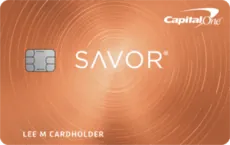
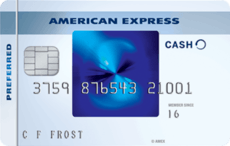
With cash back credit cards, the more you spend, the more cash back you receive. Cash back credit cards let you earn cash rewards for everyday purchases. Some issuers offer cards that give, for example, 1% cash back per dollar spent. Many of these cards then provide “bonus” categories. For instance, the card might offer 3% to 5% cash back on groceries and 1% on everything else. Not all cash back credit cards charge an annual fee, but cards with highly desirable rewards programs usually cost about $100 or more annually.
|
|
Business credit cards
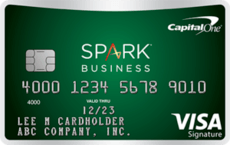
For those who run a small business, there are many good business credit cards available that offer a variety of tools that can help separate your personal and business expenses. If your goal is to build business credit, be sure you ask the issuer if they report payment history to the major consumer bureaus or specialized commercial credit bureaus. Unless you have established credit in your business’s name, your personal credit history is reviewed when you apply for a business card.
|
|

Types of credit cards
There are three main types of credit cards:
Personal credit cards
Personal credit cards help you make purchases in stores or online. If you will be paying the balance in full each month, consider some type of rewards credit card. Rewards credit cards can be used to save money on travel, reduce the cost of everyday expenses (such as groceries or gas) and maintain a healthy credit score.
If you intend to transfer or consolidate old debts, consider a balance transfer credit card. People with low credit scores can also use credit cards to help rebuild their credit histories and improve their credit scores.
Business credit cards
Many credit card companies offer business cards that let you separate your personal and business expenses. However, it’s important to note that business credit cards — both small business cards and corporate cards — are not covered by the Credit CARD Act of 2009, which protects you from sudden rate increases, universal default, retroactive rate increases on outstanding balances and other practices. There are some exceptions when applying the CARD Act rules, but business cards don’t have any of these protections. If you get a business credit card, be sure to read any correspondence received from issuers in case there have been significant changes to the terms and conditions of your credit card.
Secured credit cards
If your credit score is too low for you to get approved for a personal credit card, then a secured credit card might be your path to rebuilding your credit history. Secured cards require a deposit into a savings account to “secure” the card, giving the issuer something to claim should you default on the debt. Secured credit cards are popular among students but can be helpful to anyone who is rebuilding or establishing credit. Some issuers make the approval process very easy and accept almost anyone who applies.
How do credit cards work?
Your credit card comes with a credit limit, which is the total amount your credit card company is willing to front you at a time. As you use your card, your credit card company deducts your purchases from your credit limit.
When you swipe your credit card or punch in your credit card details online, your information is sent to the bank of the merchant or vendor you’re buying from. The transaction then has to be authorized by your credit card network. Your credit card issuer approves or declines the transaction, depending on the balance on your card. If this purchase would put you over your credit limit, then your transaction should be declined.
Unlike debit cards, credit cards work on a monthly billing cycle. Each month, your credit card company sends you a billing statement noting the amount due based on your purchases. This statement should list both your total debt from that card and a minimum payment amount.
If you only make the minimum payment, your remaining debt on that card begins to accrue interest and fees. The amount added to your debt depends on your APR and any additional penalties.
Credit cards FAQ
Are credit cards good to have?
Credit cards are good to have as long as you can afford to pay them off. Credit cards:
- Help you build a credit history
- Provide purchase protection and insurance
- Offer cash back and rewards opportunities
- Help you track spending
- Protect you against fraud
- Work worldwide
However, high interest rates and late fees can quickly outweigh many of these benefits, so being able to handle your monthly balance is critical.
What is the best credit card to start with?
When looking for a first credit card, find one that has:
- Simple credit score requirements
- Low or no fees
- A low annual percentage rate less than 17%
- Useful rewards
Each credit card company has a card for first-time credit card users or students, so look at those options initially and see which best fits your needs. If you’re having trouble qualifying for your first card, consider getting a secured credit card.
How do credit cards affect your credit rating?
Credit cards can affect your credit rating positively or negatively.
- If you use your card without maxing out your credit limit or missing payments, your credit card should have a positive effect on your credit rating.
- If you charge as much as possible and miss minimum payments, your credit card is likely to hurt your credit score.
Credit card companies report your activity to credit bureaus, which adjust your credit report accordingly.
What are credit scores used for?
Creditors use credit scores to determine the potential risk of lending money to someone. Your score can determine:
- Whether or not you receive loans
- Your interest rates
- Your loan amount and credit limit
Banks and credit card companies are not the only ones that use credit scores. Mobile phone companies, insurance companies and landlords also use credit scores to make decisions when dealing with customers.
Which credit cards are most widely accepted?
MasterCard and Visa are both accepted in more than 200 countries and territories.
How do you keep your credit score high?
To keep your credit score high:
- Pay your bills on time.
- Maintain both revolving and installment accounts.
- Avoid too many hard credit checks in a short period of time.
- Don’t charge up to your credit limit.
- Check your credit report often and contest any inaccuracies.
What are the easiest credit cards to get approved for?
Generally, secured credit cards are the easiest to get approved for, making them particularly useful if you have bad credit or no credit history at all. A secured credit card can also help you build a good credit history and qualify for other cards in the future.
What is the hardest credit card to get?
The hardest credit cards to get approved for are usually those with the best rates and benefits. Credit card approval guidelines vary considerably, but approvals are often based on your income and your credit score. Sometimes, your type of credit history is also important, and things such as on-time payments and discrepancies, such as bankruptcies, can come into play.
Are credit card rewards worth it?
It depends on how you use the card. Having a credit card that gives you rewards is an easy way to get more bang for your buck. Travel points, cash back and discounts on large purchases are nice, but it’s important to spend responsibly and understand the terms of your rewards program.
How many credit cards should you have?
The answer to this question is largely dependent on your spending habits. If you've been in credit card debt before, then you should consider having as few cards as possible. If you're a responsible credit card user, consider having cards for different uses, like one for everyday purchases, one for emergencies, one for rewards, etc.
Information in this guide is general in nature and is intended for informational purposes only; it is not legal, health, investment or tax advice. ConsumerAffairs.com makes no representation as to the accuracy of the information provided and assumes no liability for any damages or loss arising from its use.
Thanks for subscribing.
You have successfully subscribed to our newsletter! Enjoy reading our tips and recommendations.
Compare Top Credit Card Companies

Bank for those wanting to build or rebuild their credit. Offers credit cards, recreation loans and CDs. Double Your Line credit cards double your limit after seven months of on-time payments. Free financial education resources.

Regional banking institution that serves Minnesota, Wisconsin and North Dakota. Offers personal and business credit card programs. Earn 2x the rewards on qualifying purchases. Also offers debit cards.

Line of credit provider that offers unsecured and secured credit cards. Works with less-than-perfect credit. Credit scores as low as 300 accepted. Cashback benefits available. Annual fees go up to $99.

Travel rewards credit card. Earn 1.5 points for every dollar spent, with no expiration on points. No annual or foreign transaction fees. No blackout dates or restrictions on travel. 0% introductory APR for 15 billing cycles.

Offers some Visa and American Express credit cards with different features and rewards. Available in California, Nevada, Georgia, Texas, Massachusetts, New York, Washington and China.
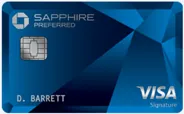
Travel rewards card that lets you earn points for expenses on airfare, hotel stays and restaurant bills. One-for-one point transfer. No foreign transaction fees. $95 annual fee. High sign-up bonus.

Cashback credit card with unlimited 1.5% back on all purchases. Earn up to 5% off on purchases in qualifying categories. No annual fees. Benefits include 0% intro APR and free credit scores.

Provides credit cards, banking services and loans. Get preapproved for credit cards on the website. Offers special credit cards for students and those who want travel benefits or cashback rewards.
Credit card with unlimited 1% cashback rewards. Credit limit ranges from $300 to $3,000. Annual fee is from $0 to $65. Earn higher credit limit or lower APR when you make on-time payments. Purchase APR is 26.99%.

Credit card provider that focuses on credit building. Offers secured and unsecured credit cards. Get free FICO credit score with membership. No credit history required to apply. Can help achieve a higher credit line.

Never expires. Easily deposit or exchange your checks. Redeemable with American Express. Refunds lost or stolen checks. Widely accepted. Exchange fees vary by country. Purchase at participating locations.
Exclusive credit card membership. Invite-only. No application available online. High annual charge requirements. Must have an existing American Express card. Offers uncommon and largely undisclosed benefits.

Special Visa offered exclusively to AARP members. Provides cashback rewards on restaurant, gas station and other common travel purchases. Coverage in the U.S., Canada and Puerto Rico.

Offers credit cards with features like travel rewards, cashback rewards and credit-building perks. No starting balance requirements for new checking accounts. Also offers home and auto loans. Limited branch locations.
Offers a variety of credit card types with different benefits. Some low and 0% APR intro offers available. Offers balance transfer cards. Check your prequalification status on the website. Annual fees range from $0 to $495.

Offers multiple types of credit cards, including those for business and options with travel and cashback rewards. Annual fees range from $0 to $195. Rates vary but some cards have 0% introductory APRs.

Formerly known as GE CareCredit. Works with chains and local companies to provide retail credit cards. Free credit score monitoring. Use the monthly payment calculator to estimate costs. View partnering brands on the website.
Multiple benefits for enrolled users, including travel perks, a rewards program and exclusive services like roadside assistance and car rental. Annual fee is $550. Multiple payment options available.

Offer-only credit card company. Manage your account online. Check your balance and see transaction details. Apply for credit card programs on the website. Offers two types of credit cards.

Offers credit cards for vehicle repairs and maintenance. Brands include popular names like Firestone, Bridgestone and Tires Plus. Apply online for an instant approval decision. No annual fees.

Variety of cards with features like cash rewards and no annual fees. Cards designed for travel, student life and credit rebuilding. Apply for credit card programs online. Some cards carry no annual fees.

Offers a digital credit line for online purchases. Provides certain benefits including shipping reimbursement and purchase protection. Includes no-interest financing for all purchases over $99 in the first six months.

Credit and debit cards for Target shoppers. Save 5% on qualifying purchases. Free shipping and no annual fees. Add an extra 30 days for returns. Apply for the program online. Make payments online, in store or by phone or mail.

Offers customer benefits including benefit payments during periods of disability or unemployment. Find the right card for you by entering your needs on the website. Some cards carry no annual fees.
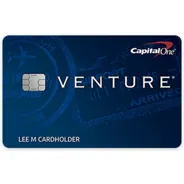
Earn unlimited bonus air miles on qualifying purchases. Annual fee of $95. High sign-up bonus. Earn 2x miles on every purchase. Earn 10x miles on select hotel purchases. No limit on mile earnings.

Credit cards available to service members and their families. Offers low APRs and other benefits. Doesn’t charge annual fees on qualifying cards. Many travel and retail benefits. View rates and fees for cards on the website.

Capital One credit cards issued through General Motors. Offers 5% earnings on the first $5,000 and 2% unlimited earning on purchases after. Business credit card option available. Can combine some earnings with discounts.

Provides a variety of credit card options. Offers clients a rich rewards program and cards with competitive APRs. Prequalify to find out which cards you’re eligible for. Benefits for long-term customers.

Earn up to 5% back on select purchases. Unlimited 1% cashback and other sign-up offers. No annual fee. 0% intro APR for 15 months. Qualify for card benefits like travel insurance, car rental insurance and more.

Secured Visa credit card. No credit check required when applying. Spending limit set by security deposit. Helps cardholders rebuild credit. Three card options to choose from. Cards backed by Capital Bank N.A.

Provides secured and unsecured Visa and MasterCard credit cards to people with little or no credit history. Apply for one of its programs online. Make monthly payments on the website. Also offers personal and business banking.

Offers Visa rewards and simple cards. Choose a card that fits your lifestyle, including travel and flexible reward options. Compatible with digital wallets. Annual fees range from $0 to $95. Zero liability policy.

Earn rewards for purchases made at Old Navy, Gap, Banana Republic and Athleta. Issued by Synchrony Bank. No annual fees. Get 5 points for every dollar spent at one of its locations. Get access to special promotions.

Offers shopper cashback rewards. Redeem rewards at any Sears or Kmart store. Earn anywhere from 1% to 5% back on qualifying purchases. Issued by Citibank. Sign-up bonuses sometimes available.

Available only for premium Citibank account holders. Perks include a dedicated service team, preferred rates, the option to earn interest on checking accounts and a high reward-earning level.

Local bank operating in the New Jersey area. Offers commercial, mortgage and consumer loans, as well as credit card services. Some credit cards have no annual fees or introductory fees.

Provided by LendingTree. Browse different credit card options. Filter by category, type or credit quality. Comparison tool displays benefits and rates. Apply for various cards at no cost. Not a credit card provider.

Service provided by LendingTree. Offers free resources related to credit cards, personal loans, student loans, auto loans and other personal finances. Side-by-side comparison tables. Over 15 financial calculators available.

Credit cards, rewards cards and secured cards. No annual fees. Establish and build credit. Fraud protection. No penalty APRs. Mobile pay compatibility. Monthly credit score update. Microchip technology. ID theft protection.

Offers free comparison tools for purchasing decisions. Provides access to online educational resources and industry insights related to credit card issuers, insurance companies, mortgage lenders and more.