


2025 Phishing Scams and Online Safety

Article Image

Tik-Tok-fueled scam drains $17 million from NYC ATMs

  • A glitch in New York’s Summer Youth Employment Program (SYEP) cards allowed massive ATM withdrawals totaling $17 million in just three days.

  • Some teens reportedly sold their cards for $1,000 each, as social media spread the scam rapidly.

  • City officials say no taxpayer money was lost, but investigations into how the scam worked are still ongoing.


A fast-moving scam tied to New York City’s youth jobs program allowed people to withdraw tens of thousands of dollars from ATMs — money they were never supposed to access — in a fraud spree that lasted less than 72 hours and totaled $17 million.

The scheme involved prepaid payment cards issued to thousands of participants in the Summer Youth Employment Program (SYEP) — a city initiative that gives teens and young adults their first job experience. Normally, the cards are used by participants who don’t have bank accounts to collect modest weekly earnings. But between July 11 and 13, the cards inexplicably unlocked unlimited cash, with some users pulling out $10,000 to $40,000 per ATM, $200 at a time.

Word of the glitch spread quickly on TikTok and Instagram, where some users bragged about the windfall and offered to buy cards for $1,000 apiece. “We’re printing money right now,” one man said in a now-removed video. Another urged SYEP workers to “hit me up” to join in, according to a New York Times report.

City officials believe some young participants were unknowingly drawn in and exploited by older scammers who took advantage of their inexperience with money and financial tools.

Massive impact, few details

Of the program’s 100,000 total participants, about 30,000 received cards rather than direct deposits. Authorities don’t yet know exactly how many cards were abused or how the system failed so catastrophically. But by early Sunday, the cards were deactivated, and the scam was halted.

The NYPD Financial Crimes Task Force and the Department of Youth and Community Development are now investigating. ATM companies, like ATM World Corp, say their machines were heavily hit, with one store losing $43,000 in a single location. CEO Youssef Mubarez described people standing at machines for over an hour, withdrawing cash continuously.

Teaching moments, unanswered questions

City officials emphasized that no taxpayer funds were lost and said the financial institutions behind the cards will likely bear the loss. Still, questions remain about how such a large vulnerability went unnoticed.

SYEP includes financial literacy training, and the city had posted Instagram warnings telling students to safeguard their cards and personal information. But with social media fueling the fraud, that advice came too late for many.

For now, the city’s biggest youth jobs program — meant to introduce young people to the world of work — is left dealing with a very grown-up financial mess.

Article Image

Hackers use fake error pages to secretly hijack computers for crypto mining

  • Hackers are hiding malicious software inside fake “404 error” web pages.

  • The malware targets both Linux and Windows computers and is very hard to detect.

  • Victims might not notice anything — except slower systems and higher power bills.


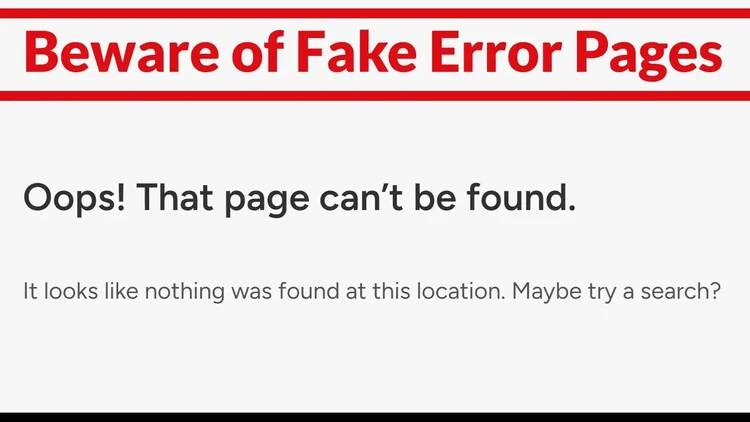
A new cyberattack campaign, called Soco404, is tricking computers into secretly mining cryptocurrency by hiding malicious code inside what looks like a normal "Page Not Found" error message.

Normally, when you visit a broken link, you get a 404 error page. Hackers behind Soco404 are creating fake versions of those error pages. But hidden inside them is encoded malware — basically, computer code that tells your machine to mine cryptocurrency (like Monero) for the attacker.

They store these fake pages on compromised websites and even Google Sites, so they look safe. The malware is designed to run quietly on both Windows and Linux computers.

Sneaky and hard to spot

Because the malware is hidden inside normal web code, many antivirus tools and firewalls don’t catch it. Once downloaded, the program installs itself in memory, without writing to the hard drive — which helps it stay under the radar.

It also erases its tracks, hides as a system process (with names like kworker or sd-pam), and turns off important logging features in Windows so IT teams can’t see what’s going on.

How they break in

One common entry point is misconfigured databases — especially PostgreSQL, which many cloud users accidentally leave exposed to the public internet. The hackers take advantage of a PostgreSQL feature that lets them run system commands. From there, they can spread across networks and install mining software on many machines.

In some cases, they even use infected websites in South Korea to deliver different versions of the malware — one for Windows (ok.exe) and one for Linux (soco.sh).

What it means for you

If you suddenly see slower computer performance or rising electricity bills, it could be a sign of this kind of attack. Because it runs silently and hides well, traditional cybersecurity tools might not catch it.

Security experts recommend:

  • Locking down exposed databases.

  • Monitoring for strange error page downloads.

  • Watching CPU usage for unexplained spikes.

In short, this attack proves that even a simple-looking error page can be dangerous if it’s been tampered with. Be cautious about what your systems download — even when it seems like "nothing happened."

Article Image

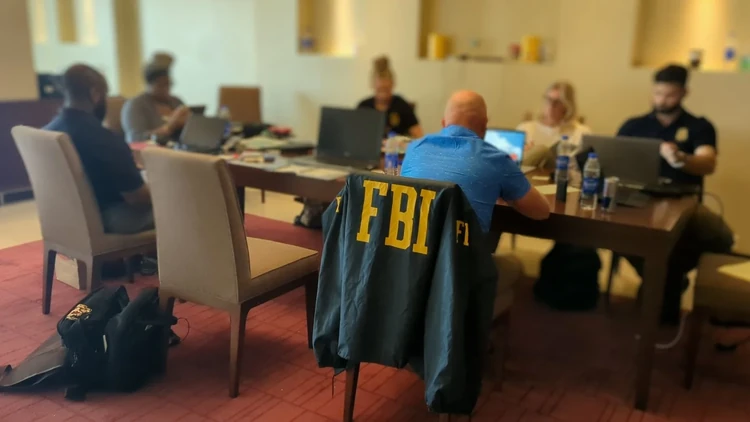
FBI renews warning about ‘Phantom Hacker’ scam

  • The "Phantom Hacker" scam involves a coordinated team of fraudsters posing as tech support, financial institutions, and U.S. government agencies to convince victims their devices and money are at risk.

  • Scammers use fake pop-ups, remote access software, and fabricated threats to trick victims into transferring funds to supposed “safe” accounts via wire transfers, cryptocurrency, or cash—all under the guise of protecting their finances.

  • Red flags include unsolicited tech support pop-ups, urgency to act, demands for remote access to devices, pressure to move money using untraceable methods, and instructions to keep the activity secret.


The tech support scam has always been dangerous because victims often act without thinking when told their devices have been hacked. When told their money is at risk, they often panic.

Since 2023, the FBI has warned of a tech support scam on steroids – the “Phantom Hacker” scam.

It often starts with a pop-up on the victim’s phone or computer, telling them their device has been compromised and instructing them to call a “tech support” number. When they do, they are connected to a team of scammers.

The first scammer directs the victim to download an app, allowing the scammer remote access to the victim's computer. The scammer pretends to run a virus scan on the victim's computer and falsely claims the computer has been or is at risk of being hacked.
Next, the scammer requests the victim open their financial accounts to determine whether there have been any unauthorized charges - a tactic the scammer uses to determine which financial account is most lucrative for targeting. The scammer chooses an account to target and tells the victim they will receive a call with further instructions from the fraud department of the respective financial institution hosting that account.

Team effort


A scammer posing as the victim’s financial institution contacts the victim. The scammer falsely informs the victim that their computer and financial accounts have been accessed by a foreign hacker and the victim must move their money to a "safe" third-party account, such as an account with the Federal Reserve or another US Government agency.



The scammer directs the victim to transfer money via a wire transfer, cash, or cryptocurrency, often directly to overseas recipients. The scammer may instruct the victim to send multiple transactions over a span of days or months.



The scammer tells the victim not to inform anyone of the real reason they are moving their money. 


Finally, the victim may also be contacted by another scammer posing as an employee at the Federal Reserve or another U.S. Government agency. If the victim becomes suspicious of the government imposter, the scammer may send an email or a letter on what appears to be official U.S. Government letterhead to legitimize the scam.



The scammer continues to emphasize that the victim's funds are "unsafe" and that they must be moved to a new "alias" account for protection until the victim concedes.

Red flags

While this scam continues to be highly effective, there are several red flags that should tell the target they are being taken for a ride.

  • Unsolicited contact: The pop-up is the first contact, sometimes claiming to be from Microsoft tech support. Microsoft has said it does not contact consumers in this way.
  • Urgency: The victim is told they must act immediately to prevent the loss of their money.
  • Device access: The victim is told they must download software and give complete strangers access to their financial accounts. This should never be done.
  • Funds transfer: The victim is told they must move money in an unusal and untraceable manner, using either a wire transfer, cryptocurrency or gift cards.
  • Secrecy: The victim is told not to tell anyone what they are doing. There is no reason for this, other than to prevent the victim from getting practical advice from a friend or family member.

“The FBI reminds the public to beware of Phantom Hacker scams, where cyber criminals use a 3 prong attack against victims using tech support, financial institution, & government impersonation scams simultaneously,” the FBI said in a post on X.

Article Image

Gmail phishing attacks increasing, passkey upgrade recommended

  • Google confirms a surge in sophisticated phishing attacks targeting Gmail accounts.

  • The company urges users to upgrade security by setting up passkeys, a stronger defense than traditional passwords.

  • Experts warn that AI-driven phishing scams are evolving fast, making immediate action critical.


Google has confirmed growing security concerns around Gmail accounts, warning users about an uptick in phishing attacks that mimic official Google support to steal login credentials. The tech giant has issued clear guidance: users should bolster their account security by setting up passkeys to guard against these evolving threats.

According to cybersecurity firm Check Point, Google is now the second-most impersonated brand in global phishing scams, just behind Microsoft. The latest wave of attacks cleverly mimics Google’s own security protocols, tricking users into sharing sensitive information. Google emphasized it will never call users to reset passwords or troubleshoot accounts—if someone contacts you claiming otherwise, it’s a scam.

To fight back, Google is recommending the adoption of passkeys. Unlike passwords, which can be guessed or phished, passkeys are securely stored on a user's device and verified using biometrics, PINs, or similar methods. This new authentication standard is designed to be phishing-resistant and easier to use across devices.

The warning comes at a time when AI-driven cyberattacks are becoming more sophisticated, with the FBI also cautioning that these evolving threats are harder to detect. "It's time to act now," Google advises, stressing that even though passwords and two-factor authentication are still available as backups, passkeys provide the strongest defense.

With phishing scams and password attacks rising dramatically, security experts are urging users to upgrade their Gmail and other accounts immediately to avoid falling victim.

Microsoft has recently implemented a similar system, called Passwords by Default.

How to set up passkey

Not clear on what a passkey is and how it works? Google has detailed instructions that will guide you through the process.

As for what it is, passkey is an encrypted piece of code that is stored on your desktop, laptop, smartphone or other device. Once it's there, you will no longer have to use your password on that machine. 

An important point: the passkey is stored on your machine and is unique to that machine. If you have a smartphone and a laptop, you will need to install it on both of them.

If you're not a software maven, this may not make a lot of sense to you but just follow Google's instructions -- in order -- and it will be a very easy process.  

Article Image

Text scams have stolen record amounts: Watch out for these 5 scams

Key takeaways:

  • Losses from text scams hit a record high in 2024.
  • Victims are losing more money to text scams even though fewer scams are being reported.
  • Popular text scams include delivery scams, fake jobs and unpaid tolls.

Text scams keep stealing money from victims.

People reported around $470 million in losses from text message scams in 2024, which is more than five times the $86 million in losses in 2020, according to data from the Federal Trade Commission.

"Since the vast majority of frauds are never reported, this number likely reflects only a fraction of the actual harm," the FTC said.

Losses from text scams have gone up while reports have declined, suggesting that scammers are getting better at stealing more money from victims.

The FTC said these five text scams account for around half of those reported:

1. Package delivery scams

Scammers can pretend to be the U.S. Postal Service or UPS, saying there was an issue with a delivery and link to a fake website to steal credit card details.

Victims have reported having to pay a small "redelivery" fee that is a trick to get their credit card information.

Package delivery scams were the most reported scam in 2024, the FTC said.

2. Job scams

Fake job offers via text messages, often from scammers pretending to be recruiters, have been around for a while.

But the FTC said the job scam has seen new life as a "task scam," which is when fraudsters offer a job to complete repetive tasks, such as rating products or apps.

Eventually, scammers ask victims to send money to finish their tasks and withdraw their fake earnings.

3. Fraud alert scams

Fraud alert scams can appear as text messages warning victims about supposed big purchases they didn't make.

Sometimes they are given a number to call or are asked to reply yes or no to verify a big transaction. Then, they are connected to a bogus fraud department.

"The scammers then pressure people into moving money out of their accounts to supposedly keep it safe, but it really goes to the scammers," the FTC said. "And people who move that money do not get any of it back."

4. Toll scams

Scammers are constantly sending texts that appear to be from legitimate toll collection agencies, such as E-ZPass, Florida's SunPass and San Francisco's FasTrak.

Tolls scams send a text that ask victims to click on a website to urgently pay an unpaid balance, but it is a trick to harvest credit card and even Social Security numbers.

Toll scams have gained in popularity in 2025: The first three months of the year have had back-to-back increases in the number of toll scams sent by text messages from fraudsters pretending to be toll collectors such as E-ZPass, ConsumerAffairs previously reported.

5. Wrong number scams

The wrong number scam isn't as popular but is still tricking victims by pretending to be an innocent mistake, starting with messages like "hello" or "do you want to get coffee?".

But responding can lead to a costly scam after fraudsters try to strike up a fake friendship or romance and then try to rope victims into a bogus investment.

Article Image

Here are some phrases smishing scammers use to hook you

Key takeaways

  • Scammers are increasingly using text messages for fraud (smishing): As technology has evolved, so have scams — moving from phone calls and emails to text messages. Smishing scams are now a common way for scammers to reach potential victims.

  • Common smishing hooks use urgency, curiosity, or impersonation: Examples include fake job offers, urgent payment warnings, and mysterious or casual messages from unknown senders. These tactics are designed to prompt a response, confirming your number is active.

  • Engaging with scam texts can lead to identity theft: Once a scammer knows your number is active and engages you in conversation, they can extract personal details and potentially steal your identity. Official sources like the FTC warn against interacting with unknown texts and emphasize that legitimate organizations rarely communicate sensitive matters via text.

Back in the day, when most people had landlines, scammers relied on the telephone to hook their victims. Some scams – such as the grandparent scam – still rely on a phone but over the years, scams have evolved with technology.

When the internet came along, scammers used email to target victims. Remember the Nigerian prince scam? An email claimed to be from a Nigerian prince who had been overthrown and he need to get millions of dollars out of the country and he would be happy to give you a cut if you would provide your bank information so he could transfer the money.

Common phrases

Lately, scammers are using text messages in what are known as “smishing” scams to connect with victims. ConsumerAffairs has collected some of the most common messages:

  • “Hi, how’s it going?”

  • “Hello, I’m Sophia from Bonanz. Your background and resume have been recommended by several online recruitment agencies.”

  • “Final Reminder: You have an unpaid toll. Failure to remit by April 16, 2025 will result in additional penalties.”

  • “I was cleaning out my contacts and found your number. Who are you?”

  • “Did you happen to see my message from yesterday?”

  • “Hello, I am Lena, a human resources customer service representative of Adjust. Your resume has been recommended by several online recruitment companies.”

  • “A pending debit of $1,174 at Target is processed. If you did not initiate it, visit (link).”

The scammers may have a list of phone numbers or they may be dialing numbers at random. But if you respond and start a conversation, the scammer knows it is a working number and will quickly learn your name.

If the contact develops into a conversation, the scammer will learn other things about you – perhaps enough to begin stealing your identity. 

The FTC's advice

The Federal Trade Commission has also been collecting scam texts and cautions consumers that these texts often: 

  • Promise free prizes, gift cards, or coupons — but they’re not real

  • Offer you a low or no interest credit card — but there’s no deal and probably no card

  • Promise to help you pay off your student loans — but they won’t

Scammers also send fake messages that say they have information about your account or a transaction. Scammers might say they’ve noticed some suspicious activity on your account — but they haven’t.

It’s helpful to remember that job recruiters don’t off jobs in a text and if the message is from a number you don’t know, it’s best to delete it without responding.

Article Image

How to identify a fake ‘going out of business’ sale

There has been no shortage of businesses closing their doors lately. So far in 2025, JoAnn Fabrics and Forever 21 have begun liquidation sales as they wind down operations.

As we have reported, scammers are taking advantage of this fact by launching fake websites designed to look like the retailers’ real sites. The problem got so bad for JoAnn customers that the retailer stopped taking online orders, requiring customers to go to a physical location to make a purchase.

We haven’t heard from Forever 21 on this subject, but consumers should expect to see some websites impersonating that company as well. Shopping online for any sale – especially a liquidation sale – requires extra vigilance. 

For starters, make sure the URL is legitimate. The website for JoAnn Fabrics is https://www.joann.com/. Consumers have reported landing on look-alike sites with URLs that have the name JoAnn in them but don’t have the right extension.

Forever 21 has announced sales of up to 60% off, but any deeper discounts should be viewed with skepticism. There have been reports of some fake going-out-of-business websites offering discounts of up to 80%.

Red flags to look for

To avoid fake going-out-of-business websites, consumer advocates offer this advice:

  • Verify the website URL

  • Go directly to the official website: Avoid clicking on social media ad links. Instead, type the website address directly into your browser.

  • Be wary of too-good-to-be-true offers

  • When making a purchase, using a credit card for better fraud protection

  • Be skeptical of websites that ask for excessive personal information, such as your Social Security number.

Article Image

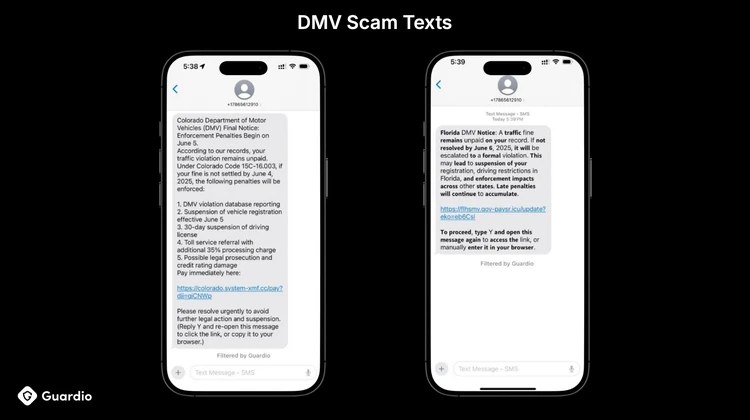
The ‘unpaid toll’ scam continues to draw complaints

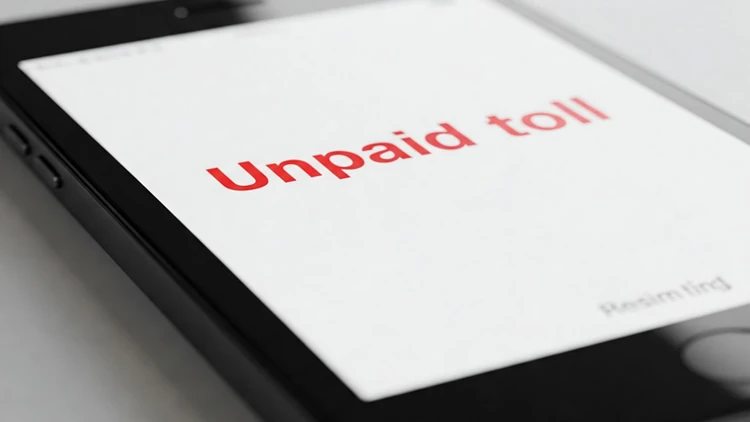
Government agencies are renewing their warnings about the “unpaid toll” scam that usually arrives in the form of a text. The text claims the recipient has one or more unpaid tolls and offers a strange way to pay.

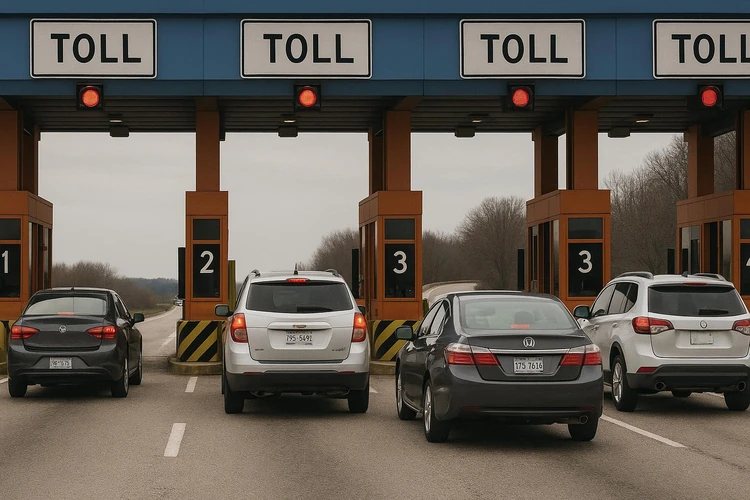
In recent years, highway authorities have phased out toll booths with human operators. Today, they use cameras that make contact with a transponder, such as from E-ZPass, that debits the driver’s account.

If a driver doesn’t have a transponder, the camera records the license plate number and sends the driver an invoice through the mail a couple of weeks later. No state contacts drivers by text and demands to be paid in gift cards.

The FBI began issuing warnings about this scam last year, reporting at the time that it had received more than 2,000 complaints. The law enforcement agency now says the scammers appear to be moving from state to state, sometimes posing as E-ZPass.

The FTC’s advice

The Federal Trade Commission has also issued warnings about the scam. In January, the agency warned Americans the scammers are trying to steal both money and personal information.

“Don’t click on any links in, or respond to, unexpected texts,” the FTC said in a statement. “Scammers want you to react quickly, but it’s best to stop and check it out.”

To avoid being victimized by these scams, the FTC offers this advice:

  • Don’t click on any links in, or respond to, unexpected texts. Scammers want you to react quickly, but it’s best to stop and check it out.

  • Check to see if the text is legit. Reach out to the state’s tolling agency using a phone number or website you know is real — not the info from the text.

  • Report and delete unwanted text messages. Use your phone’s “report junk” option to report unwanted texts to your messaging app or forward them to 7726 (SPAM). Once you’ve checked it out and reported it, delete the text.

Article Image

‘Did you authorize this?’ Texts asking that are often scams

Banks’ fraud departments have gotten pretty good at identifying questionable credit card purchases. They employ algorithms that compare a purchase to your regular purchases and alert you if something doesn’t seem quite right.

They often communicate by text because of its immediacy. Scammers have picked up on this and have designed scams to mimic these alerts. A common scam message goes something like this:

“Transfer request of $894.49 to_______has been approved. If you didn't authorize, please visit (link) to cancel now.”

A bank customer getting that text might hastily click the link to stop the transfer. By doing so, they might download dangerous malware to their device or end up on a website where they are asked to reveal personal information.

What to do

So, what should a consumer do? As a first step, analyze the text carefully. Is there a telephone number to call? Banks normally provide a telephone number for the customer to call, as well as a yes/no option on the charge.

Then, ask yourself if the bank has any reason to question the charge. Has it ever challenged legitimate charges in the past? If not, why challenge this one?

If you think the message might be legitimate, go to the bank’s website to get the telephone number of the fraud department and call and ask.

Scammers also use the same gimmick to alarm consumers that an expensive purchase has been made with their credit card, sending a message like:

Did you order this?

“ALERT: iPhone 16 Pro has been purchased from your Amazon account. Click here to cancel.”

Again, why would the credit card company not think you ordered the iPhone? People order thousands of them every day.

Instead of reacting and falling into the scammer’s trap, wait a day, then check your account. If the charge doesn’t show up, the message was a scam. 

If by chance the charge is real, call the fraud department immediately and dispute the charge. Credit card companies limit consumers’ fraud liability and so do most banks if you respond within 24 hours.

Article Image

Phishing scams were 2024’s most common smartphone security threat

There is no shortage of schemes that scammers use to target their victims, and the rapid development of artificial intelligence has only increased these threats. But what threat should consumers take most seriously?

A survey conducted by Omdia,  a technology research and advisory group, found that phishing scams remain the most significant security threat for smartphone users, with 24% of respondents reporting that they have fallen victim to these attacks. Phishing, which involves fraudulent texts, emails, or calls designed to deceive individuals into divulging sensitive personal information, continues to be a major concern as cybercriminals seek easy ways to steal from consumers.

The survey, part of Omdia's fourth annual Mobile Device Security Scorecard, was conducted in October 2024 and included 1,572 consumers across the Americas, Asia & Oceania, and Europe. It identified malware and viruses as the second most common security issue, followed by physical theft incidents like pickpocketing and mugging.

In an evaluation of leading premium smartphones, the survey found that Google's Pixel 9 Pro and Samsung's Galaxy S24 outperformed Apple's iPhone 16 Pro and other Android-based devices such as the OnePlus 12, Xiaomi 14, and Honor Magic 6 Pro. Despite their strengths, anti-phishing protection was a weak point across all devices, with none successfully intercepting all phishing texts, calls, and emails.

Android outperformed

The survey determined that all Android devices from Google, Xiaomi, OnePlus, Honor, and Samsung successfully flagged suspected spam calls before users answered, but the iPhone 16 Pro lacked similar voice call protection. Additionally, none of the tested devices fully flagged simulated phishing emails from Gmail as phishing, only marking them as spam when sent from Google's SMTP.

Devices equipped with Google Safe Browsing protections managed to block phishing links from opening, displaying a warning screen and requiring user confirmation to proceed. However, browser performance varied significantly, the survey found.

For example, Samsung Internet effectively blocked most links, including advanced custom URLs, while Xiaomi Mii and OnePlus Internet browsers failed to warn users about known malicious links, highlighting inconsistencies in Android device security.

"The lack of security protection, particularly against the growing threat of phishing attacks, is eroding consumer trust," said Aaron West, senior analyst at Omdia. “A significant 73% of consumers reported reduced trust in their smartphone brand and operating system developer following a security issue.”