Best overall

- Mobile device battery life
- Varies
- Wearable button battery life
- 5 years
- GPS tracking
- Included
- Caregiver app
- Yes


A medical alert system is only worth it if it works when you need it most. Reliability, ease of use and response time all matter when an emergency happens. Not every system delivers on all three.
We ranked Bay Alarm Medical as our top overall pick, but it’s not the only strong option. This guide also highlights companies known for good customer service and a range of in-home and on-the-go equipment options, so you can find the right fit for your needs.
We compared medical alert systems based on safety, cost and customer reviews. We also considered in-home range and whether each system works on the go. See our full methodology below for more details on how we picked the best medical alert companies.
| Company | Customer rating | Our pick for | Fall detection | Average monthly cost* | Activation fee | Satisfaction guarantee | Maximum range in-home unit | UL Listed | TMA Five Diamond certified | |
|---|---|---|---|---|---|---|---|---|---|---|
 Bay Alarm Medical | Get Pricing | 4.5
3,749 reviews
3,749 reviews
| Best overall | Yes | $33.28 |  |  | 1,000 feet | | |
 MobileHelp | Get Pricing | 3.4
324 reviews
324 reviews
| In-home safety | $10 indoor and $20 indoor/outdoor | $29.95 | | | 1,400 feet | | |
 ADT Medical Alert | Get Pricing | 4.5
606 reviews
606 reviews
| On-the-go use | $33 per quarter | $37.99 | $99 | | 600 feet | | |
 Life Alert | Get Pricing | 4.9
8,368 reviews
8,368 reviews
| Customer service | | $99.88 | $198 | | 1,000 feet | | |


Jump into our guides and start learning
When choosing a medical alert system, it’s important to start with your budget, according to Michelle Rankine, owner of Right at Home in Lewisville, Texas, a care provider for older adults.
From there, think about the features that matter most to you. Rankine recommends considering things like GPS tracking, battery life and wearable options (such as pendants or watch-style devices). You might also want to look for extras like activity tracking or a companion app that lets family members check in.
Monitored systems connect users to a live response center, while unmonitored systems contact emergency contacts or 911 directly.
Jump to insightExpect to pay at least $20 to $55 per month. Features like fall detection and GPS can add extra peace of mind, but cost more.
Jump to insightConsider if GPS tracking, long battery life or wearable options like pendants or watch-style devices will make you feel more secure.
Jump to insightMedical alert systems have many benefits, but they also come with some potential drawbacks.
Jump to insightMedical alert systems (also called personal emergency response systems, or PERS) help users quickly contact emergency help through a wearable device and a monitoring network. Here’s how they work:
What happens during a crisis depends on whether your system is monitored or unmonitored:
Medical alert systems come in a range of formats designed to meet different needs. Here are the most common types:
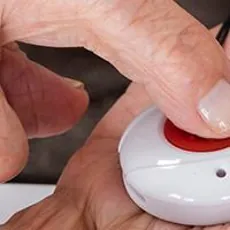
Wearable button = simplest, fastest way to call for help.
A smartwatch is a versatile gadget with safety add-ons, while a medical alert device is a purpose-built safety system designed to get help quickly and reliably in an emergency.
Smartwatches are best for active, tech-comfortable users who want health and lifestyle features. Medical alert devices are best for seniors, high-risk users or anyone needing reliable, hands-off emergency support.
| Smartwatch | Medical alert device | |
|---|---|---|
| Primary purpose | Daily use and health tracking | Emergency response |
| Emergency help | Calls 911 or personal contacts | Connects to professional monitoring center |
| Ease of use | More complex | Very simple (one button) |
| Features | Many (apps, fitness, messaging) | Limited (focused on safety) |
| Typical battery life | 18 to 24 hours | 3 to 5 days |
| Reliability in crisis | Depends on user interaction | Designed for automatic and fast help |
Medical alert system costs vary based on the following factors:
Medical alerts may be covered through Medicare Advantage (Part C) plans, Medicaid waivers or long-term care insurance.
Even though these costs may seem high, a medical alert system is often a smart investment, especially if it can delay a move to a long-term care facility.
If you prefer aging in place to other senior living options, products like medical alerts, walk-in bathtubs and hearing aids can make your home safer and more accessible as your needs change. The cost of aging in place is also relatively affordable compared with the cost of assisted living. You can learn more by checking out our other elder care planning resources.
When choosing a medical alert system, consider the user's needs and lifestyle, whether they need professional monitoring, their budget and where they'll use the system. Home-based systems work best indoors; mobile systems with GPS are better for active users who spend time outside the home.
Make sure it’s functional for the person who will be using it most, whether that’s you or your loved one. Think about:
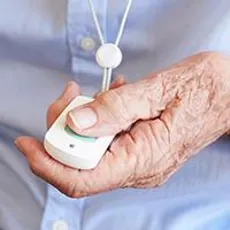
All of these factors can make a difference as you pick the right medical alert system for your situation. For example, the most common type of medical alert system includes a simple push-button pendant worn around the neck or on the wrist, which many people who aren't tech-savvy find easy to use.
If fashion or an active lifestyle is a priority, a medical alert smartwatch might be the right choice. These watches can offer the same response times as home-based systems while being discreet and easy to wear.
» READ MORE: 8 aging-in-place home modifications for seniors
Medical alert systems either operate without monitoring or with monitoring. Here’s how they differ:
Both monitored and unmonitored systems should include a panic button or an emergency call button, and many offer automatic fall detection. Because monitored medical alert systems can offer tailored responses and additional services, they’re often a better option if you aren’t sure it’s time for assisted living but still want some extra sense of security.
Price is a significant factor, especially if you’re on a fixed budget. About half of seniors rely on Social Security for the majority of their income, according to recent poverty statistics.
However, price shouldn’t be the only factor you consider. Your medical alert system needs to work reliably and be convenient enough that it’s ready to help when you or your loved one needs it most.
Remember that activation fees vary. “One-time costs are about $200 and you can have a recurring fee of about $40 to $60 a month for monitoring,” Rankine said.
Before you buy a system, think about whether you want the option to use the device outside your home. Most medical alert systems fall into one of two broad categories:
In general, mobile systems have more impressive technology, but they also come with a higher price tag than traditional home-based systems. The extra cost is often worth it if you spend a lot of time out in the neighborhood, frequently run errands or make trips to visit with friends, though.
Medical alert systems can offer a variety of features and capabilities beyond their basic functions, though. You likely won’t need or want all of these features, but it’s helpful to know what’s out there so that you don’t miss out on something that you would’ve wanted.
Here are some additional features, equipment and factors to consider:
As with any important purchase, it’s a good idea to read reviews. This will help you spot patterns about how the company operates.
The best medical alert companies get consistently positive feedback on:
If you notice the same complaints appearing over and over, that may be a sign that the company has reliability or service problems.
It’s important to read the fine print before opting into any monitoring contract — some companies charge high cancellation fees if you terminate services early. You should also look for a company that offers a price-lock guarantee to ensure the system stays affordable.
Here are some other terms to look for:
Medical alert systems have many benefits, but they also come with some potential drawbacks. Here’s a quick overview to help you decide if a medical alert system is the right choice for you or your loved one:
Pros
Cons
Medical alert devices are best for those with fall risk, health concerns or who live alone. Systems are often used by those at risk of serious falls (such as older people and those with injuries) or with medical conditions that can leave them unable to call for help when it’s needed.
A medical alert system may be especially helpful if the intended user:
Did you know?
About 25% of people age 65 or older fall every year, and roughly 10% of falls result in serious injuries.
» RELATED: When should your aging parent get a medical alert?
Compare our top picks across the U.S. to find the best options near your city:
Medical alert systems are not covered by Medicare parts A or B or Medicare supplemental insurance. Some Medicare Advantage plans (also called Part C) may offer coverage or discounts.
While most types of health care coverage do not cover medical alert systems, there are some possible exceptions, like long-term care insurance, Medicare Part C and VA health care. Contact your insurance company or coverage provider directly to find out if help is available.
Alternatively, long-term care insurance may also provide reimbursement for medical alert systems.
Medical alert systems are devices that contact emergency assistance when activated. They are often made up of a base unit and an emergency help button, which can be worn on a lanyard or bracelet. However, some systems are contained entirely in the wearable device.
When activated, the system can connect you to a trained emergency response operator, relative or friend.
Medical alert systems are designed for use either at home or both at home and on the go. They can be monitored or unmonitored, come with or without fall detection features and connect to either home-based landline or cellular networks.
For home-based systems that are connected to power, backup batteries are often included, and these can last anywhere from hours to several days. Mobile systems require more regular charging but usually last at least one day. Battery life can vary among systems.
Response times for medical alert systems are typically less than one minute, with some monitoring centers responding in as little as 21 seconds.
It’s common for medical alert companies to offer discounts and promotions, including for AARP members. For example, at the time of publishing, AARP members can get a 15% discount on Lifeline’s monthly service as well as free shipping and activation on a Lifeline medical alert system.
The IRS doesn’t specifically itemize medical alert systems as eligible for tax deductions, but many medical expenses and aging-in-place home modifications are tax deductible. A tax professional can help you determine if you can deduct a medical alert system in your tax filings.
Medical alert bracelets, also called medical ID bracelets, are common for those with severe epilepsy, diabetes, serious drug or food allergies, or dementia. A medical alert bracelet is an identification tag that includes lifesaving information about any medical conditions that require immediate attention should the wearer be in distress and unable to speak.
These bracelets are wearable tags and are not to be confused with medical alert systems or devices, which can also be worn around the wrist. They're pieces of jewelry that inform emergency responders and medical professionals of certain medical conditions.
While it’s often helpful to handle devices and plan decisions for your loved one, it’s also important to keep them informed about what’s going on and what to expect.
Once the system is ready to use, spend some time discussing the use of the system and how it works. Don’t forget to check in regularly to be sure your loved one is utilizing the system appropriately and remembers how and when to use it.
See our video on how to talk to your loved one about a medical alert device at the bottom of this page for more guidance and insights from reviewers who have been through this process.
» LEARN MORE: How to protect your aging parents at home
Getting a medical alert system may be worth the cost if you or someone you love has an increased risk of needing emergency help. While there are upfront and potential monthly fees, a medical alert system is often significantly less expensive than the cost of assisted living facilities.
A medical alert is often safer than a cellphone for seniors. The help button might be more accessible during an emergency, especially in the shower or bath; if the user falls, has a sudden accident or otherwise needs medical assistance, they don’t have to worry about reaching a phone to call for help.
While some voice assistants and smart speakers are able to dial 911 for you, their safety features generally end there. Unlike many medical alert systems, these devices usually don’t have:
Information in this guide is general in nature and is intended for informational purposes only; it is not legal, health, investment or tax advice. ConsumerAffairs.com makes no representation as to the accuracy of the information provided and assumes no liability for any damages or loss arising from its use.
The ConsumerAffairs Research Team evaluated medical alert providers using a structured scoring model. We assessed several metrics across three core areas: customer experience, system features and reliability, and affordability.
1. Customer experience (based on verified reviews)
Review data reflects verified feedback submitted to ConsumerAffairs between April 1, 2023, and March 31, 2026. We measured reviewer satisfaction with:
2. System features and reliability
We evaluated key system capabilities that impact safety, coverage and ease of use, including:
We also considered whether companies offer satisfaction guarantees.
3. Affordability and value
We evaluated pricing and overall value, including:
4. Responsiveness and recency
We evaluated how actively companies engage with customers and maintain a recent track record, including:
Companies earned a zero to 10 score for every metric:
This standardized system allows us to compare both subjective data (customer satisfaction from verified reviews) and objective data (system features, pricing and performance) on the same scale.
All companies were evaluated using the same set of metrics, but award categories apply different weightings depending on what the designation highlights.
For example, “best for in-home safety “prioritizes system range and reliability for use inside the home, while “best for on-the-go use” emphasizes mobile system availability and flexibility outside the home.
Each category uses a weighted scoring system totaling 100%, ensuring consistent and fair comparisons across providers.
The company with the highest weighted score in each category earned the corresponding “Our pick for” designation. If a company ranked first in multiple categories, we awarded the designation to the next-highest scoring company in that category to highlight a broader group of top performers.
Thanks for subscribing.
You have successfully subscribed to our newsletter! Enjoy reading our tips and recommendations.
| Company | Customer rating | About | Learn More |
|---|---|---|---|
|
ADT Medical Alert
| 4.5
606 reviews
| In-home systems start between $31.99-$39.99 per month; mobile systems start at $41.99 per month. No equipment costs & added savings available with quarterly or annual billing. Optional fall detection, lockbox & wall-mount buttons. | Get Pricing |
 Medical Guardian
| 4.1
1,246 reviews
| In-home systems start between $31.95 and $38.95 per month; mobile systems start at $43.93 per month. Upfront equipment costs vary. No activation fee. Automatic fall detection and GPS location tracking available. | Get Pricing |
 LifeStation
| 4.2
1,535 reviews
| In-home systems start between $32.95 to $44.95 per month; mobile systems start between $37.95 and $44.95 per month. Upfront costs vary by equipment and package. Optional fall detection and lockboxes. | Get Pricing |
|
MobileHelp
| 3.4
324 reviews
| In-home systems start at $24.95 per month; mobile systems start at $34.95 per month. No equipment costs or activation fees. Optional fall detection, waterproof wall buttons and lockboxes. | Get Pricing |
 Medical Alert
| 1.4
1,713 reviews
| In-home systems cost $27.95 to $37.95 per month; mobile systems start at $47.95 per month. Upfront programming fee is $79. Auto fall detection and mobile app available. 30-day money-back guarantee. | Read reviews |
|
Life Alert
| 4.9
8,368 reviews
| Monitoring services cost $98.85 monthly (according to our sample quote). Equipment setup costs $198, including installation and activation. Fall detection is not available. All equipment comes with a free lifetime warranty. | Get Pricing |
|
Bay Alarm Medical
| 4.5
3,749 reviews
| In-home systems start at $24.95 to $29.95 per month; mobile systems start between $29.95 and $37.95. Options to lease or purchase equipment. No upfront activation fee. Automatic fall detection and caregiver tools available. | Get Pricing |
 Lifeline
| 2.2
5,191 reviews
| In-home systems cost $29.95 to $39.95 per month; mobile systems start at $39.95 and go up to $49.95 per month and the smartwatch ranges from $34.95 to $39.95. Upfront fees start at $99.95. | Read reviews |
 Aloe Care Health
| 1.0
25 reviews
| In-home systems start between $29.99 and $49.99 per month; mobile systems start at $29.99 per month. Equipment costs range from $99.99 to $349.99. Optional caregiver app and automatic fall detection. | Read reviews |
 Lively Mobile2
| 1.1
1,360 reviews
| All-in-one device regularly priced at $49.99. Professional monitoring plans start between $24.99 and $34.99 per month. Optional automatic fall detection, Nurse On-Call and Care Advocate services available. | Read reviews |
 Medical Care Alert
| 5.0
14 reviews
| In-home systems regularly priced at $29.95 per month; mobile systems start at $39.95 per month. Smartwatch systems available. Optional caregiver app and automatic fall detection. | Read reviews |
 STAAR Alert
| 5.0
12 reviews
| In-home systems are regularly priced at $41.50 per month; mobile systems start at $47.50 per month. Medication management is also available. Upfront fees vary. Optional caregiver app and automatic fall detection. | Read reviews |
 One Call Alert
| 4.0
6 reviews
| In-home systems cost $22.95 to $29.95 and mobile systems start between $31.95 and $39.95 per month with an annual subscription. No upfront equipment fees. | Get Pricing |
 Qmedic
| 3.8
View profile
| In-home systems start at $300 per year; mobile systems start at $400 per year. No upfront equipment costs. Optional caregiver app and automatic fall detection. | Read reviews |
 UnaliWear Kanega Watch
| 2.3
8 reviews
| Smartwatch with monthly or annual payment plans. Upfront costs range from $199 to $299. Device is water-resistant and comes with automatic fall detection. | Read reviews |
 Jitterbug Smart
| 2.0
1,006 reviews
| Senior-friendly smartphone is regularly priced at $119.99. Monthly fees start at $19.99, with unlimited minutes and unlimited texts. A one-time activation fee applies. | Read reviews |
 Jitterbug Flip
| 1.7
1,263 reviews
| Senior-friendly flip phones are regularly priced at $99.99. Monthly fees start at $19.99 with unlimited minutes and unlimited texts. One-time activation fee applies. | Read reviews |
 Alert1
| 1.0
1,312 reviews
| In-home systems start between $19.95 and $28.95 per month; mobile systems start between $29.95 and $38.95 per month. Equipment costs range from $0 to $179, and there’s a $19.95 activation fee with all packages. | Read reviews |
 LifeFone
| No reviews | No upfront equipment cost. In-home systems start at $24.95 per month; on-the-go systems start between $36.95 and $45.95 per month. Optional fall detection and caregiver app. Smart watch devices available. | |
 BlueStar SeniorTech
| No reviews | Provides RPM, TCM, CCM, maternal and population health solutions to hospitals, FQHCs, IDNs and Payors. Services include hardware, software, nurse monitoring, logistics and program management. | |
 HelpButton
| No reviews | In-home and mobile systems start around $34.95 per month. No upfront equipment fees. No long-term contract is required. Optional fall detection is available. | |
 GetSafe Medical Alert
| No reviews | Standard monitoring costs $29.95 per month. Optional fall detection is an extra $10 per month. Equipment for In-home systems is regularly priced between $79 and $307. | |
 Personal Living Alert
| No reviews | Offers hospital-grade medical alert devices, including wearable pendants and in-home systems. Includes free fall detection on some devices. 24/7 emergency support available in 50+ languages. 14-day trial available. | |
 ResponseNow
| No reviews | In-home systems start at $29.95 per month; mobile systems start at $39.95 per month. No upfront equipment costs. Optional caregiver app and automatic fall detection. | |
 Better Alerts
| No reviews | Monitoring fees start between $19.95 and $29.95 per month. Requires Fitbit SmartWatch. Optional caregiver app and automatic fall detection are available. |
ConsumerAffairs writers primarily rely on government data, industry experts and original research from other reputable publications to inform their work. Specific sources for this guide include: