

6 steps to choosing a medical alert system
Not all medical alert systems work the same way, and the wrong choice can mean paying for features that go unused or missing ones that matter most. These six steps break down what to look for, what to skip and how to avoid common pitfalls.
1. Think about who will be using the system and why
The right medical alert system depends on the user’s health, living situation and daily routine (not just age).
The average medical alert system costs $20 to $60 per month.
For example, “Someone living alone with stable chronic conditions needs fast response and reliable monitoring,” Neal K. Shah, CEO of CareYaya, an eldercare platform based in Durham, North Carolina, said. A senior recovering from surgery, on the other hand, would need fall detection. And those with cognitive decline would benefit from GPS tracking and medication reminders.
Active seniors should weigh the unexpected. “You can’t predict when an accident may happen, like a fall on a walking trail or a dizzy spell at the grocery store,” explained Chia-Lin Simmons, CEO of LogicMark, a Louisville, Kentucky-based company specializing in emergency response systems. In those moments, a GPS-enabled mobile device can get help faster than a phone buried in a bag.
For caregivers, the value goes beyond emergencies. A reliable system lets families support a loved one’s independence while staying connected to their daily well-being — even from a distance.
2. Choose between an in-home or mobile system
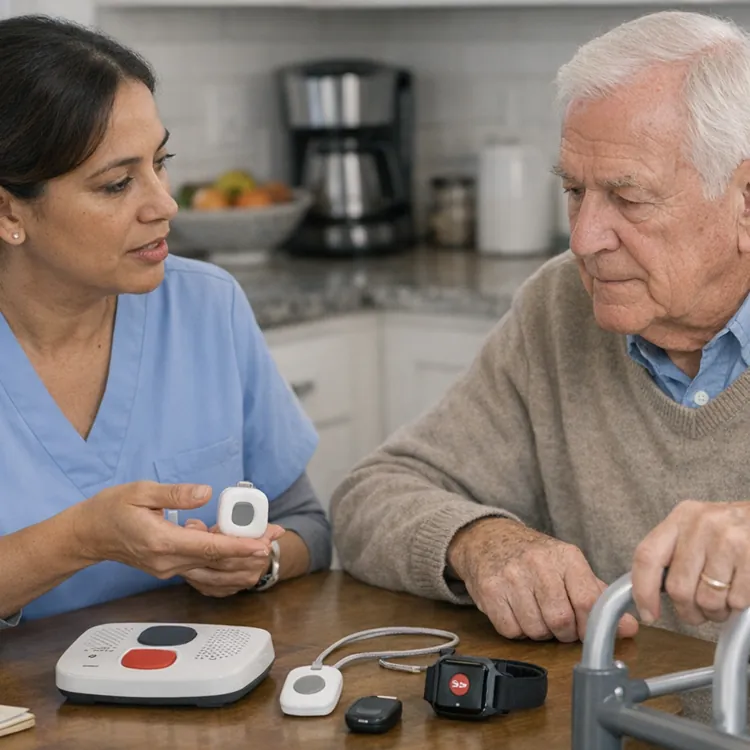
Medical alert systems come in two main types: in-home and mobile. In-home systems use a base station and a wearable button that operate within a limited range — typically 200 to 1,400 feet — covering the house and yard. Mobile systems use GPS and cellular networks to provide coverage anywhere.
For someone mostly homebound, an in-home system often makes more sense. “Countless families pay for GPS tracking on elders who haven’t been beyond their mailbox in a year,” Shah observed. “An in-home system at $27 a month may do everything they need. The bathroom is where most falls happen, not the grocery store.”
That said, not every homebound user can skip GPS. Cognitive conditions like dementia or Alzheimer’s can cause wandering, even in people who rarely leave the house on their own. “A medical alert with GPS tracking, as well as geofencing alerts, is critical in these cases,” said Simmons.
Pro tip
For seniors who are active and independent, mobile coverage is best. But Shah noted these users are often the least likely to wear a device because it conflicts with their self-image. A smartwatch-style system that looks more like wellness tech than medical equipment can help with that.
3. Decide what features matter most
Most medical alert systems offer some combination of these features:
- 24/7 emergency monitoring: Trained professionals respond any time someone presses the button, day or night.
- Two-way communication: A built-in speaker lets the user talk with responders without needing a phone.
- Waterproof wearable buttons: Many falls happen in the bathroom or shower, so water resistance is essential.
- Fall detection: Sensors pick up sudden falls and contact a monitoring center, even if the user can’t reach the button.
- GPS location tracking: Emergency responders can locate the user outside the home.
- Caregiver alerts and medical alert apps: Loved ones get real-time notifications and can check in from anywhere.
- Medication reminders: Automated alerts help users stay on track with daily prescriptions.
Which of these matters most depends on the person. Having more features doesn’t always mean better protection — it can actually mean a higher bill and a device that’s harder to use.
Pro tip
For higher-risk users, Simmons recommended prioritizing fall detection and real-time caregiver alerts. “In a crisis, families need to know what’s happening, not just 911,” she said.
» COMPARE: Best medical alerts with fall detection
Understanding fall detection and its limitations
Fall detection uses built-in sensors, typically accelerometers and gyroscopes, to recognize sudden changes in motion and body position. If the device detects a fall, it contacts a monitoring center even if the user can’t press a button.
The technology isn’t perfect, though. False alarms can trigger from something as simple as sitting down too quickly. And slower falls — like sliding out of a chair — may not register at all.
Still, Simmons called it “the number one feature to look at when considering medical alerts,” especially since falls are the top cause of injury among adults age 65 and older.
Shah agreed it’s valuable but said it matters most for certain users, including:
- Post-stroke patients
- People with progressive neurological conditions like Parkinson's or multiple sclerosis
- Anyone living alone with a history of falls involving loss of consciousness
4. Compare costs, contracts and monthly fees
According to Simmons, the average monthly cost of a medical alert system in 2026 is $20 to $60. But the exact amount you’ll pay depends on the device, plan and features you choose.
Contracts also vary by company. Some providers offer month-to-month plans with no cancellation penalty, while others require one- to three-year commitments. Shah warned against companies offering “free” equipment that locks buyers into long-term contracts at inflated monthly rates. Watch for fees that climb after the first year, too. Add up the full cost — not just the monthly rate — before signing anything.
Medical alert system cost factors
- Monthly monitoring fees: Some medical alert systems have no monthly fees. But generally, basic in-home systems run $25 to $35 per month. Mobile GPS devices can reach $45 or more.
- Equipment: Some companies include devices in the monthly price (as a rental). Others charge $50 to $350 upfront for an outright purchase.
- Activation and shipping: One-time fees range from free to over $100, depending on the provider and plan.
- Add-ons: Fall detection adds an average of $8 to $10 per month. Features like GPS tracking, geofencing and medication reminders may cost extra.
- Annual discounts: Paying yearly instead of monthly can save $5 to $10 per month.
5. Read reviews and watch for red flags
Customer reviews on sites like ConsumerAffairs can reveal what marketing materials won’t. Look for ones that test real-world performance, including how quickly the monitoring center picks up and whether the device is comfortable enough to wear all day.
When shopping, Shah and Simmons advised watching for these red flags:
- Companies that won’t provide upfront pricing or push for a same-day commitment
- Activation, restocking or “programming” charges buried in the fine print
- Contracts that make it hard to leave or providers that continue charging after you cancel
- Cold calls saying Medicare preapproved you for a no-cost device
- Monitoring centers that consistently take longer than 60 seconds to answer
6. Ask the right questions
Simmons encouraged families to ask questions before committing. “In this industry, where life and possible death are on the line, it’s important that seniors and their families feel safe and confident with the company and technology they’re working with.”
“Buyers should feel comfortable walking away if the company isn’t taking the time to listen to the user’s needs,” Simmons said.
Shah’s final piece of advice was about fit. “The best medical alert system is the one that the user will wear every day, in the shower, to bed, everywhere,” he emphasized. “Before you spend a dollar, visit your loved one with several different style options — pendant, wristband, belt clip. Watch which one they put on and forget about. That’s your answer.”
Compare medical alert companies
Read our guide to the best medical alert systems to learn more.
| Company | Customer rating | Average monthly cost | Activation fee | Trial period | |
|---|---|---|---|---|---|
 Bay Alarm Medical | Get Pricing | 4.5 | $33.28 |  | 15 days |
 MobileHelp | Get Pricing | 3.5 | $29.95 | $0 | |
 ADT Medical Alert | Get Pricing | 4.0 | $37.99 | $99 | |
FAQ
How much does a medical alert system cost?
A medical alert system with 24/7 monitoring generally costs $20 to $60 per month. Basic in-home setups fall on the lower end, while mobile and GPS-enabled devices cost more. Add-ons like fall detection typically run an extra $5 to $20 per month.
Do medical alert systems work outside the home?
Yes, mobile medical alert systems equipped with GPS and cellular networks provide coverage outside the home. Users can reach help from anywhere with a wireless signal, and responders can locate them in real time without needing a landline connection.
Is fall detection worth it?
Fall detection is often worth it for anyone at elevated fall risk (especially those living alone or recovering from a health event). It uses sensors to recognize a sudden fall. Then, it contacts a monitoring center, even if the wearer can’t press a button.
Does Medicare cover medical alert systems?
Standard Medicare (parts A and B) doesn’t cover medical alert systems. But some Medicare Advantage plans (Part C) include them as a supplemental benefit. So, ask your provider whether your plan offers any coverage or discounts.
Article sources
ConsumerAffairs writers primarily rely on government data, industry experts and original research from other reputable publications to inform their work. Specific sources for this article include:
- National Council on Aging, “The Most Important Medical Alert System Features.” Accessed Jan. 10, 2026.
- National Library of Medicine, “Challenges, issues and trends in fall detection systems.” Accessed Jan. 10, 2026.
- National Library of Medicine, “Fall Detection Devices and their Use with Older Adults: A Systematic Review.” Accessed Jan. 10, 2026.
- U.S. Centers for Disease Control and Prevention, “Older Adult Falls Data.” Accessed Jan. 10, 2026.
- National Council on Aging, “Does Insurance Cover Medical Alert Systems?” Accessed Jan. 10, 2026.
- The Office of Minnesota Attorney General Keith Ellison, “Protect Yourself From Medical Alert Scams.” Accessed Jan. 10, 2026.