
Our picks for top medical alert apps
To select our top picks for medical alert apps, we started with a list of 12 companies that specialize in medical alert systems. To narrow it down, we first considered their overall customer satisfaction ratings, recent reviews and online experience. We then compared app features, costs and medical alert device compatibility to determine our final picks.
- Lifeline: Our pick for caregivers
- LifeFone: Our pick for a stand-alone app
- MobileHelp: Our pick for upgradeable features
- Medical Guardian: Our pick for full home monitoring
- Bay Alarm Medical: Our pick for weather monitoring
- Lively: Our pick for smartwatch compatibility
Lifeline

- Medical alert monitoring monthly cost
- $34.95 to $49.95
- App cost
- Included
- Caregiver tools
- Yes
- In-app GPS tracking
- Included
LifeFone

- Medical alert monitoring monthly cost
- $24.95 to $43.95
- App cost
- $8 per month
- Caregiver tools
- Yes
- In-app GPS tracking
- Included
MobileHelp

- Medical alert monitoring monthly cost
- $29.95 to $41.95
- App cost
- $0 to $10 per month
- Caregiver tools
- Yes
- In-app GPS tracking
- Limited
Medical Guardian

- Medical alert monitoring monthly cost
- $31.95 to $49.95
- App cost
- Included
- Caregiver tools
- Yes
- In-app GPS tracking
- Included
Bay Alarm Medical

- Medical alert monitoring monthly cost
- $27.95 to $64.95
- App cost
- $5 per month; included with on-the-go devices
- Caregiver tools
- Yes
- In-app GPS tracking
- Included
Lively Mobile2

- Medical alert monitoring monthly cost
- $24.99 to $34.99
- App cost
- Included
- Caregiver tools
- Yes
- In-app GPS tracking
- Included
» MORE: Best medical alert bracelets
What is a medical alert system app?
There are two types of medical alert system apps: ones that function as stand-alone monitoring devices and ones that provide caregivers, family and friends with valuable information.
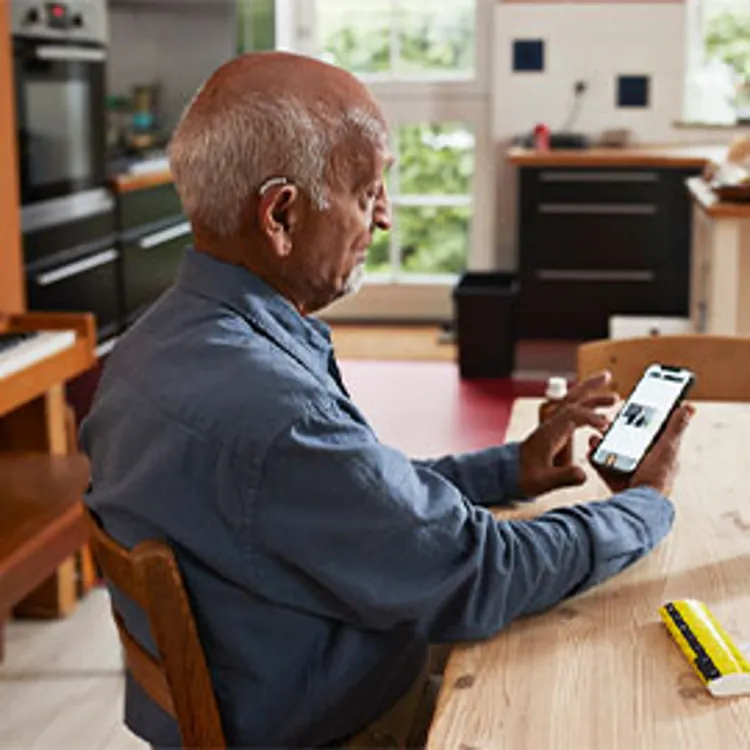
- Stand-alone monitoring apps: Some medical alert system apps can turn smartphones and tablets into medical alert monitoring devices. These apps provide access to many features of standard medical alert monitoring systems without forcing the user to wear a pendant or bracelet.
- Caregiver apps: Apps designed for caregivers provide access to valuable information about medical alert device users. App functions range from checking in on your loved one to receiving real-time GPS device tracking. Some caregiver apps also allow friends and family to share information and coordinate their care.
“In order for an app to work reliably, the smartphone must be charged, turned on and the application running,” explained Alfred Poor, an aging-in-place technology expert. The user needs to be able to navigate to the app in an emergency. “This might not be a problem for younger seniors, but these tasks might be beyond the abilities of an older user who might have some cognitive or physical impairments,” he said.
What to consider when choosing a medical alert system app
Considering the following things will help you find the best medical alert app for you or your loved one:
Location monitoring might be critical if you’re caring for someone who has dementia.
- Function: Some medical alert apps provide access to monitoring centers or emergency contacts. Others let your friends and family keep track of where you are and how you’re doing. Think about what you want from a medical alert app and choose accordingly.
- System: Do you want an app that works all on its own, or are you looking to complement another medical alert system? Both options are available, but stand-alone apps are harder to find.
- Cost: Some medical alert companies include an app with a subscription to their monitoring services, but others charge an additional monthly fee for app features.
- Important features: Pick an app that has the features that matter most to you. Features such as real-time location monitoring and the ability to view activity histories are often critical.
- Information sharing: Some medical alert apps let you record and distribute information about medical issues. These caregiver tools can help friends and family coordinate their efforts and care for their loved ones remotely.
How much do medical alert apps cost?
Costs for medical alert apps vary widely, but expect to pay up to $30 per month for app service.
Most medical alert system apps are either included in the monthly price of a monitoring package or available for a lower additional monthly fee. However, some companies offer an app as an entirely separate medical alert service. For more info on monitoring plans, read our article on medical alert system costs.
Medicare doesn’t cover medical alert systems, which includes medical alert apps. Medical alert apps don’t fall under medically necessary durable medical equipment, so they aren’t covered under Medicare.
Some Medicaid programs might cover personal emergency response services (PERS) devices, which includes wearable call buttons. Check with your state to see if yours is included.
FAQ
Do I need a medical alert app and a medical alert system?
It depends — there are a number of reasons why you may want both a medical alert system and a medical alert app. Some apps seek to replace distinct medical alert systems, while others complement a company’s other products.
Most apps that work with existing medical alert systems cater to caregivers rather than device wearers. If you’re a caregiver, friend or family member of someone with a medical alert system, getting a medical alert app can provide you with greater peace of mind when you can't be physically near your loved one.
What is a stand-alone medical alert app?
Stand-alone medical alert apps provide 24-hour emergency assistance and monitoring without requiring a distinct medical alert system. You simply download the stand-alone app to your smartphone or tablet and use it as your medical alert device.
How reliable are medical alert apps in emergencies?
Medical alert apps can be extremely accurate in detecting an emergency, but their reliability can vary depending on internet connection and signal, battery level and whether the app is paired with a medical alert device. For example, a medical alert app on its own may be less reliable when detecting a fall compared to hardware-based detection.
Are medical alert apps covered by insurance?
Most medical alert systems are not covered by Medicare or private insurance policies, including medical alert apps.
Bottom line: What are the best medical alert apps?
If you want a stand-alone app that provides access to 24-hour monitoring centers, we suggest checking out LifeFone and Lively. They have highly recommended safety alert apps that offer this service through iPhones and Android devices.
If you're looking for a medical alert app that lets you monitor a loved one’s activity and get alerts about emergency situations, Lifeline, MobileHelp, Bay Alarm Medical or Medical Guardian could be a good pick.
Article sources
ConsumerAffairs writers primarily rely on government data, industry experts and original research from other reputable publications to inform their work. Specific sources for this article include:
- Medical Guardian, “Family Guardian.” Accessed April 21, 2026.
- Lively, “Lively App.” Accessed April 21, 2026.
- Bay Alarm Medical, “Location Tracking for Added Safety & Peace of Mind.” Accessed April 21, 2026.