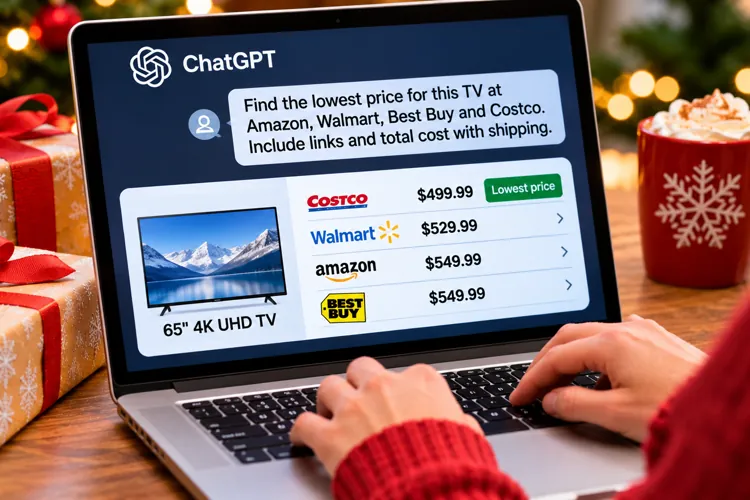

Turn AI into your bargain hunter: Use ChatGPT or Gemini to compare products and uncover cheaper alternatives.
Stop falling for inflated discounts: AI can help investigate whether a Black Friday sale is really a bargain.
Steal these five prompts: Copy and paste them into your favorite AI assistant to shop smarter this holiday season.
Holiday shoppers have a new tool in their money-saving arsenal this year: artificial intelligence.
Instead of opening 15 browser tabs to compare prices, features and reviews, you can ask ChatGPT or Google Gemini to do much of the legwork.
And shoppers are catching on. According to a YouGov survey cited by The Washington Post, 34% of Black Friday and Cyber Monday shoppers say they're likely to use AI this year, compared with 16% in 2025.
But the catch consumers need to be aware of is that AI can confidently recommend a product that's overpriced, out of stock, or not even on sale. The trick is knowing exactly what to ask.
Here are five AI prompts worth stealing before you spend a dime on your holiday shopping.
1. Make AI find the cheapest place to buy something
Let's say you've decided on a specific pair of headphones. Instead of checking five retailers individually, have AI compare them.
Copy this prompt:
"Find the lowest current price for [exact product name and model number] at Amazon, Walmart, Target, Best Buy, and Costco. Include direct product links, shipping costs, and any coupons needed to get the advertised price. Tell me which retailer has the lowest total cost."
Why it works: You're asking AI to compare the exact same product, not similar models with different features. Be sure to also ask about if the retailer offers a student, teacher, or military discount that could help you lower the price even further.
2. Find out if that 50% discount is actually a bargain
Retailers love advertising huge percentage discounts that are often fake deals. But a product marked down from $200 to $100 might have been selling for $110 all year.
Copy this prompt:
"Check the price history of [product name] over the past 12 months. Is today's Black Friday price actually the lowest of the year? Show me the price-history and give me the lowest previously recorded price. If unable to verify, say so."
Why it works: It shifts the focus away from the retailer's advertised savings, which is often a meaningless number, to what shoppers have actually been paying for the product.
For Amazon purchases in particular, double-check the results using Keepa or CamelCamelCamel. AI may not have access to complete historical pricing data.
3. Find last year's model and pocket the difference
One of the easiest ways to save on electronics is to buy a previous-generation model.
The newest model of a TV, smartwatch, or pair of headphones might have only a few improvements over last year's version, and unless you’re a real tech geek, you won’t even notice the difference.
Copy this prompt:
"I'm considering buying [product name]. Find the previous-generation model and compare their most important features, current prices, and warranties. Tell me what I'd actually be giving up by buying the older version."
Why it works: You might discover that an older model does 95% of what you need for significantly less money. Also, ask AI to compare refurbished and open-box prices, too. Just make sure you understand the warranty and return policy before buying.
4. Make AI uncover the hidden costs
Sometimes the cheapest advertised price turns out to be the most expensive option.
Think about printers that require those pricey ink cartridges, security cameras with monthly subscriptions, or fitness equipment that requires a membership.
Copy this prompt:
"Compare the total cost of owning [product name] for two years. Include the purchase price, any required subscriptions, replacement parts, accessories, and any other recurring expenses. Then suggest a comparable product with a lower total cost."
Why it works: You're looking beyond the Black Friday sticker price to what the purchase will actually drain from your wallet. This is especially useful for things like Ring cameras, Peloton equipment, robot vacuums, and even some home printers.
5. Turn AI into your personal gift finder
This might be my personal favorite use of AI during the holidays.
Instead of scrolling through endless gift guides, give AI a few details about the person you're shopping for and give them a strict budget.
Copy this prompt:
"Suggest 10 Christmas gifts under $50 for someone who loves [hobby or interest]. Focus on useful, well-reviewed products, not novelty gifts. Find current Black Friday prices and direct shopping links. Exclude anything over my budget."
Why it works: AI can help you discover gifts you might never have considered, while keeping your spending under control. It’s also smart to add this to your prompt: "Avoid gifts that require subscriptions or additional purchases." This eliminates presents that could end up costing the recipient money.
One important warning before you buy
AI is a great research assistant, but it's not a perfect price tracker.
It can often recommend outdated deals, confuse similar product models, or provide links that no longer work. Some shopping recommendations may also be influenced by sponsored placements or retailer relationships, depending on the service.
Before checking out, take 30 seconds to verify these three things:
The price: Does the retailer's actual product page show the discount AI promised?
The product: Is it the exact model, size, and color you wanted?
The seller: Is the item sold by a reputable retailer, and can you return it if necessary?
The bottom line: Don't ask AI to simply find you a great deal. Make it prove why the deal is worth buying in the first place. That one change could save you more money than any flashy percentage-off sign.