

Compare our top home alarm and security system picks
| Company | Customer rating | Best for | Monitoring costs | Trial period | Monthly payment option | Contract terms | |
|---|---|---|---|---|---|---|---|
 Vivint | Get a Quote | 4.5 | Best overall | Starting at $24.99 | 3 days |  | 1 to 60 months |
 SimpliSafe | Learn More | 3.0 | Best app experience | $9.99 to $79.99 | 60 days |  | No contract required |
 Cove | Learn More | 1.6 | Best for low monitoring cost | $22.99 to $42.99 | 30 days | | No contract required |

- Trial period
- 3 days
- Contract terms
- 1 to 60 months
- Installation option
- Free professional installation on online purchases

- Trial period
- 60 days
- Contract terms
- No contract required
- Installation option
- DIY or professional ($99+)
Cove
- Trial period
- 30 days
- Contract terms
- No contract required
- Installation option
- DIY
Methodology: How we chose the best no-contract home alarm and security systems
The ConsumerAffairs Research Team compared no-contract home security companies using verified customer reviews, monitoring costs and equipment details. To qualify, companies needed verified reviews submitted between Aug. 1, 2023, and July 31, 2026. We scored each company in three areas:
- Customer experience: Satisfaction with installation, customer service, staff and punctuality
- Equipment and technology: Satisfaction with system technology, plus equipment options and app ratings
- Cost: Satisfaction with pricing and starting monitoring cost
Each company received a score from zero to 10 for every metric. The top performer earned a 10, and the other companies were scored relative to it. We used different weightings for each award. For example, the low monitoring cost award focused more on starting monitoring price, while the app experience award emphasized app ratings and technology satisfaction.
Buyers guide for no-contract home alarm and security systems
We compared contract terms, equipment, monitoring choices, app controls, smart-home support and installation options.
Key insights
Basic systems should cover entry points and motion.
Jump to insightDIY, no-contract and traditional systems differ in ownership, contracts and alerts.
Jump to insightSelf-monitoring requires you to respond to alerts, while professional monitoring adds operator expense.
Jump to insightWhat to look for in a no-contract home alarm and security system
Focus on equipment, monitoring and backup options when choosing a home security system.
Features and coverage
A basic home system should include a hub, entry sensors and motion detection. Self-monitoring will send you alerts, while professional monitoring adds trained operators. UL-listed monitoring centers follow standards for staffing, backup power and communications. Entry sensors, motion detectors and cameras often come with security systems, but not all of them do. Larger homes may need more sensors, outdoor cameras and smart-home compatibility.
Limitations or risks
Self-monitoring depends on you being near your phone to see alerts. Professional monitoring adds operator response if an alert needs action. Battery and cellular backup can help during power or internet outages.
Types of home alarm and security system companies
Home alarm and security system companies fall into one or more of these three categories:
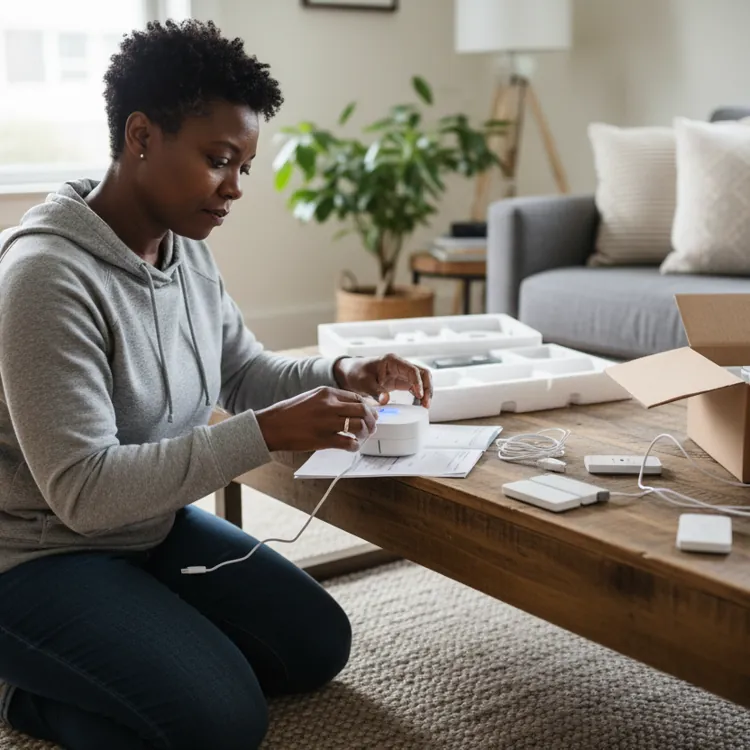
- DIY, self-monitored systems: You install the equipment and handle alerts. These usually cost less, but response depends on you seeing and acting on alerts, and you typically buy the equipment upfront.
- Professionally monitored, no-contract providers: You pay month to month without a multiyear agreement. The provider or a third-party center often handles monitoring.
- Traditional contract-based alarm companies: Monitoring may require a longer service term. They often pair monitoring with financed equipment or installation and may charge cancellation fees.
» LEARN MORE: How alarm monitoring works
Cost of no-contract home alarm and security systems
No-contract systems may cost more upfront because you’re often buying the equipment outright. DIY installation can avoid installation charges, while professional setup adds labor costs. If you add monitoring, you’ll have recurring costs that typically include video monitoring and cellular backup. Home security system costs vary based on equipment, installation and monitoring.
Some providers charge activation, installation or cancellation fees that can eat into your overall costs, so check these before you sign up. If you can pay more upfront, you may be able to reduce financing-related commitments, while lower-cost security systems may trade premium equipment or monitoring features for a lower monthly bill.
Pros and cons of no-contract home alarm and security systems
No-contract systems are great for renters, people who move frequently and buyers who don’t want to be locked into long-term contracts. However, a long-term contract may still be appealing if you can reduce equipment or installation costs, so it’s a trade-off worth considering when choosing the best home security system for your home and situation.
Pros
- Cancel monitoring more freely
- Easier to take when moving
- DIY options can cut installation costs
- Month-to-month monitoring is more flexible
- Often lets you own the equipment
Cons
- Equipment costs are often paid upfront
- Fewer equipment discounts may apply
- Self-monitoring requires you to be available to see alerts
- Premium monitoring raises recurring costs
- Some features require paid monitoring
FAQ
What is the best home security system without a contract?
Vivint is our pick for the best home security system without a contract because of its equipment selection, smart-home integrations and professional installation. If you buy equipment upfront, you can choose month-to-month service.
Is there a home security system with no monthly fee?
Yes, some systems, including SimpliSafe, can be self-monitored without a monthly monitoring fee, though certain app and camera features require a paid plan.
What is the difference between self-monitoring and professional monitoring?
With self-monitoring, alerts go to you, and it’s your responsibility to respond to them. Professional monitoring routes alarms to a monitoring center that can contact emergency services on your behalf.
Are DIY home security systems as reliable as professionally installed systems?
They can be, provided you install your equipment correctly and the system has dependable power and connectivity. Pro installation reduces the chance of placement or setup errors.
Why do some home security companies require contracts while others don't?
Contracts can help companies spread equipment or installation costs across a longer service term. No-contract providers often require you to buy equipment upfront or pay separately for installation.
Article sources
ConsumerAffairs writers primarily rely on government data, industry experts and original research from other reputable publications to inform their work. Specific sources for this guide include:
- Vivint, “HomeProtect.” Accessed Aug. 24, 2026.
- Vivint, “HomeProtect vs. HomeProtect Pro: What’s the Difference?” Accessed Aug. 24, 2026.
- SimpliSafe, “Alarm Events & Monitoring.” Accessed Aug. 24, 2026.
- SimpliSafe, “What Are the Residential Features Included in the SimpliSafe Mobile App?” Accessed Aug. 24, 2026
- Cove, “What Are Cove’s Monitoring Plans?” Accessed Aug. 24, 2026.
- Federal Trade Commission, “How To Avoid Scams When You Shop for a Home Security System.” Accessed Aug. 24, 2026.
- UL Solutions, “Security Alarm Service Certification.” Accessed Aug. 24, 2026.