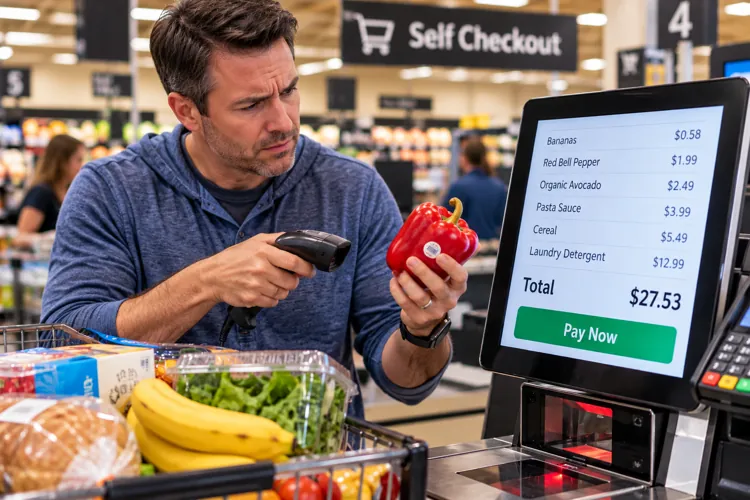

You're the cashier now: Self-checkout puts the scanning, weighing, and bagging in your hands, along with more opportunities to make mistakes.
Small errors add up: Double scans, incorrect produce selections, and missing discounts can quietly inflate your grocery bill.
Know when to skip it: Self-checkout is often convenient for a few items, but a regular cashier might be easier when your cart is full.
You've scanned the groceries, bagged everything yourself, wrestled with the machine over an unexpected item in the bagging area, and waited for an employee to approve your bananas.
Unfortunately, there's no paycheck for the work you just did. And if you're not paying attention, you could actually leave the store having spent more than you should.
Self-checkout was supposed to make grocery shopping faster and easier for everyone. But as a recent Yahoo article points out, the machines can sometimes feel more like a chore than a convenience.
Self-checkout also puts basically all of the responsibility on you to make sure everything rings up correctly. Here are five mistakes worth watching for so you don’t overpay.
1. The produce guessing game
You know the drill. You put a tomato on the scale, and suddenly you're scrolling through a dozen different tomato varieties.
Was that a Roma? A vine-ripened? Organic? Choosing the wrong option can mean paying more than necessary.
Look at the produce sticker, which includes a four- or five-digit PLU code. Enter that code when available rather than guessing from the pictures. And don't automatically select organic unless that's actually what you bought.
Pro tip: Learn to crack the produce sticker code. If the sticker on that bell pepper has a five-digit code on it instead of four digits, you know it’s organic. This creates a quick and easy hack to make sure you’re not paying more for organic when that wasn’t your intention.
2. The dreaded double scan
Beep. Beep. Did you just scan that box of cereal twice? Or did the machine simply make a weird noise?
When you're rushing to get out of the store it's surprisingly easy to lose track. And a duplicate scan can turn a $5 purchase into a $10 purchase without you noticing.
Try to keep an eye on the screen as you scan, especially the item count and quantity. If something appears twice, ask the attendant to remove the extra charge before paying.
Pro tip: Watch out for those multi-buy promotions when using self-checkout. Ever see a sign advertising “Buy 2, Get 1 Free” or “3 for $10”? Those deals sometimes have specific requirements, including buying the correct quantity, selecting eligible varieties, or mixing only certain products.
So, before you pay, always check that all qualifying items are included and the promotion was applied. It can be tricky as some discounts don't appear until the final item is scanned or the transaction is totaled.
3. The sale price that never showed up
You grabbed that pasta sauce because the shelf tag said $2.49. But when you scan it, the machine says it costs $3.99.
Maybe the promotion expired. Maybe you grabbed the wrong size. Or maybe the store's system hasn't been updated. Whatever the reason, you shouldn't automatically assume the register is right.
Be sure to watch the prices as they appear, particularly on advertised specials. If the discount doesn't show up, ask an employee to check the shelf price. While a bit of a hassle, taking a quick photo of a sale sign can also make it easier to resolve the pricing discrepancy.
Pro tip: When buying clearance items, be sure to scan the clearance price sticker, not the original barcode on the item. That package of chicken with a bright yellow $3-off sticker might still have its original barcode visible. Don’t scan it, instead scan the barcode on the yellow sticker if there is one. Always look for a separate clearance barcode or special instructions on the markdown sticker.
4. Forgetting the loyalty discount
This one can be especially frustrating.
You carefully planned your shopping trip around digital coupons and member-only prices, only to discover you never entered your phone number. Or worse, the coupon you thought you'd clipped wasn't actually activated.
Always enter your loyalty information early in the transaction and verify that your discounts appear before you pay.
Some stores apply discounts near the end, so don't panic if they don't appear immediately. But be sure to not complete the transaction until you've confirmed all of your savings.
Pro tip: Be careful with the pesky quantity button. Some self-checkouts let you enter a quantity instead of scanning every identical item individually. That's super convenient until you accidentally enter 33 instead of three.
I speak from experience on this one, only use the quantity button when the store allows it for that particular item, and ALWAYS double-check the number.
5. Skipping the receipt check
After you've done all that work, the last thing you want is another assignment.
But spending 30 seconds reviewing your receipt could catch a mistake that costs you several dollars. Look for duplicate items, incorrect produce prices, missing promotions, and coupons that didn't apply.
It’s smart to check your receipt before leaving the checkout area. It's usually easier to resolve a mistake while you're still in the store than to discover it after you've driven home.
When should you skip self-checkout altogether?
My rule of thumb is the more complicated your grocery cart, the less appealing self-checkout becomes.
Buying just five items? Sure, scanning them yourself makes the most sense. But if you're buying a slew of produce, got a few digital coupons, or a cart full of groceries that barely fits in the bagging area, a regular cashier is often the best choice.
A cashier can make mistakes, too. But having someone else handle the scanning gives you more opportunity to watch the prices as they pop-up on the screen.
There’s no doubt that self-checkout can be convenient, but convenience shouldn't cost you extra. And if the grocery store is going to make you do the cashier's job, the least you can do is make sure you're not paying for the privilege.