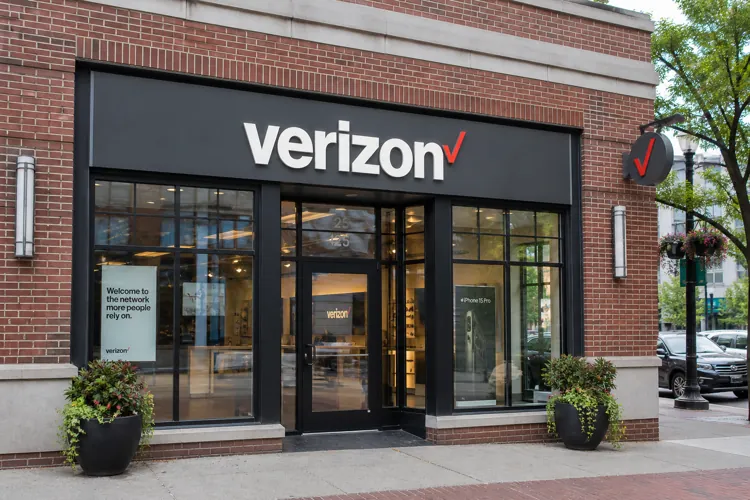

Verizon is promoting free security tools designed to protect customers against fraudulent calls, malicious websites and threats to their personal information.
Call Filter can identify and block suspected scam calls, while Digital Secure offers additional protection against online threats.
Customers can access many of these features through My Verizon or Verizon's security apps, although some advanced protections require a paid subscription.
With scammers increasingly using sophisticated technology to trick consumers into revealing personal information or sending money, Verizon is reminding its customers that they may already have access to tools that can help protect them.
The wireless carrier says its customers can take advantage of several security features, including spam-call blocking, protection against malicious websites and tools to help secure mobile devices.
In an October announcement, Verizon emphasized that some of these services are available at no additional cost, meaning customers may not need to purchase separate security subscriptions to receive basic protection.
The company also maintains an online consumer safety resource center with recommendations for protecting phones, passwords and personal information.
Blocking suspected scam calls
One of Verizon's primary fraud-prevention tools is Call Filter, which screens incoming calls to identify suspected spam, robocalls and potential fraud.
The free version can automatically send high-risk spam calls to voicemail. It also allows customers to review blocked calls, report suspicious numbers and create a list of numbers that should be allowed through.
Verizon says the service uses continually updated databases and analytics to identify suspicious calls, including those involving spoofed telephone numbers.
For customers who want additional protection, Call Filter Plus offers enhanced caller identification, number lookups and more personalized blocking options. Verizon lists the price at $3.99 a month for a single line or $10.99 a month for three or more lines.
However, the company acknowledges that no screening system will catch every fraudulent call. Legitimate calls can also be mistakenly flagged as spam.
Protecting phones from online threats
Verizon is also promoting Digital Secure, a service intended to protect connected devices from malicious websites and potential security vulnerabilities.
The complimentary version provides basic online protection, while the premium service offers additional security features.
Verizon says it is currently offering customers a free one-month trial of Digital Secure Premium, allowing them to evaluate the additional protections before deciding whether to pay for the service.
The company also encourages customers to use strong passwords, enable device locking features and keep security software updated.
These precautions are particularly important because a stolen or compromised smartphone can provide criminals access to email, banking applications, saved passwords and other sensitive information.
Other tools for families
Verizon's safety efforts extend beyond financial fraud.
Its Verizon Family service includes location sharing and Safe Walk features that allow family members to stay connected when traveling or walking alone.
The company says these features are available at no additional cost and can be particularly useful for parents who want to keep track of their children's whereabouts.
While these services aren't specifically designed to prevent financial scams, they are part of Verizon's broader effort to improve customer safety.
How customers can activate the protections
Verizon customers interested in using these services can start by reviewing the security features associated with their accounts.
Sign in to My Verizon. Open the My Verizon app or visit Verizon's website and look under Products & plan perks for available security services.
Activate Call Filter. On compatible phones, download or open the Verizon Protect app. The app is preinstalled on many Android devices. Customers with incompatible phones may be able to manage Call Filter through My Verizon.
Review spam-blocking settings. Check which calls are being blocked, add trusted telephone numbers to an allowed list and report suspicious calls that get through.
Explore Digital Secure. Review the free security features and determine whether the premium trial offers protections worth using. Check the subscription terms before the trial ends.
Secure your device and accounts. Enable a strong screen lock, use unique passwords and keep your phone's operating system and applications updated.
Verizon says the Verizon Protect app requires Android 10 or later or iOS 16.6 or later. Availability can vary by device.
Customers can find more information on Verizon's consumer safety website and its Call Filter support page.
No protection is foolproof
Although these services can reduce consumers' exposure to scams, they cannot eliminate the threat.
A fraudulent call might still get through, and a scammer could use a text message, email or social media account instead of a telephone call.
Consumers should be particularly suspicious of unexpected requests for passwords, account verification codes, banking information or immediate payments.
Anyone receiving a suspicious call claiming to be from Verizon, a bank or a government agency should hang up and contact the organization using a verified telephone number or its official website.
The bottom line for Verizon customers is that some potentially useful protections are already included in their wireless service. Taking a few minutes to review and activate them could help reduce the risk of becoming a fraud victim.