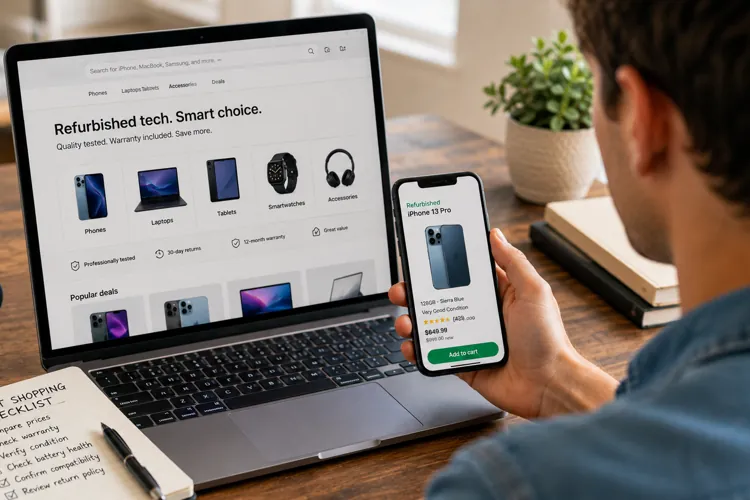

Choose refurbished when possible: Certified refurbished devices can save you hundreds while still including warranties and inspections.
Don't chase the newest model: Phones and laptops that are one or two generations old often offer the best value.
Check before you buy: Verify battery health, remaining software support, and carrier compatibility to avoid expensive surprises.
Sticker shock has become the new normal when shopping for electronics.
Whether you're replacing a cracked smartphone, buying a laptop for college, or upgrading your tablet, prices continue to climb. That's one reason refurbished and pre-owned devices have become one of the smartest ways to save money — provided you know what to look for.
The good news is that today's refurbished market is far more mature than it was just a few years ago. Many retailers now professionally inspect, test, clean, and warranty devices before selling them, allowing shoppers to save hundreds of dollars without sacrificing reliability.
Understand the difference between "used" and "refurbished"
Not all secondhand electronics are created equal.
A used device is typically sold "as-is" by an individual seller. A refurbished device has usually been inspected, tested, cleaned, and repaired (if necessary) before being resold. Many refurbished products also include a warranty and return policy, giving buyers much more protection.
Pro tip: If the price difference is only $50 or so, choose the refurbished model. The warranty alone is often worth the extra cost.
The best places to buy refurbished tech
Where you shop can be just as important as what you buy. Established retailers and manufacturer-certified programs typically inspect devices, verify they haven't been reported lost or stolen, and back purchases with warranties or generous return policies.
Some of the best places to start include:
Apple Certified Refurbished – One of the gold standards for Apple products. Every device is tested, cleaned, includes a new battery or outer shell when needed, and comes with Apple's one-year warranty.
Samsung Certified Renewed – Refurbished Galaxy smartphones restored and backed by Samsung.
Best Buy Outlet – A great source for open-box, refurbished, and clearance laptops, tablets, TVs, gaming systems, and smartphones.
Amazon Renewed – Professionally inspected electronics sold with Amazon's Renewed Guarantee.
Back Market – One of the largest marketplaces devoted entirely to refurbished electronics, with phones, laptops, tablets, headphones, smartwatches, and gaming consoles.
Swappa– A peer-to-peer marketplace with strong buyer protections and listing reviews before devices are sold.
Gazelle – A longtime favorite for refurbished smartphones and other mobile devices.
Dell Outlet – Excellent for refurbished and overstock Dell laptops, desktops, and monitors.
Lenovo Outlet – Offers discounted ThinkPads, IdeaPads, desktops, and accessories directly from Lenovo.
eBay Refurbished – Features graded devices from vetted sellers that include warranties on eligible purchases.
Pro tip: Don't buy from the first seller you find. Be sure to compare prices from at least three retailers. It's common to find the exact same phone priced $100 (or more) differently depending on its cosmetic grade, warranty, storage capacity, and any included accessories.
Don't automatically buy the newest model
One of the easiest ways to save money is buying a phone that's one or two generations old.
For most consumers, last year's flagship still offers excellent cameras, fast processors, long battery life, and years of software support, all while costing hundreds less than the newest release.
The same strategy works for laptops and tablets.
Pro tip: Devices released within the past two or three years usually offer the best balance of price, performance, and remaining software support.
Check software support before you buy
A bargain isn't much of a bargain if the manufacturer stops providing security updates shortly after you purchase it.
Before buying any smartphone or tablet, verify how many years of software and security updates remain on the device.
The best way to do this is to Google the device model along with "software update policy" or check the manufacturer's website to see how many years of updates remain.
Pay attention to battery health
Battery life naturally declines over time. Some refurbishers will install new batteries, while others certify that the battery still meets a minimum health standard.
Pro tip: Look for phones with at least 80% battery health — or better yet, a newly replaced battery.
Make sure it works with your carrier
Before purchasing a phone, verify that:
It's unlocked
It's compatible with your wireless carrier
It supports your carrier's 5G network (if that's important to you)
It has enough storage for your needs
Taking a few minutes to verify compatibility can prevent an expensive mistake.
Consider repairing before replacing
Sometimes the cheapest upgrade isn't an upgrade at all.
A worn battery, cracked screen, or faulty charging port doesn't necessarily mean it's time for a new phone. Many repairs cost a fraction of replacing the entire device and can add years of life.
Pro tip: Get a repair estimate before shopping for a replacement. Spending $100 to replace a battery may save you from spending $900 on a new phone.
Trade in your old device
Even older electronics often retain surprisingly good value.
Manufacturers, wireless carriers, and retailers frequently offer trade-in credits, while selling the device yourself can sometimes bring an even higher return.
Before selling, do the following:
Back up your data
Sign out of your accounts
Perform a factory reset
Remove activation locks
Those simple steps will protect your privacy and also maximize your resale value.