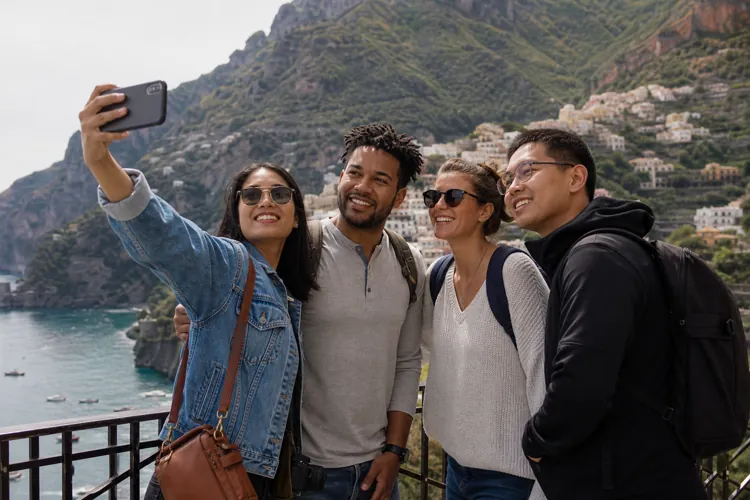

Your vacation photos may reveal more than you think. AI can often identify where a photo was taken—even without location tags, captions, or metadata.
Scammers can use those details to make phishing attacks more convincing. They may impersonate airlines, hotels, or travel companies using information tied to your trip.
You don't have to stop sharing your travels. Being more mindful about what you post, when you post it, and who can see it can help reduce your risk.
Before you share those beach sunsets and vacation selfies, it's worth thinking about what your photos might be revealing.
Thanks to advances in artificial intelligence, a single travel picture can contain more clues than most people realize — even if you've removed the location tag and skipped the caption.
According to new research from McAfee, AI tools can often identify where a photo was taken based on the image alone, potentially giving scammers the information they need to create highly personalized phishing emails, texts, and other scams.
ConsumerAffairs spoke with Steve Grobman, Chief Technology Officer at McAfee, about how this technology works, why it matters, and what travelers can do to better protect their privacy online.
Vacation photos reveal a lot
Grobman explained that scammers don't need a specifics like a selfie in front of the Eiffel Tower or Times Square to know where you're traveling. They can use AI to quickly identify more subtle clues like hotel names, airline logos, restaurants, or even details in the background that reveal where you are.
“Once they have that information, they can use it to make scams feel much more believable and targeted,” he said. “For example, you might receive a text claiming there's an issue with your hotel reservation, an email saying your flight has changed, or a message asking you to pay a tourist fee before you arrive. Because the scam is timed to your trip and the message includes specific details, people are much more likely to trust it.”
How to spot these scams
One of the biggest things consumers should know is that these scams are designed to blend into the normal travel experience, while also taking advantage of moments when people are rushed, distracted, or on the go.
Grobman shared some of the most popular ways these scams take shape:
A fake TripAdvisor alert
A text from your airline saying your flight has changed
An email asking you to confirm your hotel reservation
Fake customer support numbers that appear in search results
QR codes that lead to malicious websites instead of legitimate services
Messages soliciting fake tourist or exit fees designed to steal your information
“Instead of relying on obvious mistakes like bad grammar, today's scams are designed to blend in with the confirmations, notifications, and updates travelers receive every day,” he said.
“Consumers should look for signs that a message is trying to rush them into acting. Urgency is always a red flag. If a message asks you to click a link, make a payment, or share personal information right away, take a moment to verify it through the company's official app or website before responding.”
Reducing your risk
If you’re about to embark on a trip and are now feeling skittish about sharing your photos, Grobman has some advice to help reduce the risk of a scam.
His first piece of advice: you don’t have to stop posting photos, but you may want to be more thoughtful about what you share and when.
Here’s some more tips:
Take a quick look at your photos before you post them. Ask yourself whether they reveal more than you intended, such as a hotel name, a boarding pass, a room number, or other details that could help someone piece together where you are.
Consider waiting until you've returned home before posting in real time. Sharing your memories a day or two later can dramatically reduce the amount of context available to scammers while you're still traveling. Think about when you post it. Do you really need to post it while you're halfway around the world?
Remember that not every vacation photo needs to be public. Reviewing your privacy settings and limiting who can see your posts can go a long way toward reducing your exposure without taking away from the fun of sharing your trip.
What to do if you’ve been involved in one of these scams
If you think you’ve been attacked by a scammer, Grobman encourages consumers to act as quickly as possible.
He shared some additional advice for scam victims:
Stop interacting with the message immediately. Don't click on any additional links or reply to it. Instead, contact the company that the scammer was impersonating using its official website or app to confirm whether there really is an issue.
If you've already clicked a link or downloaded something, run a security scan on your device to ensure everything is safe. McAfee can help identify malicious apps or malware that may have been installed without your knowledge. If you've shared personal or financial information, contact your bank or credit card company, change any affected passwords, and monitor your accounts for suspicious activity.
One of the biggest misconceptions is that once you've clicked, there's nothing you can do. That's rarely the case. Acting quickly can often prevent a bad situation from becoming much worse.