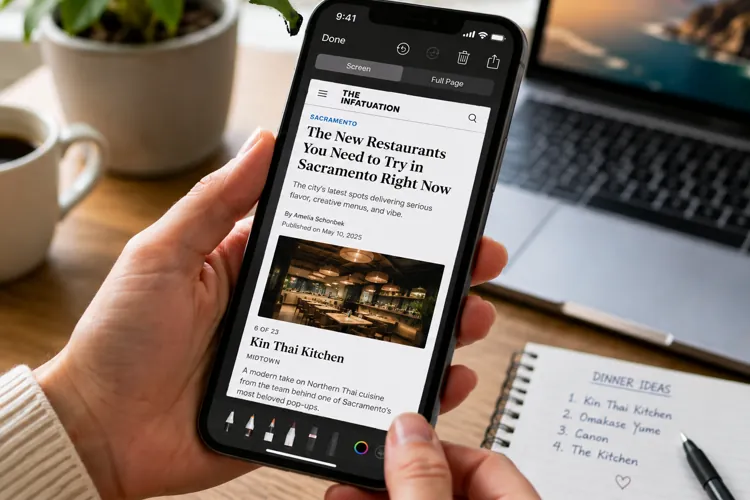

Screenshots may hurt your memory: Research found people remembered less about information they captured than information they simply viewed.
Don’t just screenshot and forget: If something matters, summarize it, save it somewhere useful, or revisit it later.
Turn screenshots into action: Move appointments to your calendar, recipes to a saved folderm, and important reminders to a place you’ll actually check.
See a restaurant you want to try? Screenshot it. An important confirmation number? Screenshot. A recipe, gift idea, or interesting article? You know the drill.
But that convenient little habit may come with an unexpected downside.
A new study from researchers at Binghamton University found that people consistently remembered less about information they screenshotted than information they simply viewed. The research, recently highlighted by StudyFinds, involved seven experiments and 892 undergraduate students.
In one experiment, recognition of screenshotted images dropped below 60%, despite participants viewing a relatively small number of images.
Researchers call the phenomenon "digital amnesia."
So should you stop taking screenshots?
Not necessarily. The more useful lesson may be to stop treating the screenshot itself as the final step.
If it's important, do something with it
Researchers aren't certain why screenshotting appears to interfere with memory.
One possibility is cognitive offloading: Once your brain knows the information has been safely stored somewhere else, it may decide it doesn't need to work as hard to remember it.
Another possibility is that taking the screenshot causes you to mentally disengage from what you're looking at.
So give your brain another job.
After taking an important screenshot, spend a few seconds summarizing what you just saved. Instead of simply capturing a restaurant recommendation, for example, tell yourself: "That's the Italian restaurant Sarah recommended in Sacramento." That forces you to actually process the information instead of immediately swiping away.
Pro tip: If something really matters, write a quick note about it. The goal isn't merely to store the information — it's to interact with it.
Don't let your camera roll become a junk drawer
Think about how many screenshots are currently sitting on your phone. Now think about how many you've actually looked at twice.
That's particularly relevant because the study tested screenshots that participants didn't review later. Researchers specifically caution that the findings don't tell us what happens when people actively return to saved screenshots.
So, try to create a simple review habit. Once a week, spend five minutes going through recent screenshots. At that point, delete what you no longer need and move useful information somewhere where you'll actually find it again.
A recipe goes into a recipes folder. An appointment goes into your calendar. A product you want to research goes onto a shopping list.
Pro tip: Set a recurring five-minute "screenshot cleanup" reminder. If an image has been sitting there for three months and you can't remember why you saved it, that's probably your answer.
Save the information where you'll need it
A screenshot of an appointment isn't nearly as useful as an appointment entered into your calendar. Neither is a screenshot of a hotel confirmation buried between a meme and a picture of shoes from the department store.
For genuinely important information, use the screenshot as a temporary holding place rather than a place for permanent storage.
Put addresses into contacts, confirmation numbers into trip notes, and deadlines into your calendar with an alert. The information will then become both easier to find and much harder to forget.
Don't screenshot something you're actually trying to learn
This might be the most useful takeaway for students, or anyone trying to remember instructions, directions, or other important information.
If your goal is learning, try to resist the urge to simply capture the screen. Instead, read it. Summarize it in your own words. Explain it to someone else. Then try to quiz yourself on it.
The researchers specifically looked for potential benefits that might compensate for the memory loss, such as freeing up mental resources for other tasks, but found little consistent evidence of one.
There's an important catch
Don't delete your entire screenshot folder because of one study.
Participants were 17 to 27-year-old college students from one university, so researchers say the findings may not apply equally to older adults or people with memory difficulties. And again, the experiments didn't examine what happens when people deliberately revisit their screenshots later.
The main takeaway is that if something is important enough to screenshot, make it important enough to look at again.
Otherwise, you may be saving it to your phone at the same moment your brain decides it doesn't need to save it at all.