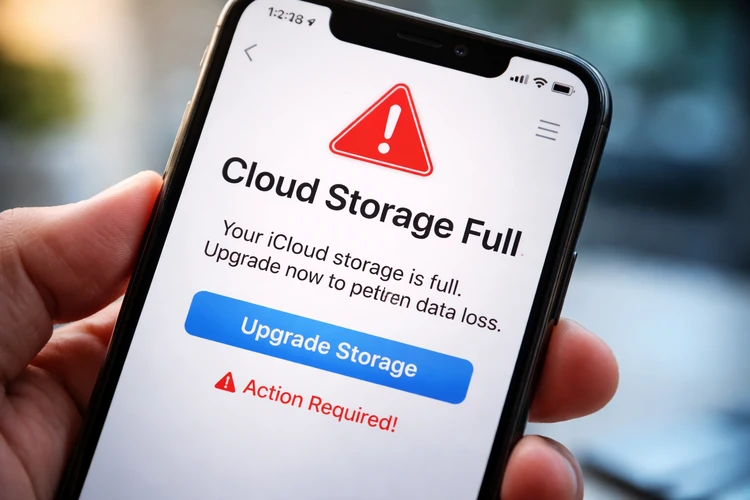

Scammers are sending fake alerts to iPhone users claiming their iCloud storage is full to trick them into clicking malicious links.
The messages often mimic official Apple notifications and urge immediate action to “upgrade” or “secure” storage.
Cybersecurity experts warn that victims risk losing personal data, passwords, and financial information.
If you receive a message on your iPhone warning that your iCloud storage is full, proceed carefully. A new wave of phishing scams is targeting iPhone users with alarming messages.
The scam typically arrives via text message or email and appears to be an official Apple notification. It tells recipients their cloud storage has reached capacity and urges them to click a link to “upgrade” or prevent data loss. The sense of urgency is designed to push users into acting quickly — before they have time to question the message’s legitimacy.
But the links don’t lead to Apple.
Instead, victims are redirected to convincing lookalike websites that prompt them to enter their Apple ID credentials, credit card details, or other sensitive information. In some cases, clicking the link can also trigger the download of malicious software.
According to cybersecurity experts, these messages are crafted to look real, often using Apple logos, branding, and language that closely mirrors legitimate alerts. The goal is to steal login credentials or financial data.
What legitimate alerts look like
Apple does notify users when their iCloud storage is nearing capacity, but those alerts typically appear within the device’s settings or official system notifications, not through unsolicited text messages with external links.
Experts recommend that users avoid clicking any links in unexpected messages. Instead, they should check their storage status directly by going to Settings on their iPhone and reviewing their iCloud usage.
Other warning signs include generic greetings, suspicious URLs, spelling errors, and requests for sensitive information. Apple said it will never ask users to provide passwords or payment details through text messages or unofficial websites.
Anyone who receives a suspicious message is encouraged to delete it and report it to Apple. If a user believes they may have fallen victim to the scam, they should immediately change their Apple ID password and monitor financial accounts for unusual activity.