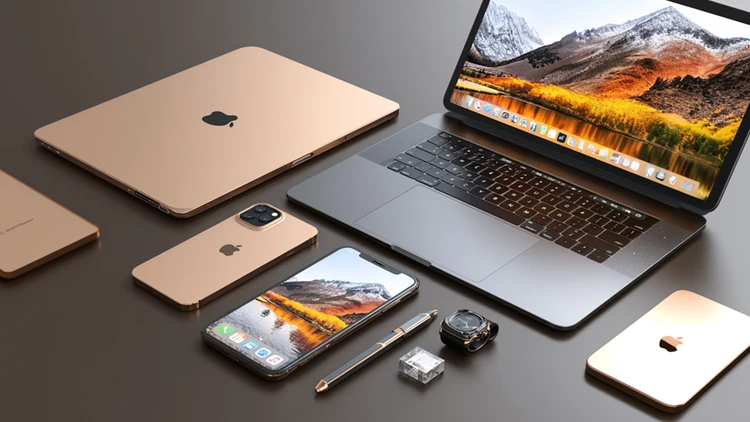

Time it right: Buy right after new releases or go with last year’s model to save significantly without sacrificing performance.
Control the total cost: Skip unnecessary upgrades, plan for resale value, and stack cash back or promos whenever possible.
Avoid hidden costs: Use flexible retailers, take advantage of student discounts, and don’t overspend on accessories.
Apple products are expensive on purpose. Pricing is tightly controlled, discounts are limited, and upgrades are designed to nudge you into spending more than you planned.
That’s why most people overpay.
But the shoppers who consistently save money? They’re not finding secret deals. They’re controlling the timing, retailer, upgrades, and resale. They stack all of these small advantages that add up fairly quickly.
Here’s the full playbook to save on Apple products in the future.
First: Understand the Apple pricing game
Apple doesn’t play by the normal rules of retail.
Specifically, you’ll notice:
- Prices are nearly identical everywhere.
- Discounts are usually small (5%–10%).
- “Deals” often come as gift cards, not price drops.
For shoppers that means if you’re waiting for a massive sale, you’ll be waiting forever.
The real strategy is this:
- Buy at the right time.
- Buy from the right place.
- Avoid unnecessary upgrades.
- Protect your purchase.
Follow this strategy and that’s where the real savings happen.
Timing your purchase (this is where you win or lose money)
Buying Apple products at the wrong time of the year is one of the easiest ways to waste money.
Fortunately, Apple follows some very predictable release cycles:
- iPhones → September
- MacBooks → Spring + Fall
- iPads → Often yearly updates
This creates the following two windows to find a great deal:
- Right after a new model drop. Older models get discounted immediately as retailers start to clear inventory. For example, it’s not uncommon for a previous-gen iPad to drop $100–$200 overnight.
- Major shopping windows:
- Back-to-school season (July–September)
- Black Friday/Cyber Monday
- Holiday promotions
Pro tip: If you’re within 30–60 days of a rumored launch, wait. Even if you don’t want the new version, the current ones are guaranteed to get cheaper.
The 'buy last year’s model' strategy (fastest way to save big)
If you want real savings on Apple products, without sacrificing performance, this is it.
In short, Apple products “age” extremely well:
- A one-year-old MacBook still feels new.
- Previous year iPhones still get years of software updates.
- iPads barely change year to year.
What you gain:
- 20%–40% savings
- Nearly identical performance
- Better value retention when it comes time for a trade-in or private sale
What you give up:
- Small spec bumps the average user probably won’t even notice
Pro tip: Search online for “previous generation” listings of Apple products, both on eBay and at traditional retail stores. They’re often quietly discounting them, without any big marketing effort, so the onus is on you to find them.
Use resale value like a strategy (this is how smart buyers think)
Apple products are known to hold their value better than almost anything else in tech.
That means your purchase isn’t a sunk cost, and it’s partially recoverable when you’re ready for an upgrade.
Here’s a common example, especially for college students:
- Buy MacBook: $1,300
- Use for two to three years
- Sell for $700
- Your real cost = $600
How to maximize your resale value:
- Keep the original box and accessories.
- Use a case and screen glass to avoid wear/scratches.
- Avoid engraving/customization.
- Sell right before a new model launches.
The best places to consider selling your old Apple products are the usual suspects, including eBay, Facebook Marketplace, Swappa, and OfferUp.
Also, Costco has a popular trade-in program for your old tech that will quote you instantly and pay you in the form of a Costco Shop Card.
Pro tip: Think of Apple more like leasing. You can easily upgrade every few years and recover a big chunk of your initial cost.
The Apple student discount is worth a look
Apple does their student discount a bit differently. Instead of a flat discount, they run an Education Portal, which is basically a separate online storefront with slightly lower prices on things like a MacBook, iPad, iPhone, Apple Watch, AirPods, and accessories.
The savings usually land in the 5% to 35% range, with the biggest cuts typically on new laptops (around $100 off). The interesting part is that the deals rotate regularly and prices can shift every few weeks, so check back often.
Here’s where it gets a little weird: While Apple says the discount is for college students, parents, and educators, the actual checkout process doesn’t require proof. At this time, you can go actually through the entire purchase without using a .edu email or verifying anything at all.
Apple does say they can audit purchases later and charge you the difference if you don’t qualify, but that seems rare in practice.
Also, it’s worth noting that the discount is online-only (you can’t walk into an Apple Store and ask for it), and it can’t be stacked with other Apple discounts.
Accessories are where people quietly overspend
This is one of the biggest money leaks. Apple accessories are notoriously expensive, especially when you compare them to quality brands that do the job for less money.
This includes charging cables, charging blocks, battery packs, cases, and adapters.
What to do instead:
- Buy trusted third-party brands (Anker, Belkin, Spigen, Aukey, and RAVPower).
- Skip impulse add-ons at checkout.
- Always compare prices before buying.
Be sure to pay attention to the prices as it’s easy to overspend $100–$200 on Apple accessories without realizing it.
The Costco advantage (this is your safety net)
Buying Apple products from Costco gives you something important Apple doesn’t: flexibility after you buy.
1. 90-day return window vs. Apple’s 14 days
That extra time lets you:
- Use the product in real life and not feel rushed.
- Return it for whatever reason.
- Stay protected if a new version drops shortly after.
2. Built-in price protection
If you buy an Apple product from Costco, and the price drops within 30 days of purchase:
- Bring back your receipt to the Membership counter at any Costco.
- They’ll look up your purchase and refund you the difference to your original payment method.
No hassle, no arguing, no questions asked.
3. AppleCare+ is often cheaper
Costco frequently discounts AppleCare+ compared to buying directly.
Same coverage, but for less money.
This is the closest thing Apple shoppers get to a “risk-free” purchase. If you’re unsure if an Apple product is right for you, Costco is the place to buy.