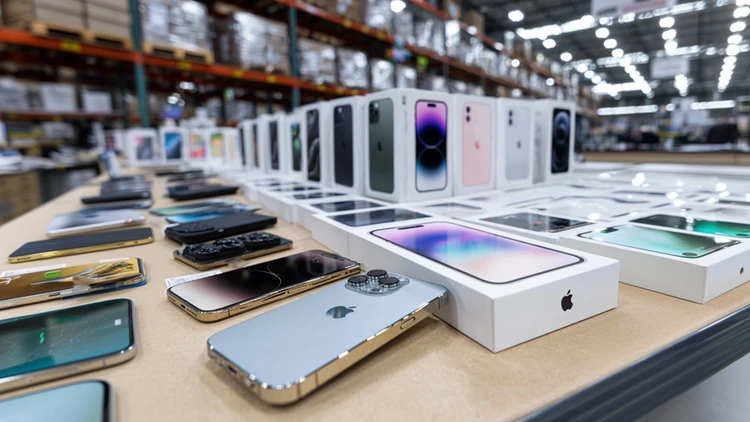

Get a quick quote online, ship your device with a free label, and receive a digital Shop Card to use on groceries and more at Costco.
Factory reset it, remove all personal accounts, and be honest about condition so your final payout doesn’t get reduced after inspection.
Electronics depreciate fast, so that unused phone or laptop is worth way more today than it will be next year.
That drawer full of outdated phones and dusty laptops could be worth real money at Costco. Money you can use on groceries, gas, or your next bulk haul.
Here’s how to make the most of Costco’s electronics trade-in program.
How the trade-in actually works
Costco partners with a company called Phobio, who handles the evaluation of your old tech and the actual payouts.
What you can trade in:
- Phones – All the major brands including Apple, Samsung, LG, Motorola, Google, Huawei and OnePlus.
- Laptops – They’ll buy laptops from Apple, Asus, HP, Acer, Dell, Lenovo, Microsoft, and MSI.
- Tablets – Brands they’ll currently buy include Apple, Samsung, and Microsoft.
- Smartwatches – Apple, Samsung, and Garmin.
- Desktop computers – Apple and Microsoft Surface Studio series.
- Media players like the Apple TV - They’ll only give you up to $5. (You’d be better off selling it on eBay if it’s in good working condition.)
The basic steps:
- Go to Costco’s trade-in page and answer questions about your device’s brand, model, age, and condition.
- Get an instant quote.
- Ship your device using the prepaid shipping label.
- After the inspection, you’ll receive a Digital Costco Shop Card within three to five business days for the amount of your trade-in.
If you’re not familiar, the Costco Shop Card works just like cash at Costco warehouses, as well as on their website.
4 tips to get the highest payout
1. Be honest about the condition. Scratches, battery issues, or screen burn-in can lower your final value if they’re not disclosed. If Phobio finds damage you didn’t list, they’ll revise the offer. For this reason, it pays to be honest about the condition from the start. You’re not going to be able to “pull a fast one on them,” so don’t even try.
2. Reset and remove accounts first. Be sure to factory reset your device and sign out of Apple ID, Google, or Samsung accounts. Also, turn off your “Find My Phone” feature before you do a reset. Keep in mind that devices with activation locks can be rejected and will be sent back to you.
3. Include chargers if asked. Some categories pay a bit more when you have the original accessories and include them in the trade. While it’s not huge money, it can bump up your total a little bit.
4. Trade in sooner, not later. Keep in mind that electronics lose value fast, so get out your old tech and maximize its current value. Last year’s phone might be worth solid grocery money today and almost nothing a year from now.
What kind of value are we talking about?
High-end, newer laptops can fetch hundreds of dollars, sometimes over $1,000 depending on how old it is and the specs.
Even many older phones can be worth $20 to $150, which can easily cover a week of household staples at Costco.
If you have multiple unused devices in your house, those smaller amounts can stack up pretty quickly.
Why this is better than tossing them
Old electronics contain valuable materials like gold and copper, plus battery components that shouldn’t end up in landfills.
By trading them in, you keep hazardous waste out of the landfills and you put the reusable parts right back into new devices.
So, think of it this way — you’re decluttering, getting paid, and reducing waste all at once.
No Costco membership? You still have options
Other retailers offer similar programs, including Target and GameStop. You can also trade devices directly through brands like Apple and Samsung for store credit.
But if you already shop at Costco, the Shop Card payout makes this one especially practical since it goes straight toward your Costco shopping list.