

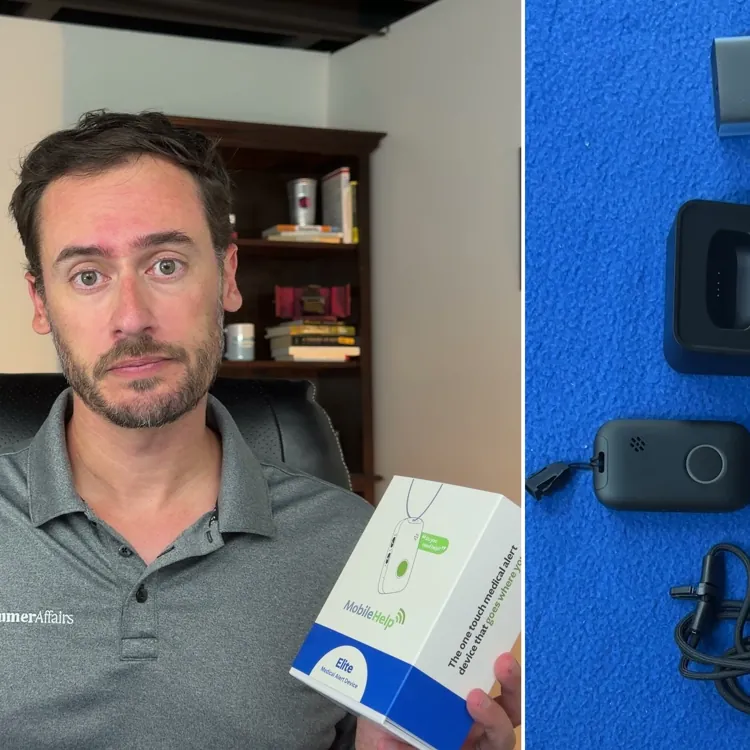

MobileHelp Elite overall score
Here’s a breakdown of MobileHelp Elite’s score for each of the five criteria that factored into its overall grade.
Based on 5 criteria from our hands-on test
- Cost
- Sales process
- Setup
- The product itself
- Calling for help
- A · Excellent
- B · Good
- C · Fair
- D · Poor
What I actually paid for MobileHelp Elite
I paid for the month-to-month plan for the MobileHelp Elite, and my total to get the device and a year of service was $407.90. Here’s what that included:
- Base price: $32.95 per month/$395.40 per year
- One-time setup fee: None
- One-time shipping fee: $12.50
The monthly fee for service is the second-cheapest of all 11 devices I tested, and the total for the first year was almost 28% lower than the average among the devices I bought.
Note that this didn’t include automatic fall detection, which would have added $10 per month or $120 per year to my total. Since the base price is so low, though, you can get the standard service plus fall detection for about the same price as the standard service from most competitors.
Also worth noting is that MobileHelp was one of the few providers that didn’t have anything in its contract about a fee if you don’t return your equipment in good working order if you cancel. Some of the other companies charge between $250 and $350 if you fail to return your device or if you return it damaged.
How the cost compares to alternatives
The MobileHelp Elite was the cheapest of the 11 devices I tested, but it still got one of the highest ratings in my reviews. Cost will always be important, but I think where the MobileHelp Elite really shines is the value you get for the money. Here’s a quick breakdown of how medical alert systems compare based on pricing and overall performance and trustworthiness.
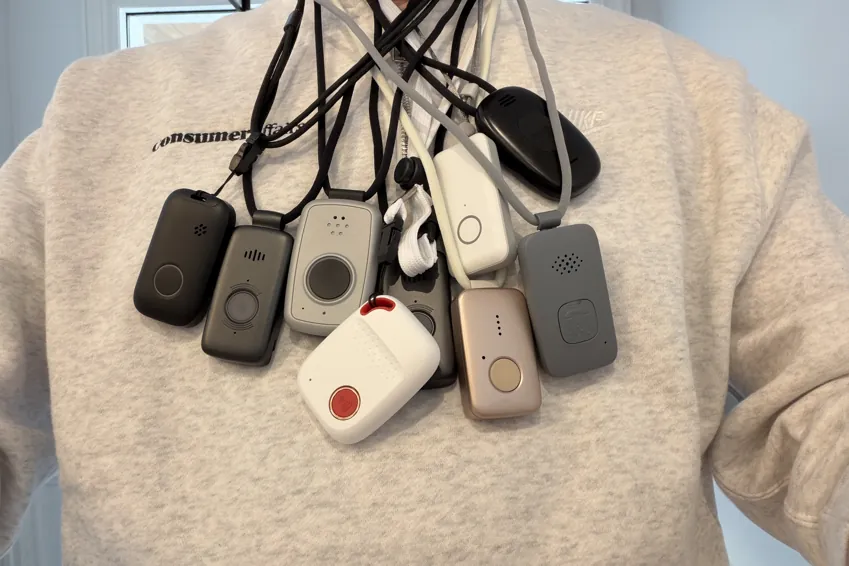
| Device | First-year cost | Year after | My rating |
|---|---|---|---|
| LifeStation Pearl | $723.25 | $610.80 | B+ |
| Life Protect 24/7 Belle X2 | $719.88 | $719.88 | F |
| ADT Medical Alert On-The-Go | $646.24 | $551.76 | A- |
| Lifeline On the Go Micron | $618.35 | $539.40 | B |
| Medical Guardian MG Mini | $539.90 | $527.40 | B+ |
| Alert1 LifeBeacon | $539.88 | $539.88 | B |
| SecuLife SOS | $532.10 | $408.00 | F |
| LifeFone VIPx2 | $527.40 | $527.40 | A- |
| Bay Alarm Medical SOS All-In-One 2 | $523.95 | $419.40 | A |
| Lively Mobile2 | $413.46 | $299.88 | A+ |
| MobileHelp Elite | $407.90 | $395.40 | A |
Sales process
The sales process was simple, although it did require a call, and sales calls for these devices take between 25 and 50 minutes, in my experience. Some other companies let you buy everything online, which is way more convenient. Still, the rep was friendly and helpful, so it’s not a huge drawback.
What came in the box
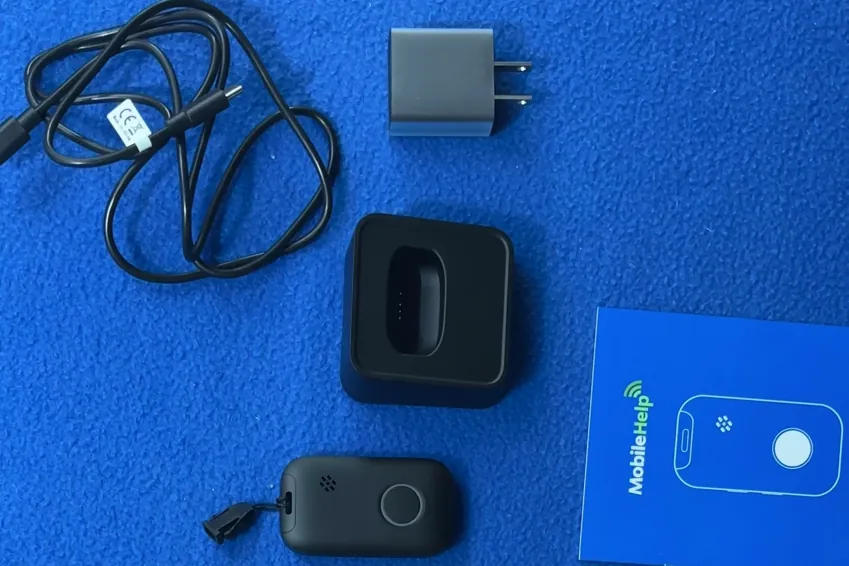
The MobileHelp Elite came with the following equipment:
- Alert pendant
- Adjustable lanyard
- USB-C charging base, cord and wall plug adapter
Overall, the equipment is very high quality, and the components are among the most premium I tested. The pendant is sleek and discreet, and the lanyard is adjustable. Plus, the charging base uses an interchangeable USB-C cable. The only real gripe I have is that the lanyard clasp isn’t magnetic.
Alert pendant
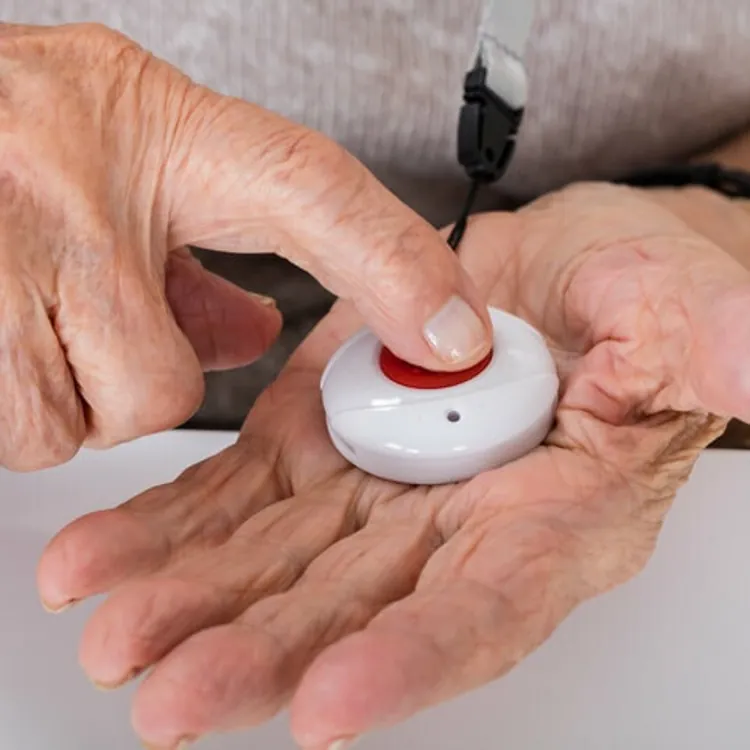
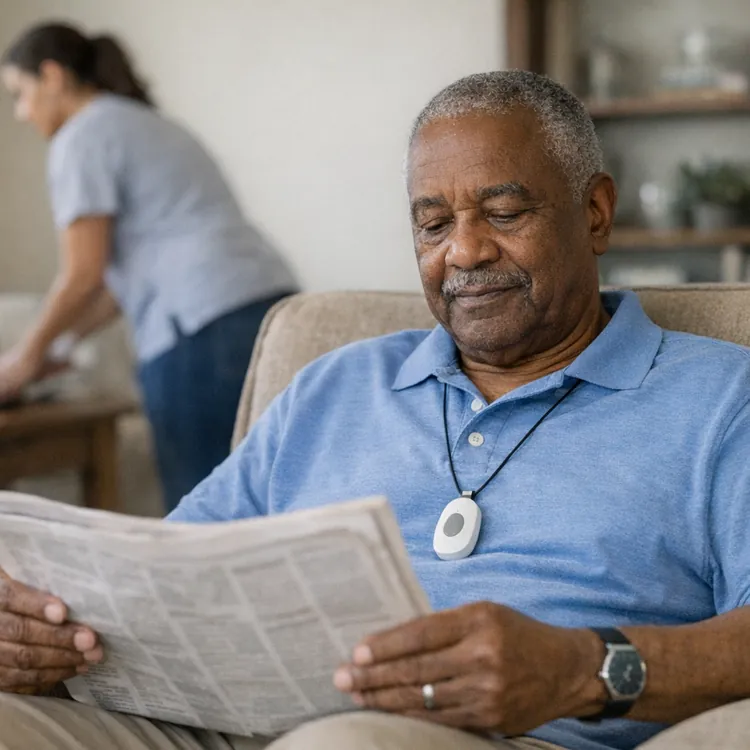
The alert pendant is made of plastic like most of the others I tested, but it feels very high quality and durable, and the design is modern and sleek. It’s thinner than most of the other pendants, so I think it was one of the least obvious to notice when I tucked it inside my shirt.
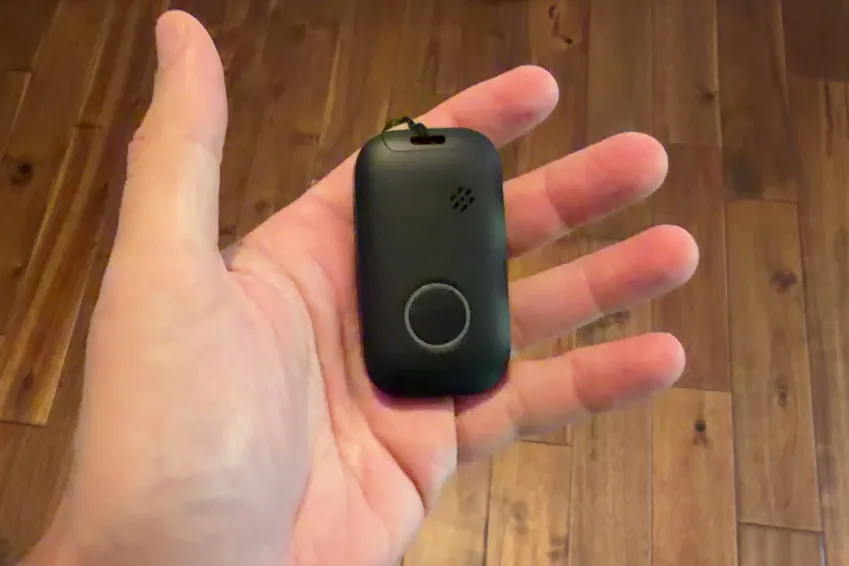
It has a simple design with a large call button that’s easy to press and hold. It also has a volume button and power button on the side, which most other devices don’t have. The speaker was plenty loud during calls, and the pendant buzzes, blinks and gives you constant audio feedback when a call is underway.
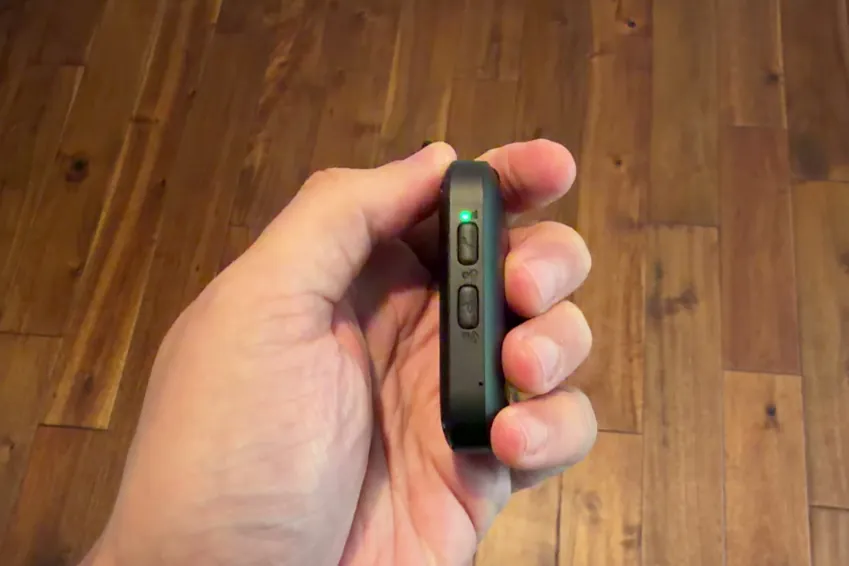
The battery can last for up to six days without needing a charge, but charging does take up to two hours, which is longer than some of the other devices I tested. The pendant is water-resistant, and MobileHelp claims you can wear it in the shower or tub.
Lanyard
The lanyard feels like it’s high quality, too, and it’s about average in thickness. It’s also adjustable, which is really nice and a feature that was lacking in some competitors.
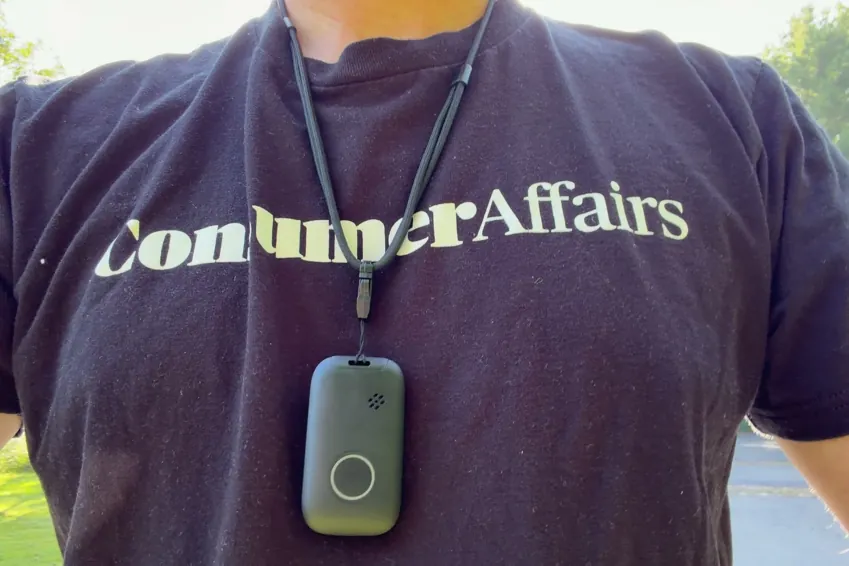
The only issue I have with the lanyard is the metal clasp, which is better than some of the plastic ones I tested, but it takes a bit more effort to clip together, so it’s less convenient than a magnetic one.
Charging base

The charging base you get with the MobileHelp Elite has a USB-C port, which, in my opinion, is what all PERS charging bases should have. It makes it simple to swap out cords and to get a cord that’s the right length for where you want to keep your charger. The device also comes with a USB-C cable and a wall adapter, so you don’t have to supply your own.
Setup
The MobileHelp Elite worked right out of the box, which is ideal for convenience and immediate protection for you or a loved one. After dealing with some other companies that have additional activation calls and one that required me to mail in a signed contract, this was nice to see.
I pressed the emergency button, here's what happened
By far, the most important thing to consider when buying a medical alert device is what happens when you call for help. The comfort, design and affordability ultimately don’t matter if the device doesn’t perform when you need it to. The MobileHelp Elite took longer to make a call than most devices, but the overall experience was still very good.
Here’s what happened when I pressed the button to make a call:
- Press and hold the button. As is the case with most of these devices, you have to press and hold the button for about two seconds to start a call. The button is large and easy to find, and it requires minimal effort to press, so even individuals with weak hands should have no problems.
- Verification. The MobileHelp Elite vibrates, flashes and gives constant audio feedback to let you know when a call is in progress. Verification across all three channels is what you want so you never have any doubt that you’re getting connected.
- Waiting period. I made 10 test calls with the MobileHelp Elite, and it took an average of 90 seconds to connect the call. This is 16 seconds slower than the testing series average.
- Call cancellation option. With the MobileHelp Elite, you can’t cancel a call.
- Connected call with a human operator. The MobileHelp Elite uses an AI screener to verify that you need help before connecting you with a human. This helps cut down on false alarms, but in a true emergency, you don’t want to have to speak with an AI before a live operator. This is where MobileHelp Elite lost points in my review.
- Dropped calls. One of the 10 test calls I made dropped, and MobileHelp had to call me on my phone to confirm if I needed help. This is far better than a device like the one from LifeStation, which dropped 70% of the calls I made, but it’s still something to consider.
The most important thing to note here is that MobileHelp’s device makes it obvious that your call is going through, which gives the user immediate peace of mind. Unfortunately, you have to go through an AI screen to get to a human, and the time to connect to a live operator is about 22% slower than the testing series average.
How the calling process compares to my top picks
I think the best way to compare medical alert devices is to look at the quality of the emergency call experience, which is the most valuable information you can get about a system, as well as an overall review score, which tells you about the general user experience for each device. The table below compares the MobileHelp Elite to some of my other top picks.
| Average response time | Feedback while you wait | AI intermediary | Emergency call rating | Overall rating | |
|---|---|---|---|---|---|
| Lively Mobile2 | 26 seconds | Audible | None | A+ | A+ |
| LifeFone VIPx2 | 60 seconds | Audible and visual | Automated intermediary | A- | A- |
| Bay Alarm Medical | 74 seconds | Haptic, audible and visual | None | A- | A |
| MobileHelp Elite | 90 seconds | Haptic, audible and visual | Automated intermediary | B | A |
My verdict: Is the MobileHelp Elite worth it?
Ultimately, I would feel confident in buying the MobileHelp Elite for myself or a family member. The device itself is high quality and discreet, and it’s the cheapest option with fall detection added.
I would recommend the MobileHelp Elite if you want good service and protection at the lowest cost possible, but it’s a good idea to compare it to other devices to make sure you choose the best one for your needs. You can read through my other reviews to get a more in-depth comparison.
Methodology
11 medical alert systems, each bought with my own money on a month-to-month plan, unboxed on camera and graded on the same five categories in the same order every time. Four of the five category grades are read aloud on the recording; calling for help is graded on 10 timed test calls per device. The overall grade is not a judgment call — it is the weighted average of those five, computed the same way for every device, then moved up one notch.
MobileHelp Elite computes to 3.780, an A−, and moves up one notch to an A as the final grade.
An F on calling for help or the sales process caps the overall grade at F.
| Category | Weight | What it measures | Where the evidence comes from |
|---|---|---|---|
| Calling for help | 35% | Press the button and ask for help. Did it reach a person, how long did it take and what, if anything, blocked communication? | 10 timed test calls per device, spread across mornings and afternoons |
| Cost | 30% | First-year total on the base plan, fall detection excluded | Receipts, invoices and the signed agreement |
| The device | 25% | The hardware in your hand, scored against a fixed feature list | Unboxing footage, a scale and weeks of wear |
| Sales process | 5% | How the rep sold it to me, and whether I could buy without a phone call | The post-call report written the day of each call |
| Setup | 5% | Whether setup existed at all, and if so, how much time it took | Activation footage, timed |