


Medical Guardian MGMini overall score
Here’s a breakdown of MGMini’s score for each of the five criteria that factored into its overall grade.
Based on 5 criteria from our hands-on test
- Cost
- Sales process
- Setup
- The product itself
- Calling for help
- A · Excellent
- B · Good
- C · Fair
- D · Poor
What I actually paid for Medical Guardian MGMini
The total first-year cost for the Medical Guardian MGMini was $539.90, which included shipping and 12 months of service. This is slightly more affordable than the average. However, I only paid $56.45 on day one, as the device and the activation fee were $0 as part of a promo. Here are the charges you can expect when you buy the MGMini:
- Base price: $43.95 per month/$527.40 per year
- One-time setup fee: $0 (waived)
- One-time shipping fee: $12.50
- Fall detection (optional add-on): $10 per month/$120 per year
Note that I got the device and activation for free as part of a promo, but Medical Guardian values the pendant and activation at $149, so you might have to pay that fee if you don’t purchase during a promotional period.
I purchased this device and all of the others I tested with a month-to-month contract so that I could compare apples-to-apples. With most providers, you’ll get a small per-month discount if you pay for the entire year upfront.
Sales process
The sales process went smoothly, and I didn’t feel pressured to commit to service or any of the upsells. The phone call took more than 30 minutes, though, so it would be nice if you could also opt to buy the device and services online.
How the cost compares to alternatives
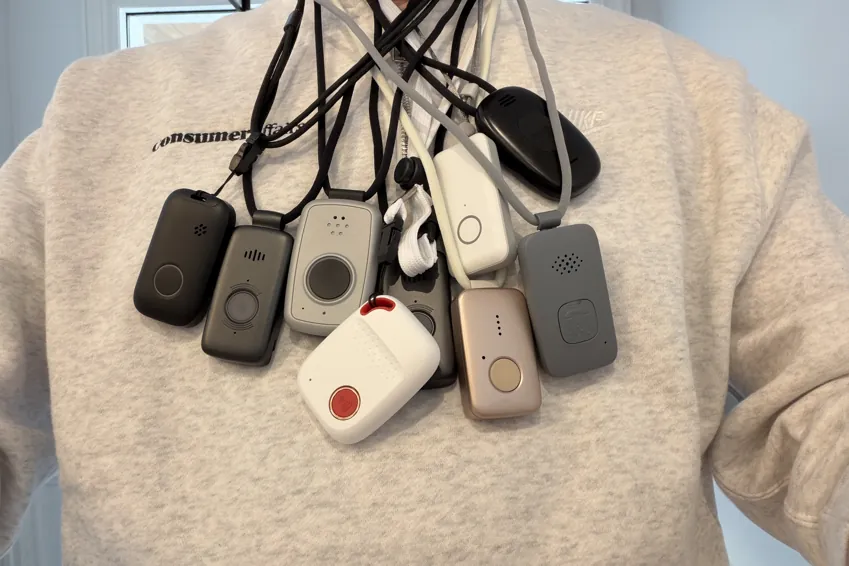
Here’s a quick comparison of all of the devices I tested so that you can decide which provides the best value and peace of mind for your budget.
| Device | First-year cost | Year after | My rating |
|---|---|---|---|
| LifeStation Pearl | $723.25 | $610.80 | B+ |
| LifeProtect 24/7 Belle X2 | $719.88 | $719.88 | F |
| ADT Medical Alert On-The-Go | $646.24 | $551.76 | A- |
| Lifeline On the Go Micron | $618.35 | $539.40 | B |
| Medical Guardian MGMini | $539.90 | $527.40 | B+ |
| Alert1 LifeBeacon | $539.88 | $539.88 | B |
| SecuLife SOS | $532.10 | $408.00 | F |
| LifeFone VIPx2 | $527.40 | $527.40 | A- |
| Bay Alarm Medical SOS All-In-One 2 | $523.95 | $419.40 | A |
| Lively Mobile2 | $413.46 | $299.88 | A+ |
| MobileHelp Elite | $407.90 | $395.40 | A |
What came in the box
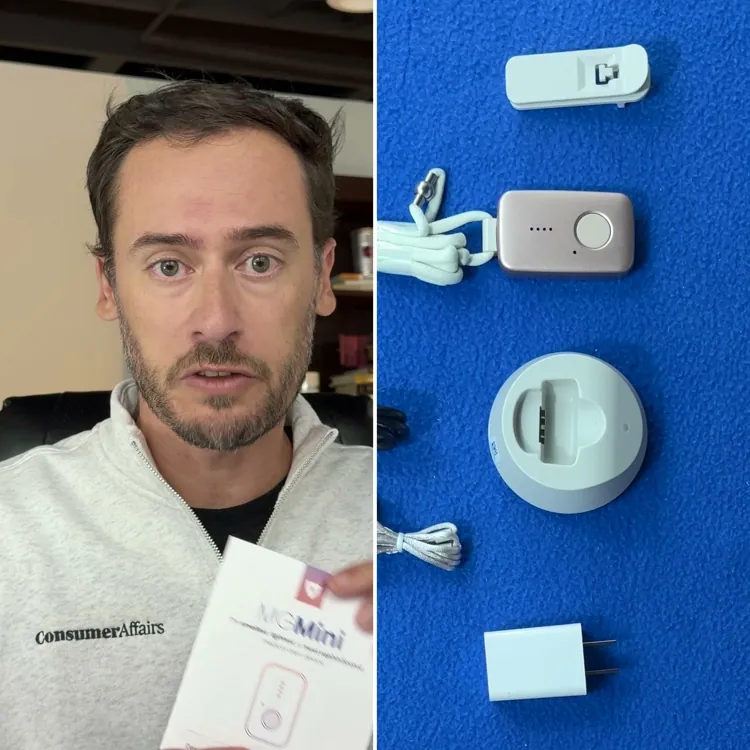
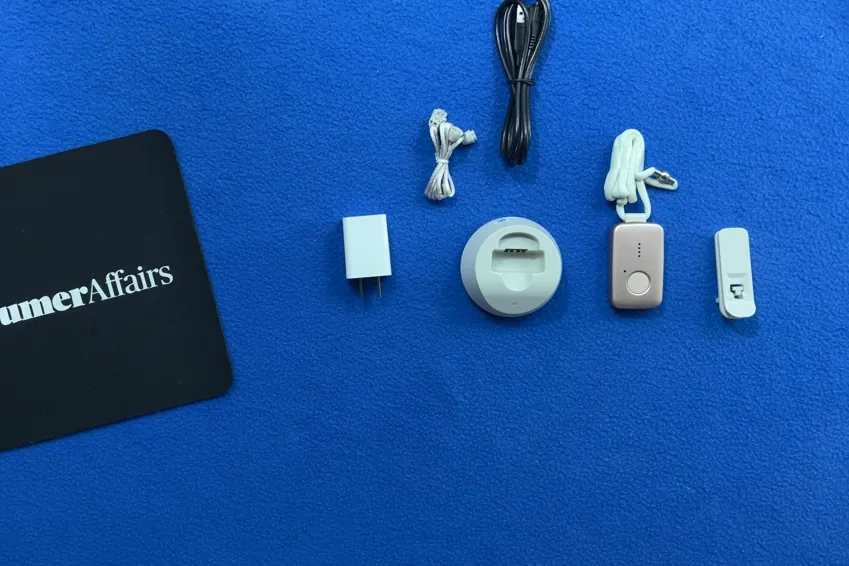
Here’s everything you get when you order the Medical Guardian MGMini:
- Alert pendant
- Fixed-length lanyard
- Adjustable lanyard
- Belt clip
- Micro-USB charging base
- Detachable charging cable
Overall, the equipment feels like it’s high quality, and the pendant itself is small and sleek. However, each piece seems to be lacking in one area, all of which are pretty minor gripes but drawbacks all the same.
The device was one of several I tested that worked right out of the box, which just makes things more convenient than having to call to activate the service.
Alert pendant
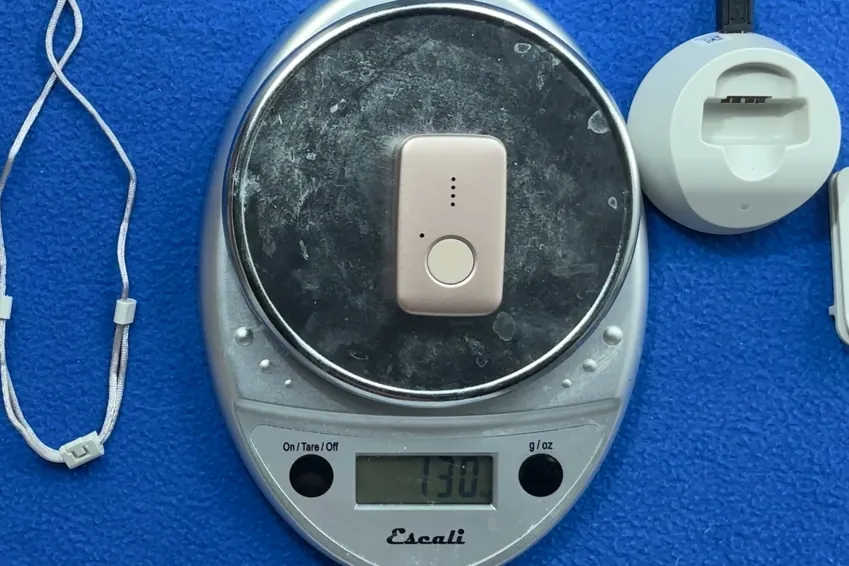
The MGMini is quite small, and it’s the lightest of the devices I tested at just 1.3 ounces. It’s not quite as thin as the LifeStation Pearl, but it’s thin enough that no one seemed to notice I was wearing it during testing. It’s made of plastic like all of the others, but it feels pretty high quality, durable and more metallic than some of the other devices.
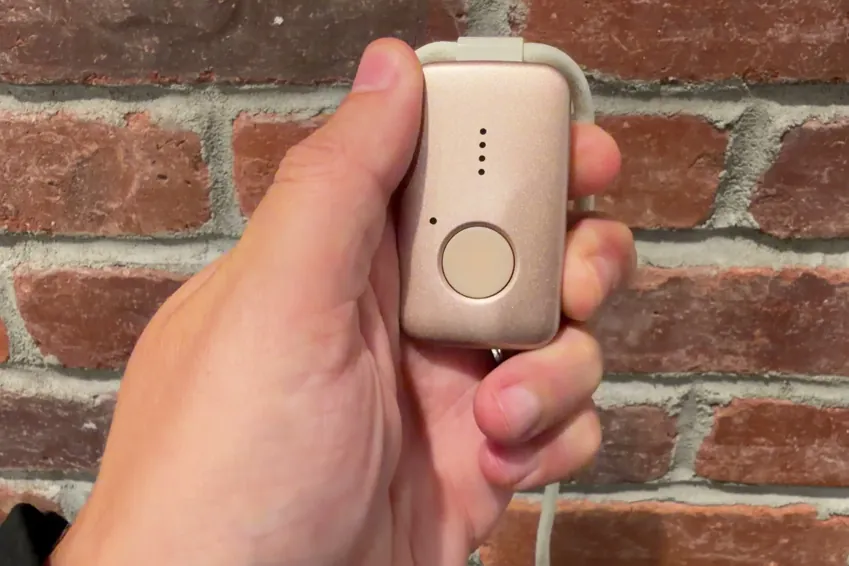
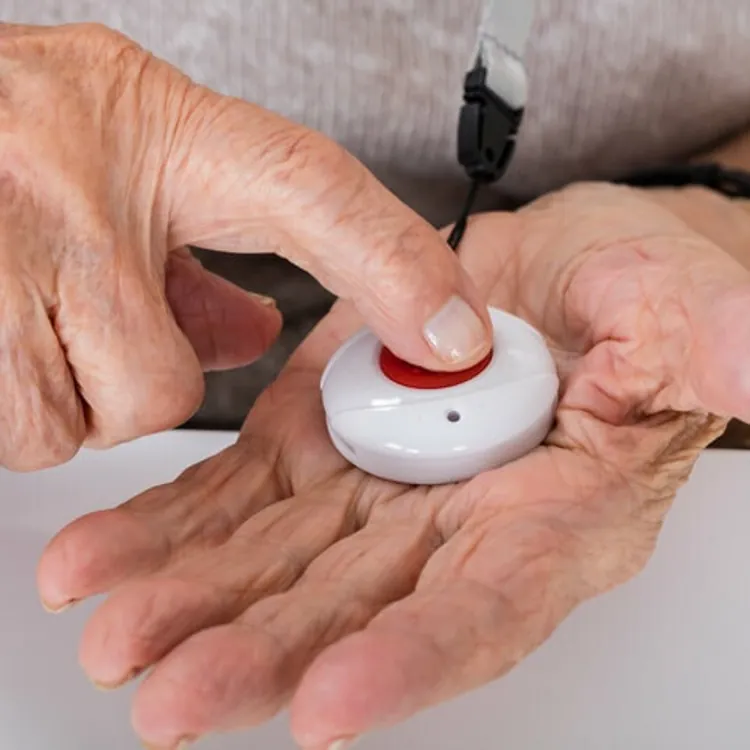
The button is large and easy to press, which I think is the most important thing here. There’s also a smaller side button, which triggers the device to give an audio cue to tell you the status of the cellular connection and the battery life remaining. That’s a nice touch that most other devices are lacking.
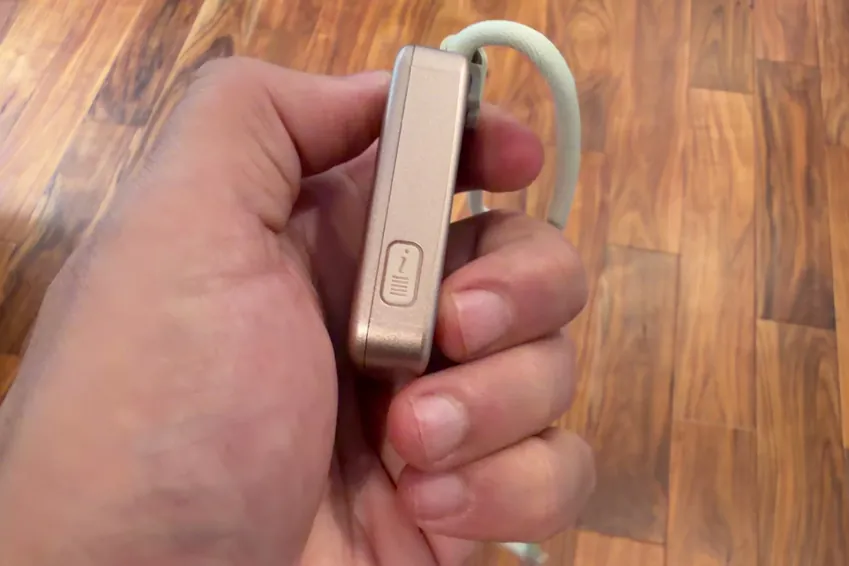
Medical Guardian’s alert devices are water-resistant but not waterproof, so you can wear them in the shower, but they’ll sustain damage if you submerge them in water. This is standard among medical alert devices. The company also claims up to five days of life on a single charge, but I think it’s wise to charge every day regardless for peace of mind.
Lanyards
You get two lanyards with the MGMini, which I didn’t see with any of the other devices I tested. One has a fixed length, and the other is adjustable.

The fixed-length one has a magnetic clip, which feels sturdier and more reliable than the plastic clips on other devices. Unfortunately, the adjustable lanyard has a plastic clip, which feels cheaper and might break if you get it caught on something.
Charging base
The charging base is not hard-wired and instead has a removable cable. That way, you can replace the wire if one gets damaged, and you can also swap it out with a wire that’s the appropriate length for where you’re storing your charging base.

The downside is that the cable is a USB-A to micro-USB, both of which are outdated connections. I’d really prefer to see USB-C to USB-C, as you’re more likely to have compatible cables with those connections.
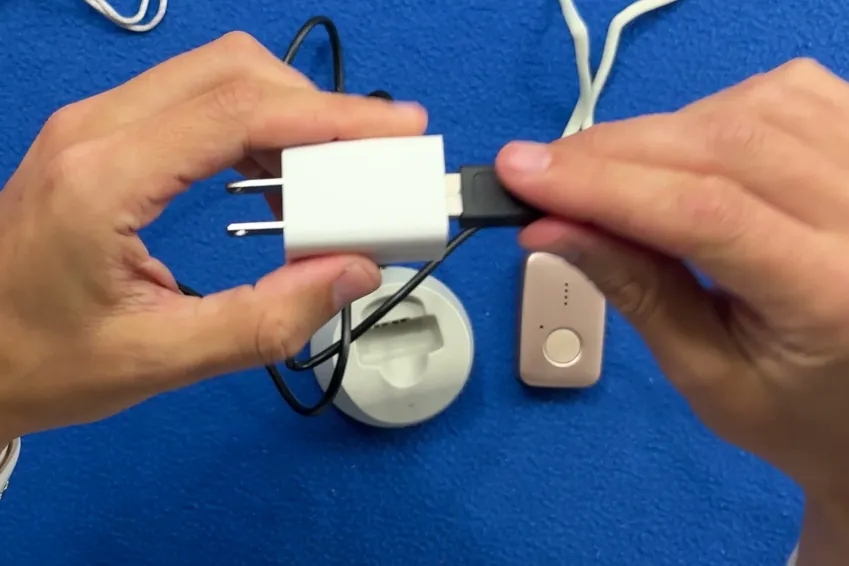
I also ran into an issue with seating the cable. I really had to force the micro-USB side into the base to get a good connection. At first, it was a good enough connection to get the LED light to come on, but not good enough to charge the actual device. That’s the kind of thing that could leave you with a dead device if you didn’t realize it was seated improperly.
I pressed the emergency button, here's what happened
Of course, the most important part of a medical alert system is what happens when you press the button for help. The MGMini performed reasonably well in that regard, but it was a bit slow to connect me to a human and screened me with an AI beforehand.
Here’s what happened when I pushed the button on the MGMini:
- Press and hold the button. You have to press and hold the button to initiate a call. It’s easy to press and hold, and should be doable even for individuals with weakness in their hands.
- Verification. You get an audible cue right away that lets you know the call is initiating. There’s no haptic feedback, which would be nice to make it obvious that the call is going through, but there is audible and visual feedback.
- Waiting period. Across the 10 test calls I made, the average wait time to speak to a human was 94 seconds, which is 20 seconds longer than the average of all 11 devices I tested.
- Call cancellation. When you first initiate a call, you have a few seconds to press and hold the button again to cancel. It’s a nice feature, but I think I’d prefer not to have the risk of an accidental cancellation.
- AI intermediary. All 10 of my calls went to an AI screener before I could get connected to a human representative, so the MGMini lost some points here in my review. Once I was on with a human, though, the speaker and mic worked well.
- Dropped calls. None of my 10 test calls dropped, which is a good sign.
I think the biggest downside to the MGMini, unfortunately, is in the most important area for a medical alert device to perform. Every test call I made went through an AI screening, which just delayed me speaking with a human for help.
How the calling process compares to my top picks
The table below provides a side-by-side comparison with other medical alert devices I tested. You can use this to see how the MGMini stacks up against some of what I think are the best options on the market. Be sure to consider the overall rating in addition to the calling process ratings, as this gives you a more complete picture of what to expect from each.
| Average response time | Feedback while you wait | AI intermediary | Emergency call rating | Overall rating | |
|---|---|---|---|---|---|
| Lively Mobile2 | 26 seconds | Audible | None | A+ | A+ |
| Bay Alarm Medical | 74 seconds | Haptic, audible and visual | None | A- | A |
| MobileHelp Elite | 90 seconds | Haptic, audible and visual | Automated intermediary | B | A |
| Medical Guardian MGMini | 94 seconds | Audible and visual | Automated intermediary | B- | B+ |
My verdict: Is the Medical Guardian MGMini worth it?
The Medical Guardian MGMini is about middle of the road in all respects. It’s close to the average cost and the pendant is high quality, but the charging base leaves a lot to be desired. The calls go through reliably, but you have to go through an AI screener first. For every upside I found, there was a downside, too.
I would trust the MGMini to do what it needs to do, but I’d sooner recommend a medical alert device that didn’t use an AI screener, had a shorter wait time to get to a human operator and didn’t have some of the minor issues with equipment.
I recommend checking out some of my other reviews to get a more in-depth comparison and make sure you’re getting the best device for your needs.
Methodology
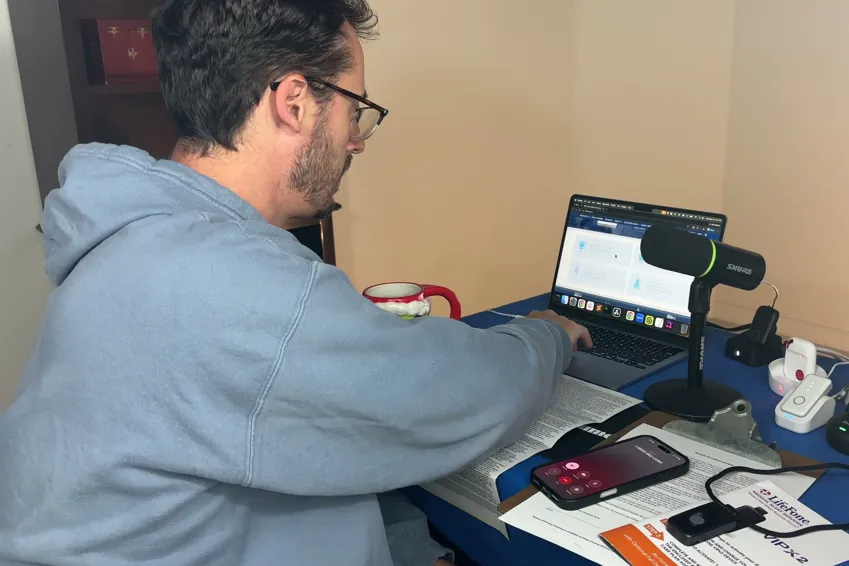
11 medical alert systems, each bought with my own money on a month-to-month plan, unboxed on camera and graded on the same five categories in the same order every time. Four of the five category grades are read aloud on the recording; calling for help is graded on 10 timed test calls per device. The overall grade is not a judgment call — it is the weighted average of those five, computed the same way for every device, then moved up one notch.
An F on calling for help or the sales process caps the overall grade at F, and the one-notch step doesn’t apply.
| Category | Weight | What it measures | Where the evidence comes from |
|---|---|---|---|
| Calling for help | 35% | Press the button and ask for help. Did it reach a person, how long did it take and what, if anything, blocked communication? | 10 timed test calls per device, spread across mornings and afternoons |
| Cost | 30% | First-year total on the base plan, fall detection excluded | Receipts, invoices and the signed agreement |
| The device | 25% | The hardware in your hand, scored against a fixed feature list | Unboxing footage, a scale and weeks of wear |
| Sales process | 5% | How the rep sold it to me, and whether I could buy without a phone call | The post-call report written the day of each call |
| Setup | 5% | Whether setup existed at all, and if so, how much time it took | Activation footage, timed |