


Medical alert systems and internet requirements
Most medical alert systems do not require Wi-Fi or an internet connection. Instead, they use a more reliable landline connection or a cellular network connection. Even those that use a cellular connection don’t use the internet to keep you or your loved one safe; rather, they use the network to make standard voice calls.
There are some medical alert systems that require an internet connection for basic functionality, and some internet-free systems that use the internet for added features but don’t require it to call for help. Here are some cases when an internet connection might be required for a medical alert system:
- You have an internet-dependent alert system that can only contact authorities or a call center using an internet connection, commonly called Voice Over Internet Protocol (VoIP) systems.
- You have an internet-dependent alert system that includes features like remote monitoring.
- You want to connect your system to a smartphone app.
- You want your alert system to interface with smart home systems.
- You have an internet-independent system that uses Wi-Fi for added functionality.
The most reliable connections use landlines or cellular networks for connectivity. Although these medical alert systems cost more per month for an additional phone line, the dependability is well worth the investment.
Medical alert systems without internet
There are three primary types of medical alert systems that don’t require internet for basic functionality:
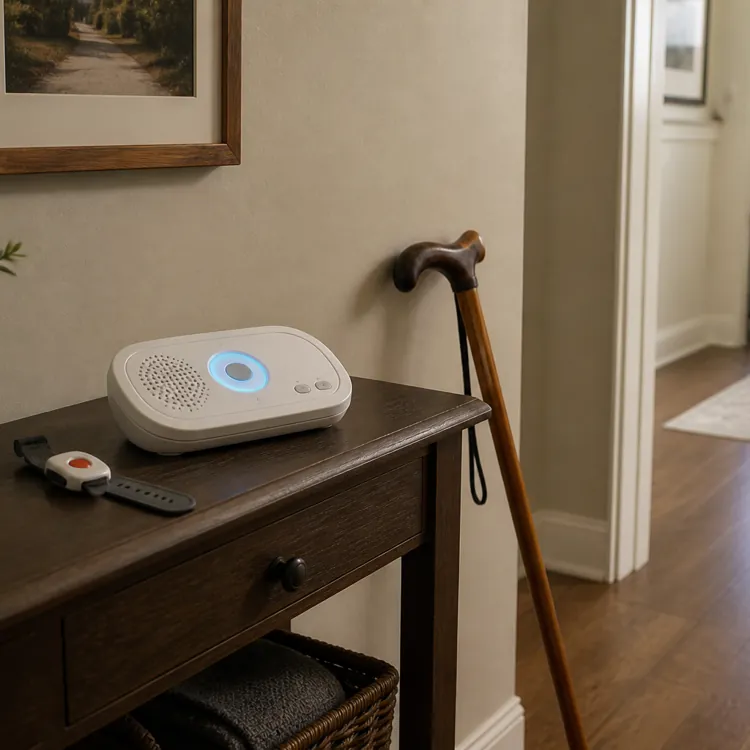
- Home system via landline: These include a home base system that’s plugged into a landline that allows for outgoing calls to a call center or directly to emergency services. These include a wearable device, like a pendant or watch, that interacts with the base over radio frequency.
- Home systems via cellular network: These systems work similarly, but they include a SIM card that connects the base to a cellular network to allow for outgoing calls. These also include a wearable device that interacts with the base over radio frequency.
- Mobile systems via cellular network/GPS: Mobile systems don’t include a home base, as they’re designed for safety and peace of mind on-the-go. They include a wearable device that has a SIM card and allows for communication via a cellular network even when you’re not home.
The right option for you depends on your lifestyle and budget, but you can ask your medical alert company which system is right for you. Landline systems tend to be the most affordable, while mobile systems equipped with GPS are usually the most expensive.
| Connection type | Requires internet | Best for | |
|---|---|---|---|
| Landline home base | Landline and radio frequency | No | Affordability and dependability for people who need monitoring at home |
| Cellular network home base | SIM card/cellular network and radio frequency | No | Those who need monitoring at home and don't have landline access |
| Mobile/GPS system | SIM card/cellular network and GPS | No | Those who need monitoring on-the-go |
Cellular vs. landline reliability factors
The most crucial factor to consider when choosing a medical alert system is reliability, so it’s important to understand the capabilities and limitations of both landline and cellular network equipment.
Landline systems use a traditional wired phone line to connect your base system to a call center and emergency services. Unlike most internet-dependent systems, they continue to function during most power outages. They are susceptible to outages if your area has above-ground lines that can come down during inclement weather or telephone pole damage.
Cellular network systems are slightly less dependable because they may not work during power outages, which can mean you lose peace of mind when you need it most. However, you’re less likely to lose connection due to weather-related incidents and downed utility poles.
There are a few things to consider about your lifestyle and where you live that can help you decide which option is better for your needs:
- Service in rural areas: Cell service tends to be spottier in rural settings, so landline connections are usually ideal if you live in a remote area. However, check your cell service provider’s coverage map first to see if the signal is strong where you live.
- Cellular network coverage: Even if you have cell network coverage in your home, you need to check the dependability of it before choosing a cell service-based system. You can ask your medical alert company to verify coverage, or check with the provider itself. Ideally, your medical alert company will test the connection in multiple areas of your home before installing.
- Underground utility lines: If your area has buried phone lines rather than utility poles with exposed lines, a landline connection is the most dependable. You don’t have to worry about weather, downed poles, power outages or cellular network coverage interrupting your connection.
- Where you need monitoring: If you have seasonal homes that you frequent, travel often, or are on-the-go regularly, a mobile/GPS system is likely best. These depend on generally less reliable cell networks, but you get coverage no matter where you are, as long as there’s service.
Features that may require internet
Internet-independent systems don’t require internet access to connect you with a call center or emergency services, but some do need the internet for added functionality. Below are some of the features your system might need an internet connection for:
- Smart home system integration: Some medical alert systems sync with smart home equipment to give automated emergency access to medical professionals via linked lockboxes or door locks, which require an internet connection. You’d also need an internet connection to interface with your device using voice assistant products, like smart speakers.
- Caregiver syncing: Some systems include a medical alert app for your caregivers that allows them to view things like low-battery warnings or activity logs for outgoing calls and reported falls.
- Changing device settings: Most devices have interfaces that let you change settings, but you can sometimes connect to them using a smartphone to change settings remotely and often with a clearer user interface.
- Added GPS features: GPS-capable devices can transmit coordinates without an internet connection, but the caregiver who needs to see where you are may require internet access on a smartphone, tablet or computer to see a clear map with your location.
- Software updates: Some medical alert system manufacturers roll out firmware updates that improve or add functionality. You’ll need an internet connection to update, but updates aren’t required for basic functionality.
FAQ
Does Life Alert require a landline or Wi-Fi?
Life Alert has several products that use different means of keeping you connected to emergency services, so it depends on which product you have. Landline-based home systems require a dedicated landline, while cellular-based home systems and mobile systems connect to a cellular network. None of the products require Wi-Fi.
What is the best medical alert system without internet?
In our opinion, the best medical alert system that doesn’t require internet is Bay Alarm Medical. It uses either a cellular network or a landline rather than internet for maximum dependability. Plus, it’s relatively affordable and the system is customizable, so you can add landline base systems, cellular base systems and mobile/GPS systems to your setup.
How does a cellular medical alert system work?
A cellular medical alert system has a SIM card that allows your device to make calls just like a cell phone without an internet connection. These systems require a monthly fee to keep your dedicated phone line active.
Do you need a smartphone to use a medical alert system?
You do not need a smartphone to use a medical alert system, as the basic functionality of these systems is designed to not rely on additional equipment. You may need a smartphone, computer or tablet to access additional features like GPS mapping and settings updates, but core functionality doesn’t require one.
Article sources
ConsumerAffairs writers primarily rely on government data, industry experts and original research from other reputable publications to inform their work. Specific sources for this article include:
- Life Alert, "Life Alert Medical Alert Devices - 24/7 Emergency Response for Seniors." Accessed April 20, 2026.
- Lifeline, "Smartwatch." Accessed April 20, 2026.
- AARP, "How to Choose a Medical Alert or Monitoring System." Accessed April 20, 2026.
- Medical Guardian LLC, "MGHome Cellular." Accessed April 20, 2026.
- Medical Guardian LLC, "MGHome Landline." Accessed April 20, 2026.