
- What the labels mean: Open-Box = basically new return; Refurbished = used, fixed, tested; Renewed = store-run refurb program
- How to choose: Pick Open-Box for near-new; go Refurb/Renewed for bigger savings; pay attention to battery life on phones
- Retailer quick hits: Amazon: look for the Renewed Guarantee. Best Buy: choose Excellent when prices are close. Walmart: favor Walmart Restored and “Sold & shipped by Walmart”
If you’ve ever stared at a “40% off Renewed” laptop and thought, “Is this a steal or a science project?” you’re not alone. Here’s the plain-English, no-nonsense guide I wish someone had handed me before I started bargain-hunting electronics.
First, what the labels actually mean
Open-Box: Someone bought it, opened it, changed their mind, then returned it. These often have little to no wear and tear on them. You’re mostly paying for a dinged box or missing twist ties. They are often still eligible for the original manufacturer warranty.
Refurbished: Used, had an issue, then got repaired, cleaned, and tested. The refurb process is typically done by the manufacturer or an authorized refurbisher. Typically comes with a refurb warranty that’s separate from the original warranty.
Renewed: “Renewed” is the store’s version of a refurbished product (like Amazon Renewed). The warranty comes from the store’s program, not from the original manufacturer of the product.
Which one to pick in real life
I like Open-Box items when I want something that’s “basically new” without paying the full retail price. Works great on products like Dyson vacuums, KitchenAid mixers, gaming consoles, and name-brand earbuds.
I tend to go the Refurb/Renewed route when I want the lowest price and don’t mind a small imperfection like a scratch, small wear mark, or ding. Products where this makes the most sense includes TVs, monitors, soundbars, and laptops.
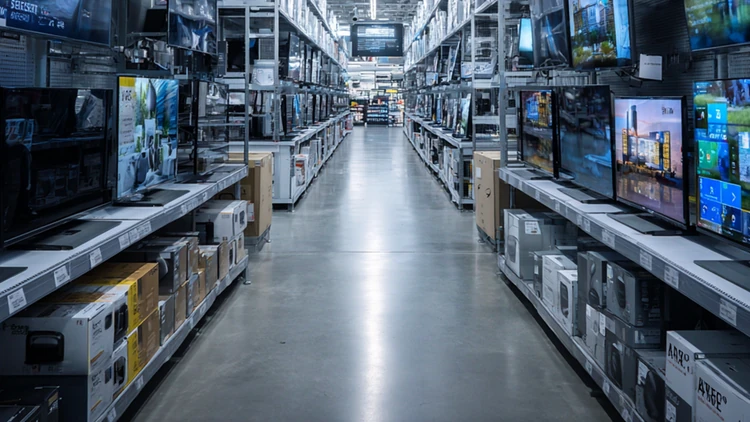
When shopping in-store at a place like Best Buy, here’s my five-minute “does this thing work?” check that I perform when considering open-box or refurbished products.
- Power it on.
- Plug something into every port.
- Pair Bluetooth if applicable.
- Join the store’s Wi-Fi if applicable.
- Check the screen closely for tiny dead spots or a faint shadow of something that used to be on the screen (like a menu bar or scoreboard) that still lingers.
- Make sure the charger/remote/cables are in the box and look authentic.
- If it’s a phone or laptop, check battery health in settings.
If anything feels off, don’t be afraid to put it back on the shelf. Or if it’s an issue you can live with, use it as leverage to ask for an additional 10-15% discount.
Managers are eager to clear stuff out if it has issues, so don’t be afraid to negotiate the price. You’ll be surprised how often they’ll accept your low offer.
Pro tip: For phones and laptops, battery health is a really big deal. If the seller can’t tell me the minimum battery capacity or cycle count, I assume the worst and typically walk.
What's a fair discount?
Open-Box: I look for 15–30% off the current new price.
Refurb/Renewed: I want 25–45% off (more if it’s last year’s model).
Keep in mind that if the discount is tiny, it’s often smarter to just buy new and not take on any potential headaches.
Retailer playbooks (what actually works)
Here’s a clear, practical breakdown of how to shop Amazon Renewed, Best Buy Open-Box, and Walmart Restored without getting burned.
Amazon
Look for Amazon Renewed products with the “Renewed Guarantee” listed right on the product page and try to pick items that are sold and shipped by Amazon. That’ll give you a 90-day return period if something goes wrong, three times the normal 30-day policy that comes with most 3rd party “Renewed” sellers.
If you do select a Renewed 3rd party seller, be sure they have a long track record and positive reviews. Also, look for recent reviews that mention “renewed” or “refurb.”
Here are the four current condition grades for Amazon Renewed:
Refurbished – Premium – This is the best options for risk-averse buyers. No scratches, no signs of cosmetic damage are visible when the product is held 12” away from your eyes. If the item has a battery, they guarantee 90% of the original battery life. Premium graded products come with a very solid 365-day refund or replacement policy along with free return shipping.
Refurbished – Excellent – By far the best value for most shoppers. Comes with the exact same condition requirements as Premium above. The only differences are 80% battery life and a 30-day return or replacement policy.
Refurbished – Good – Settle for this only if the discount is big enough (35–45% off) and you’re fine with light scuffs. No scratches on screens, but light scratches on the body of the product that are barely” visible from 12”. 80% battery life and a 30-day return or replacement policy.
Refurbished – Acceptable – Skip this unless it’s a steal (>45% off) and you don’t care about cosmetics. Items come with small (they call them “shallow”) scratches on the screen. Clearly visible scratches on the body of the item from 12” away. 80% battery life and a 30-day return or replacement policy.
Best Buy
When shopping Open-Box electronics at Best Buy, grades matter a lot. When shopping their website, you’ll see the condition grade right below the price.
They break it down into the following 3 categories:
Excellent - This grade will get you 5-15% off the retail price, I like to shoot for at least 10% savings. Looks near-new, no obvious flaws; usually includes all original parts and accessories (manual/box may vary).
Good - Expect 15-25% savings. Items will haven minor cosmetic wear and be fully functional. Accessories are usually included (any exceptions are noted on the page).
Fair - Expect 25-40% off the retail price. Noticeable wear or missing minor accessories (disclosed on listing). Item has still been tested and is working.
Pro tip: When open-box prices at Best Buy are close (within about $20 or <10%), skip the gamble and choose Excellent. The small savings isn’t worth the risk of wear, missing accessories, or hassle.
Also, keep in mind that Best Buy only gives you 15 days to return the item if you get it home and decide it’s not for you. For this reason, open and test immediately. Don’t let the return window expire on your kitchen counter.
When shopping in-store, they’ll have the same condition ratings on the item. Always ask to inspect the item before paying. Open the box, run the five-minute test described above, and confirm the return window (it can be shorter on open-box).
Walmart
Walmart recently revamped their “renewed” electronics section of their website in an effort to compete with Amazon.
The selection of renewed products is quite impressive and includes brands like Apple, Samsung, Sony, Bose, Dyson, Shark, Vitamix, and KitchenAid to name a few.
They also introduced a new condition rating system that breaks down like this:
Restored Premium – Best for Walmart shoppers who want brand-new vibes but love a 10-25% discount. Items look virtually new (no visible cosmetic damage at arm’s length). Refurbished by the maker or an authorized partner and batteries (when applicable) are at the 90% life cycle. Products come with a 1-year warranty and 90-day free returns.
Like New – Expect a 20-30% discount from the retail price. Best for most Walmart buys where you still want it to look great on Day 1. Very light signs of use, hard to spot from 8–12 inches; fully working with battery at 80% life cycle. Accessories are typically included (check listing carefully). 90-day free returns.
Good – Perfect for shoppers who’ll happily except minor scuffs or small scratches for a 30-40% discount. Products are fully working and all essentials are included unless the page says otherwise. 80% battery life cycle. 90-day free returns.
Fair – Expect a 40-55% discount. Noticeable wear and/or missing minor accessories (disclosed on the listing); tested and working. 80% battery life cycle. 90-day free returns.
Stick to listings “Sold & shipped by Walmart” when possible (or top-rated Restored sellers) and always compare the restored price to today’s new price on the exact model to see what the savings is.
When it arrives, test it right away and use the 90-day free return if anything’s off.
Going direct (Apple, Samsung, Dyson, etc.)
While I’m not opposed to buying refurbished products directly from the manufacturer, be aware that they often cost more than the above options.
But the extra costs will often get you a new battery and even new product shells (Apple does this often). You’re also guaranteed official parts, and the brand’s standard warranty.
It’s really your call. Spend a bit more for the sure thing, or pocket the savings and roll with some minor trade-offs.