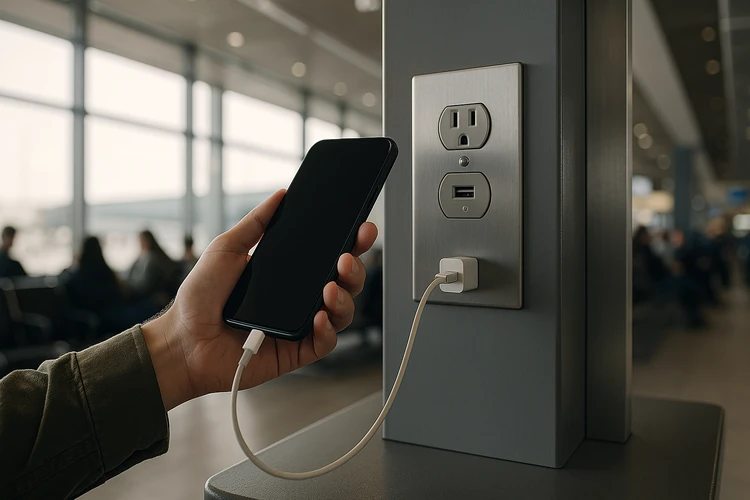

TSA and FCC issue new alerts about "juice jacking" risks at public charging stations
Cybercriminals are using public USB ports to install malware or steal personal data
Experts urge consumers to use AC outlets or portable power banks instead
Those public device chargers in airports are handy when your phone’s battery strength hits single digits, but they aren’t without danger. In a renewed warning to consumers, U.S. government agencies have raised concerns over the use of public USB charging stations—such as those found at airports, hotels, shopping malls, and cafes—highlighting the potential for cyberattacks known as "juice jacking."
This advisory from the Transportation Security Administration and the Federal Communications Commission urges Americans to steer clear of free USB charging ports due to the risk of data theft and malware installation.
"Bad actors have figured out ways to use public USB ports to introduce malware and monitoring software onto devices," the FCC wrote on its website.
The alert warns that plugging into an unfamiliar port may unwittingly connect users to compromised networks or devices, exposing private information, including passwords, banking details, and personal messages.
What is ‘juice jacking?’
Juice jacking exploits the dual-purpose nature of USB cables, which transmit both electrical power and data. When a device is connected to a malicious port, hidden software can silently install surveillance tools, siphon data, or even lock the device entirely in a ransomware-style attack.
While real-world examples remain relatively rare, cybersecurity experts caution that the mere possibility is enough to merit avoidance. The tactic has been demonstrated in cybersecurity research labs and simulated environments for years, and increasing connectivity means wider attack surfaces for hackers.
To minimize risk, authorities and experts recommend several precautionary measures:
Bring your own AC adapter and plug directly into wall outlets rather than USB ports.
Use a portable power bank, especially when traveling or commuting.
Carry a data-blocking USB adapter or “USB condom”, which physically blocks data pins on the cable and only allows power to flow.
Avoid borrowed or unfamiliar cables, even if they appear to be sealed or branded.
With cybersecurity threats continuing to evolve, the government's advisory aims to raise public awareness and promote better personal tech hygiene.
As the summer travel season peaks and people increasingly rely on mobile devices on the go, this alert serves as a timely reminder: when it comes to free charging stations, the cost may be much higher than you think.