

Do security cameras work without Wi-Fi?
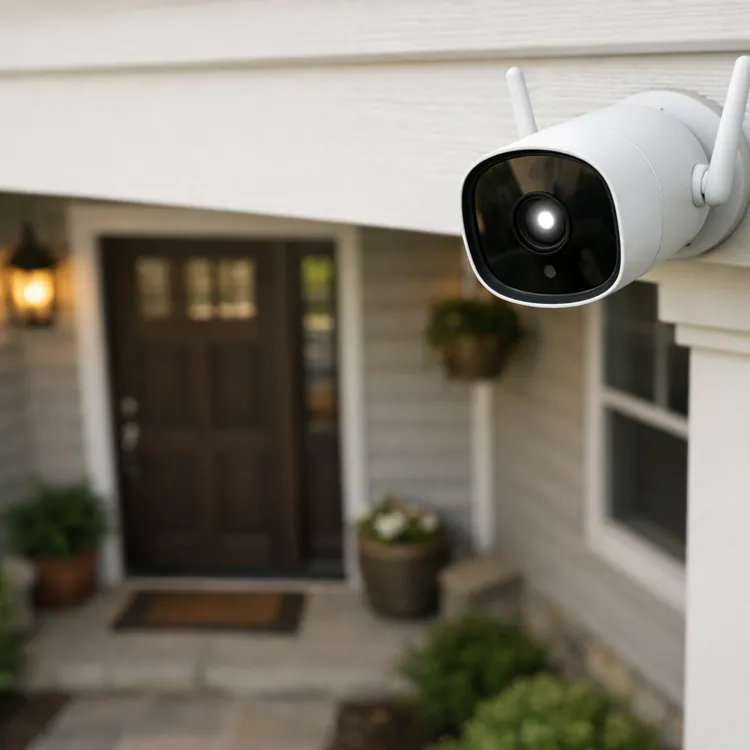
Most home security cameras are Wi-Fi enabled, but some work without Wi-Fi. Local storage, wired and cellular cameras offer alternatives when Wi-Fi isn’t reliable (for example, when cameras are too far from routers for a reliable signal). However, most non-Wi-Fi cameras have function limitations, such as no live viewing, or extra associated costs, such as cellular plans.
How security cameras record without Wi-Fi
Wi-Fi cameras access storage media or transmit what they’ve already recorded via Wi-Fi. For security cameras to record without Wi-Fi, they need a different connection or onboard media.
Without Wi-Fi, security cameras can:
- Record on local media: Some cameras use SD or microSD memory cards, or they have built-in storage that must be accessed manually.
- Connect via wires: Cameras can use a direct wired connection to a recording device such as a network video recorder (NVR), or to a local area network (LAN).
- Directly connect wirelessly: Some cameras feature direct wireless connections to base stations, without the need for Wi-Fi routers or the internet. Some use Bluetooth, while others use different frequencies than Wi-Fi cameras.
- Use cellular data: Cameras with built-in cellular connectivity bypass Wi-Fi but generally require additional cellular service plans.
What features don’t work without Wi-Fi?
Available security camera features without the use of Wi-Fi depend on the camera. Cellular, direct wireless connection and wired cameras don’t need Wi-Fi for full functionality. However, non-Wi-Fi camera systems, or Wi-Fi systems used without a Wi-Fi signal, offer fewer features.
Without Wi-Fi or another connection, security cameras can’t offer live viewing features, remote access or alerts and notifications. Since manual connection or downloading of the on-board memory is required, those instant access features aren’t available.
Local network vs. the internet
Wi-Fi is a way to connect to your local internet service. It uses your home’s router as a connection point to access cloud storage for security cameras and move data from your camera to your control app.
A local network is one or more computers directly connected to your camera. LAN connections skip the internet and move data directly between the camera and your computer(s).
When to choose cameras without Wi-Fi
Wi-Fi security cameras are popular because of their installation simplicity, and they piggyback on your existing internet. However, they aren’t necessarily the right choice for every situation. Common reasons to choose Wi-Fi free security cameras include:
- Privacy concerns: Wired and local storage cameras are much harder to hack than Wi-Fi cameras with cloud storage. For example, some hackers have been known to turn Wi-Fi cameras into motion detectors.
- No Wi-Fi: Rural areas, temporary situations such as construction sites, hunting properties and other areas with limited internet access may need non-Wi-Fi cameras.
- Backup systems: For critical security, backup cameras that don’t rely on Wi-Fi are necessary during internet outages.
Types of security cameras that don’t need Wi-Fi
Security cameras primarily come in five forms of connectivity: local storage only, Wi-Fi, direct wireless, wired to a local network and cellular. Many people choose a mix of Wi-Fi and other cameras to fit their needs.
» RELATED: Best wireless home security systems
Local storage cameras (microSD)
Local storage security cameras do exactly what they sound like: they store video and stills in the camera's internal storage. Some use built-in storage, while others use SD or microSD cards. The upside to taking this route is lower costs and simple installation, but the downside is that you won’t receive alerts, and you’ll need to visit the device to physically download video.
Local storage cameras are generally cheaper than Wi-Fi cameras, but higher storage capacity can quickly close that price gap. However, because you aren’t using cloud storage, local storage cameras shouldn’t have any monthly subscription costs.
Wired systems (PoE with NVR, Coax CCTV with DVR setups)
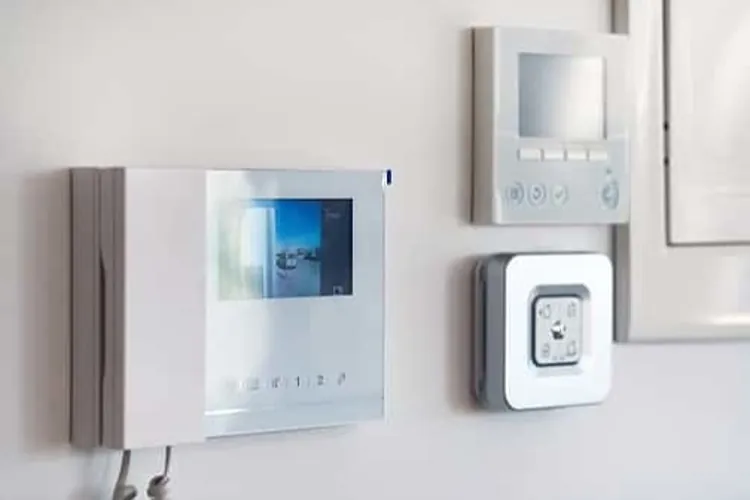
Wired security cameras connect to a recorder, monitor or computer network. They don’t require internet or mobile data for operation, although some offer mobile access separately. However, many of these systems are designed for higher-end commercial applications, and they can be both complex and costly to purchase and install.
Wired systems generally come in two versions, though there are variations through mixing and matching technology:
- PoE (power over Ethernet): PoE cameras draw power over Ethernet cables and don’t require a separate power source. Most are paired with a network video recorder (NVR) that can store large amounts of data.
- CCTV: Closed-circuit television (CCTV) cameras use coaxial (coax) cables and traditionally connect to digital video recorders (DVRs) via HDMI or VGA cables.
Modern PoE and CCTV systems often offer smartphone apps, but those may require additional charges and equipment.
Direct connect wireless
While less common, some cameras form peer-to-peer wireless connections over short distances without a wireless router. These connections are usually short-range and more secure than regular Wi-Fi because they bypass the internet connection. However, if data is stored in the cloud or can be accessed remotely via an app, data security becomes more problematic.
Cellular security cameras (including hotspot cameras)
These work much like Wi-Fi cameras, but with a SIM (subscriber identity module) to connect to a cellular network. These cameras require a cellular subscription to function. Sometimes called hotspot cameras, they operate similarly to a smartphone.
Most cellular cameras use 4G LTE or 5G connections, and you control who can access the cameras, just like with other mobile hotspots. Installation is similar to Wi-Fi cameras as well. Cellular security cameras require cellular service plans. Most are fairly affordable and may cost more than your phone plan, but data limits vary widely.
Some cellular cameras use a hybrid model with limited local storage, live alerts and on-demand downloads. These hybrid systems without live streaming tend to have cheaper data plans, with some starting around $10 per month.
How non-Wi-Fi security cameras stack up
Here's how non-Wi-Fi security cameras compare:
| Remote access | Live streaming | Alerts | Smartphone app available | Power type | Wired or wireless | Data subscriptions required | |
|---|---|---|---|---|---|---|---|
| Local storage only | No | No | No | No | Battery | N/A | No |
| PoE + NVR | Yes | Yes | Yes | Varies | Supplied by an Ethernet cable | Wired | Varies |
| Coax + DVR | Yes | Yes | Yes | Varies | Wired | Wired | Varies |
| Cellular | Yes | Yes | Yes | Yes | Battery | Wireless | Yess |
| Local storage + hotspot | Limited | No | Yes | Yes | Battery | Wireless | Yes |
» Related: Best outdoor security cameras
Choosing no Wi-Fi cameras for your home
Picking the right cameras to help secure your home requires understanding your needs. Not only should you match camera capabilities to your recording needs, but you also must match your available time to maintenance needs.
Property checklist for no Wi-Fi security camera needs
Choosing the right security system for your home starts with a property checklist. Determine the types of security cameras you need by walking the property and noting locations and their requirements.
- Power: Does the camera need to be wired for power, or will it be in a location where you can change batteries as needed?
- Storage: Do you need remote storage, or will the camera be located where you can frequently download footage or change memory cards?
- Live streaming: Do you want live streaming on demand?
- Alerts: Do you need alerts when motion is detected?
- Installation: Will you be able to install it yourself, or is the system complex enough that professional installation is required?
- Signal strength: Will cellular service reach the camera location, and are the camera and hub close enough for direct connection?
- Privacy: Do cameras need extra protection against hacking?
Key features to compare when shopping
Start shopping for non-Wi-Fi cameras by comparing the needs from your property checklist to available camera types. Review cameras for:
- Storage capacity: Note the hours or days of footage storage available. Does the system stop recording or overwrite older footage when limits are reached?
- Storage type: How is footage stored? Does the camera use an external DVR or NVR, on-board memory or memory cards such as SD or microSD?
- Connection type: Does the camera use direct connect wireless, cellular, wired Ethernet or wired coaxial connections?
- Remote access: Does the camera offer remote access to camera functions and footage?
- Live viewing: Does the camera offer the option for you to watch live footage?
- Alerts: Does the camera send motion alerts as it records footage?
- Installation type: Does the camera system require professional installation, or can you do it yourself?
- Power: Does the camera require batteries or a wired power source?
- Privacy features: Does the camera use cloud storage, and is encryption available? What are the physical access controls?
- Ongoing costs: Does the camera require monthly cloud storage or cellular data plans?
Once you’ve completed your list, note which needs are flexible so you can adjust system requirements to fit your budget. For example, you might consider adding cameras over time to spread out security system costs, or mixing local-storage cameras for distant placement with direct-connection cameras for your interior coverage.
FAQ
Are there hidden cameras that don't require Wi-Fi?
Some hidden security cameras do not require Wi-Fi, instead storing footage internally for later viewing.
Why buy a camera without Wi-Fi?
Many people choose to buy security cameras without Wi-Fi due to location restrictions, cost and privacy concerns.
Can security cameras work without internet and electricity?
Battery-powered security cameras with onboard storage or memory cards operate without internet access or a wired power connection.
Do cellular security cameras need a subscription?
Cellular security cameras require a service plan to work. That service plan may be separate or part of a larger security package.
Article sources
ConsumerAffairs writers primarily rely on government data, industry experts and original research from other reputable publications to inform their work. Specific sources for this article include:
- Eufy, "Can Wireless Cameras Work Without Internet? A Comprehensive Guide." Accessed May 4, 2026.
- Department of Computer Science, The University of Chicago, "UChicago Research Finds External Attackers Can Use IoT Devices as Motion Sensors." Accessed May 4, 2026.
- Federal Railroad Administration, United States Department of Transportation, "CCTV and Other Detection Systems." Accessed May 4, 2026.
- Cornell University, "281316 Electronic Safety and Security Systems." Accessed May 4, 2026.
- DTiQ, "How Does a Hotspot Camera Work for Security Systems?" Accessed May 4, 2026.