


Solar Monitoring Systems

Enphase Enlighten, mySolarEdge and the Sunrun app are our top picks

Simplify your search

Switch to solar with a system built for you.

Join over 8,000 people who received a free, no obligation quote in the last 30 days.
    Enter details in under 3 minutes
    +3 more
    Author picture
    Fact-checked by: Jon Bortin
    Sunrun
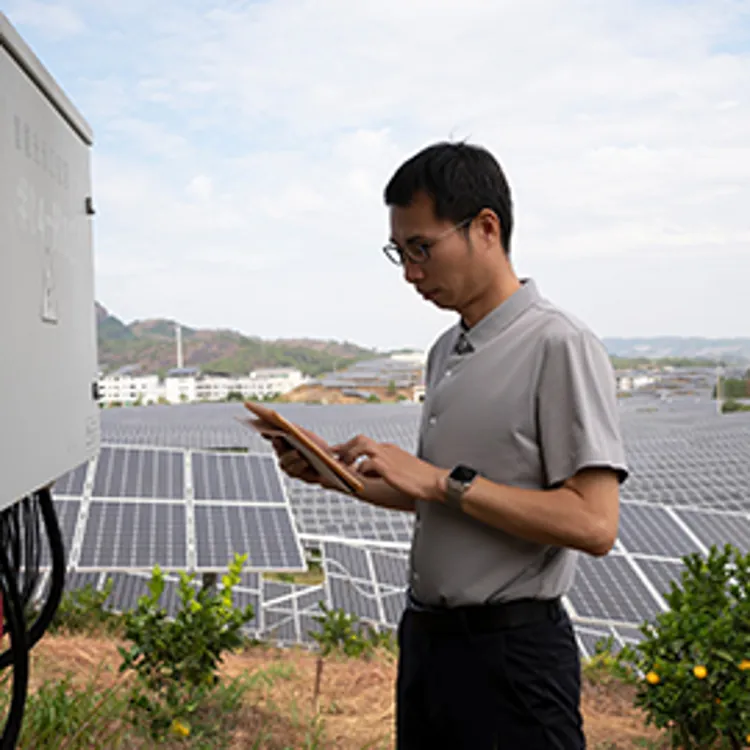
    engineer looking at tablet with solar panels on background

    A good solar monitoring system doesn’t just track your solar panel’s output. It also helps you use less energy. We looked for solar monitoring systems that go above and beyond tracking and found brands that provide easy-to-read reports, extra monitoring features, like for appliance energy usage.

    Our picks for solar monitoring systems

    Compare our top 3 solar monitoring systems

    To select our picks, we considered what users had to say about their monitoring systems by scouring customer reviews. Our top picks include both integrated monitoring systems that come as part of full solar energy systems and stand-alone monitoring systems you can add to your existing solar panels.

    Enphase Enlighten

    Enphase Enlighten
    Monitoring hardware cost$400 to $1,000 (if not included with the system)
    Subscription cost$9.99 per month (for premium features)
    CompatibilityiOS 8 and Android 5 or higher
    Best forDetailed panel-level monitoring and analytics

    Enphase monitoring is often the go-to for homeowners who want detailed visibility at the panel level. It offers strong panel-by-panel monitoring on Enphase microinverter systems.

    • System production over time
    • Alerts and status indicators if something looks wrong
    • Detailed views that can help identify underperforming panels (depending on system setup and permissions)
    • “I track the system's performance through an easy-to-use app called Enphase. The installation team connected it to my WiFi, and since then, I've been able to monitor daily production.” — Alan
    • “It ended up saving me a lot more money. So far, everything works as it should. They use Enphase inverters, I can use the Enphase app, and it's connected via Wi-Fi.” — Dave
    • “I was up and running again and checking my Enphase app every hour. Now I can charge my electric car at night when electricity is the cheapest and I might not even need more panels!” — Avin
    Pros
    • Detailed panel-level monitoring
    • Strong production charts
    • Good ecosystem integration
    Cons
    • Consumption monitoring requires extra hardware
    • Less utility with non-Enphase hardware

    mySolarEdge

    mySolarEdge
    Monitoring hardware cost$750 to $1,000 (if not included with system)
    Subscription cost$44.99 per year
    CompatibilityiOS 14.0 or later; Android requirements vary
    Best forIntegrated inverter plus energy optimization tracking

    mySolarEdge is built around SolarEdge’s ecosystem. It’s known for clear energy flow visuals and performance dashboards, and it can be especially useful when you want to understand how the inverter, optimizers and battery (if applicable) are behaving together.

    • System production over time
    • Device-level performance views (inverter, battery, etc., depending on configuration)
    • A strong monitoring experience for SolarEdge owners
    • “I called customer support regarding not being able to access MySolarEdge site. After a few minutes hold, I got Naaji (sp?) on the line. His tone, expertise, and patience was exceptional. Problem was resolved and he even help with an additional situation. Two thumbs way up!!!” — Omni
    • “It was almost literally a 200 second turnaround to get my SolarEdge account info, so bravo, thanks for the help!” — Turner
    • “We have had a very positive experience Reese. After holding for an agent for more than 90 minutes when Reese did answer he was knowledgeable and patient as he explained and he assisted us with registration for the SolarEdge App.” — Damon
    Pros
    • Clean energy flow visualization
    • Good ecosystem fit for SolarEdge hardware
    • Device and system visibility
    Cons
    • Consumption/house usage requires SolarEdge energy meter
    • Battery controls may be less intuitive for casual users

    Sunrun app

    Sunrun app
    Monitoring hardware costIncluded with Sunrun systems (varies by plan)
    Subscription costVaries by lease/PPA contract
    CompatibilityiOS 15.1 or later; Android requirements vary
    Best forSimple system performance tracking for leased systems

    Sunrun’s app is typically designed to be a customer hub, not just a monitoring dashboard. Many homeowners use it to check production trends and system status, while also managing account details, billing and service requests.

    • Production history (daily, monthly and annual trends)
    • System health visibility and basic performance checks
    • Account and support features that can be convenient if Sunrun is your provider
    • “The app provided is adequate, allowing easy monitoring of energy usage on a daily, weekly, and yearly basis.” — Mark
    • “The online tools and app provided by Sunrun are user-friendly and efficient, making monitoring my system a breeze.” — Richard
    • “The company's app is genuinely user-friendly. While I don't necessarily check it daily, I find it helpful and efficient in monitoring power generation, especially with the updated version they provide.” — Willie
    Pros
    • All-in-one customer hub
    • Easy to use for basic monitoring
    • Good for Sunrun customer
    Cons
    • Monitoring depth varies by hardware
    • May not be as detailed for troubleshooting

    Simplify your search

    Switch to solar with a system built for you.

      What does a solar monitoring system do?

      A home solar monitoring system is important for anyone with solar panels. Here are just a few reasons why:

      • Troubleshooting: A monitoring system lets you see if there are any drops in your solar panels’ efficiency month-to-month. These drops can indicate that your panels need to be cleaned or repaired.
      • Energy tracking: You can see where your energy is going with some systems. So, if a particular appliance uses too much electricity, you can decide if it’s time to upgrade to a more efficient model.
      • Battery supervision: Some monitoring systems can track how much of a charge is in your solar battery if you have one.
      • Net metering: You can often track how much energy you’re selling back to the power company through net metering.

      Who needs a home solar monitoring system?

      Solar energy systems usually come with a monitoring system, but most of those are very basic and don’t provide much information. Adding a separate, stand-alone monitoring system is often a better way to track things in more detail, like seeing how much power your appliances use.

      Solar monitoring keeps track of energy production, usage and more.

      “Residential solar inverter monitoring platforms can monitor loads, but the level of detail will be much lower than dedicated energy monitoring systems,” said solar application specialist Will White.

      Setting up your system

      If you do decide to add a stand-alone monitoring system, it’s probably smart to get some professional assistance with the installation.

      “It’s best practice to de-energize the load center before installing this type of monitoring system but even with the main breaker turned off, the terminals connected to the feed from the utility will still be energized,” White said. “A homeowner with some technical skills should be able to install one of these systems, but in many cases, it will be best to hire a qualified electrician.”

      » LEARN: How many kWh does a solar panel produce?

      How much do solar monitoring systems cost?

      Typically, stand-alone monitoring systems cost anywhere from around $80 to $400. Solar monitoring systems can quickly pay for themselves by saving you money on energy from the power grid.

      Integrated systems are included in the cost of your complete solar energy installation. Starting prices for full solar panel systems from SunPower and Tesla are higher. The cost of going solar varies considerably, especially when you consider everything that goes into a renewable energy system.

      » MORE: How much do solar panels cost?

      FAQ

      Do all solar systems include monitoring?

      Most modern solar installations include some form of monitoring, but the level of detail varies widely. Some only show production.

      Why can’t I see my home’s energy usage?

      Consumption monitoring usually requires additional metering hardware and correct setup. Without it, your app may only track solar production.

      Is panel-level monitoring worth it?

      It can be — especially if you want early warning when one panel or section underperforms. For many homeowners, system-level monitoring is enough.

      Should I use my installer’s app or the manufacturer’s app?

      If your installer provides a “hub” app, it can be convenient for account/service support, but the manufacturer’s app often provides more technical detail for performance and troubleshooting.

      Bottom line

      The best solar monitoring experience usually comes from using the app designed for your system’s hardware — Enphase Enlighten for Enphase, mySolarEdge for SolarEdge — and using provider apps like Sunrun’s for customer support and account convenience.

      If you care about savings optimization, make sure your system includes the hardware needed for consumption and grid-flow monitoring, not just production.


      Article sources

      ConsumerAffairs writers primarily rely on government data, industry experts and original research from other reputable publications to inform their work. Specific sources for this article include:

      1. U.S. Department of Energy, “Homeowner’s Guide to Solar.” Accessed Feb. 17, 2026.
      Did you find this article helpful? |
      Share this article