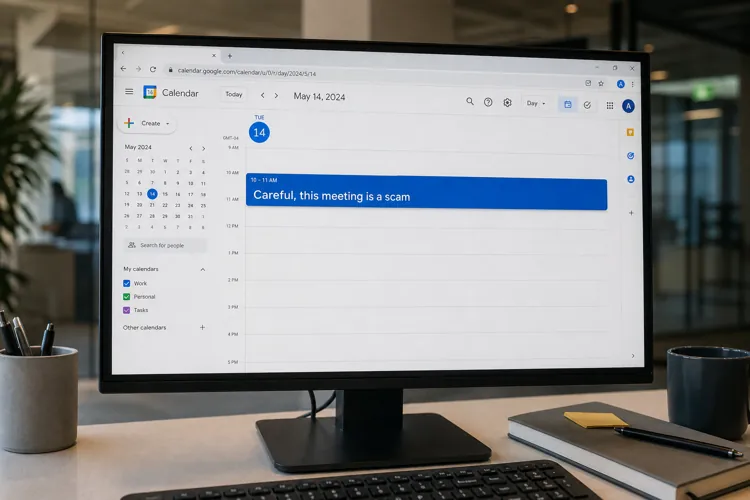

Scammers are using fake Google Calendar invitations to lure consumers into sharing passwords, calling fraudulent support numbers or downloading remote-access software.
Depending on calendar settings, malicious events can appear without the recipient accepting an invitation—even when email security catches the accompanying message.
Users can reduce their exposure by limiting automatically added invitations and reporting suspicious events as spam.
An unfamiliar meeting or subscription renewal notice on your Google Calendar could be a trap. Cybercriminals are increasingly using calendar invitations to deliver fraudulent messages alongside users’ legitimate appointments.
The tactic, known as calendar phishing, exploits both calendar settings and the credibility of familiar services. Google acknowledged investigating fake renewal notices embedded directly in Calendar invitations in its June fraud and scams advisory.
Although the technique predates the latest warnings, cybersecurity firm Sublime Security reported a sharp increase in September. The company said calendar-based attacks it observed rose 1,216% in August compared with July. That figure reflects Sublime’s observations, rather than a measurement of all attacks worldwide.
How the trap works
Attackers send an event invitation containing a fraudulent message and a link or phone number. With Google Calendar’s “From everyone” invitation setting, events are automatically added to the recipient’s calendar.
That gives scammers another opportunity to reach someone who ignores the email. Sublime said differences between email and calendar processing can allow a malicious event to remain visible even when a security system catches the corresponding email.
Some invitations aim to steal login credentials. Others use alarming billing claims to get victims on the phone.
Malwarebytes documented a campaign impersonating its own billing department, with calendar entries claiming recipients had paid several hundred dollars for a subscription renewal. The notices urged them to call a supposed support number to cancel or dispute the charge.
Once connected, victims could be pressured to disclose card or banking information, install remote-access software or send money. The calendar entry itself did not charge them anything; the invented bill was bait.
Other attacks lead directly to software downloads. In one case analyzed by Sublime, a Google Calendar invitation linked to a website offering a supposed credit note. The download was actually an installer for ScreenConnect, a legitimate remote-management tool configured for malicious use.
How consumers can protect themselves
Google advises users to visit a company’s official website independently rather than follow links or call phone numbers in unexpected notifications. A renewal claim should be checked through the actual account or financial statement before taking action.
Consumers can also change how invitations appear. On a computer, open Google Calendar and go to Settings → Event settings → Add invitations to my calendar. Choose either:
Only if the sender is known, which automatically adds invitations from contacts, people in the same organization or people previously interacted with.
When I respond to the invitation in email, which adds an event only after a response.
The changes apply to new invitations. Work or school administrators may restrict which options are available.
For a suspicious event sent through Google Calendar, open the event and select More actions – Report as spam. Google says this removes the event and, for recurring invitations, the entire series.