

Warranty coverage and duration for Samsung ovens
Samsung provides a one-year limited warranty on ovens and ranges purchased in-store or online. Standard coverage includes genuine Samsung replacement parts and labor by certified technicians. Only factory defects and related issues are covered by the Samsung oven warranty. Specific exclusions include:
- Normal wear and tear
- Improper installation
- Misuse, neglect, accidents and unauthorized service
- Cosmetic defects
- Routine maintenance/consumables
- Commercial use
While warranty coverage automatically begins on the date of purchase, registering your new Samsung oven offers additional benefits.
If you file a warranty claim, your profile will already be linked to the product information required for the claims process. Samsung also offers personalized support, service notifications and relevant product updates.
Samsung oven warranty options
Warranty coverage on your Samsung oven begins at the time of purchase or upon delivery. Plan options span two, three, five and seven years, including the manufacturer’s one-year warranty.
| Plan type | Available terms | Coverage | Exclusions | How to obtain |
|---|---|---|---|---|
| Manufacturer’s warranty | One year | Parts and labor for defects in materials and workmanship | Normal use, improper installation, misuse, neglect and cosmetic damage | Automatic with purchase |
| Promotional extended warranty offer | Additional year | Extends coverage under the manufacturer’s warranty | Same as manufacturer’s warranty; must also meet promotional requirements | Must submit a claim before promotion period ends |
| Samsung Care+ | Two, three, five or seven years (including one-year manufacturer’s warranty) | Parts and labor, power surge protection, food loss reimbursement and 24/7 support | Negligence, abuse, corrosion, theft, wind, flood, pre-existing conditions and loss covered under the manufacturer’s warranty | Purchase separately from Samsung as an add-on |
| Third-party extended warranty provider | Varies | Based on the plan/coverage type you choose | Specific to the provider and chosen plan | Purchased through a retailer or third-party provider |
Outside of limited-time promotional offers, a Samsung Care+ extended warranty provides additional coverage for your Samsung oven. With this plan you get:
- Power surge coverage
- A dedicated 24/7 support line
- Food loss reimbursement up to $250
- 10% cost reimbursement for maintenance service and parts (up to $100)
- No deductible or cancellation fees
Samsung will replace your oven if it has been repaired three times and requires further service.
How to register your Samsung oven warranty
Begin registering your new Samsung oven warranty by gathering your proof of purchase (your receipt) along with the appliance’s model and serial numbers. Registration can be completed online or with your smartphone.
Create a Samsung Account if you do not already have one. Then, choose one of the following methods: register online through your account, use the SmartThings app or scan the QR code with your smartphone and follow the on-screen instructions to complete registration.
» RELATED: Samsung refrigerator warranty: cost and coverage
Model and serial number locations
Before you register your new Samsung appliance, locate the model model and serial number using the following guidelines:
- Wall oven: Look on the left or right side of the interior frame after opening the oven. (Check the lower element in a double or combo wall unit.)
- Range: Locate the model and serial numbers underneath the controls or on the left or right side of the unit, behind the warming drawer, after opening the door.
- Cooktop (gas and induction): Find the model and serial numbers on the bottom of these built-in appliances before installing them — this information won’t be accessible after installation.
Take clear photos of these numbers for reference later and to avoid transposing numbers or other errors when writing them down.
Where to register your warranty
Samsung offers three primary methods of registering your new oven for warranty coverage:
- Samsung Account: Create an account online, then go to the “Register Product” page and enter the model and serial number.
- SmartThings app: Download the app and follow the prompts to register your Samsung oven.
- Warranty registration portal: Use your smartphone to scan the QR code included with your unit, typically located on the oven’s exterior.
How to verify your Samsung oven warranty status
Verify your Samsung oven warranty online by logging into your Samsung Account and navigating to the “My Products” page. Scanning the provided QR code or opening the SmartThings app can also confirm coverage.
If a Samsung oven comes with the purchase of a new home, don’t forget to check if it’s registered.
If you haven’t registered your Samsung oven warranty, you can check coverage details through the Samsung warranty support page. Simply enter the model or serial number.
Contact Samsung Support if you can’t verify coverage online or through the app, or if coverage dates appear incorrect. Representatives are available via phone, email, chat or text.
How to submit a repair claim for your Samsung oven
As a good rule of thumb, check warranty coverage on any of your Samsung appliances before filing a claim. If coverage on your oven has expired or certain repairs are excluded, you will have to cover the costs.
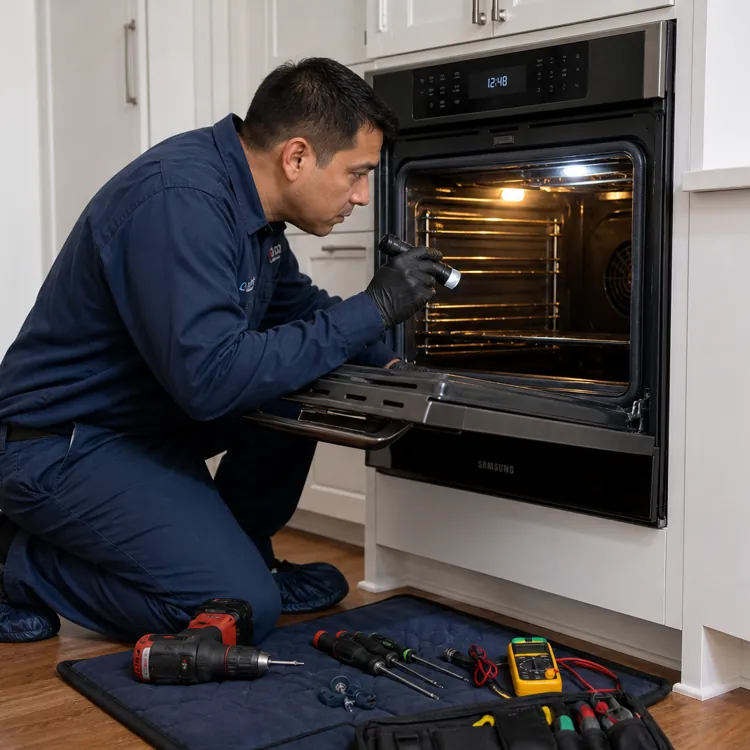
Submit a warranty claim on your Samsung oven, range or cooktop by requesting in-home service online through the Samsung support portal, finding a nearby service center or by calling Samsung Support directly. To request a repair through the support portal:
- Log in to your Samsung Account.
- Select your Samsung oven and follow the prompts to provide details about your claim.
- Wait for instructions from Samsung, which may include scheduling a technician to repair or replace your unit.
- Track the status of your warranty claim to view current and next steps.
If you have an extended warranty from a third-party retailer, the manufacturer’s warranty takes priority for one year from purchase.
To submit a claim through a third-party provider, navigate to the company website or review any paperwork you received and follow the claims submission instructions. Your warranty provider will handle any follow-up required to resolve your claim.
Some home warranties may cover ovens, ranges and cooktops lacking factory or third-party warranties. However, limitations or exclusions typically apply. Check your policy before filing a claim.
» RELATED: Best home warranty companies
FAQ
How do I know if my Samsung oven is still under warranty?
Verify your Samsung oven is still under warranty by logging in to your Samsung Account and navigating to “My Products.” Applicable warranty information will appear next to your Samsung oven.
You can also view coverage through the SmartThings app or by contacting Samsung Support.
How long is the warranty on a Samsung oven?
Samsung offers a standard one-year limited warranty on new ovens that begins on the purchase date. Extend that coverage with the promotional offer (an additional year) or multi-year coverage through Samsung Care+.
How do I claim my Samsung warranty?
Your Samsung warranty automatically applies upon purchase, so you don’t have to claim it. However, registering your Samsung oven offers additional benefits like personalized support and an easier claims process.
What does the Samsung oven warranty not cover?
The Samsung oven warranty does not cover normal wear and tear, improper installation, neglect, cosmetic damage, unauthorized repairs or commercial use.
Can I extend my Samsung oven warranty?
Yes, you can get up to seven years of warranty coverage (including the standard one-year manufacturer’s warranty) via Samsung Care+ plans.
Article sources
ConsumerAffairs writers primarily rely on government data, industry experts and original research from other reputable publications to inform their work. Specific sources for this article include:
- Samsung Electronics America, Inc., "Home Appliance Warranty." Accessed May 7, 2026.
- Samsung US, "2026 Samsung Digital Appliance Extended Warranty Offer." Accessed May 7, 2026.
- Samsung, "Warranty Checker." Accessed May 7, 2026.
- Samsung Electronics America, Inc., "Home Appliance Terms and Conditions." Accessed May 7, 2026.
- Samsung, "Samsung Care+." Accessed May 7, 2026.