1. Skip to navigation
  2. Skip to content
  3. Skip to sidebar


PhotoOK, so give Netflix credit -- it pioneered DVD movie rentals by mail, then morphed itself into the top video-streaming service, it's adding original content faster than anybody and laying out big bucks to license more content. 

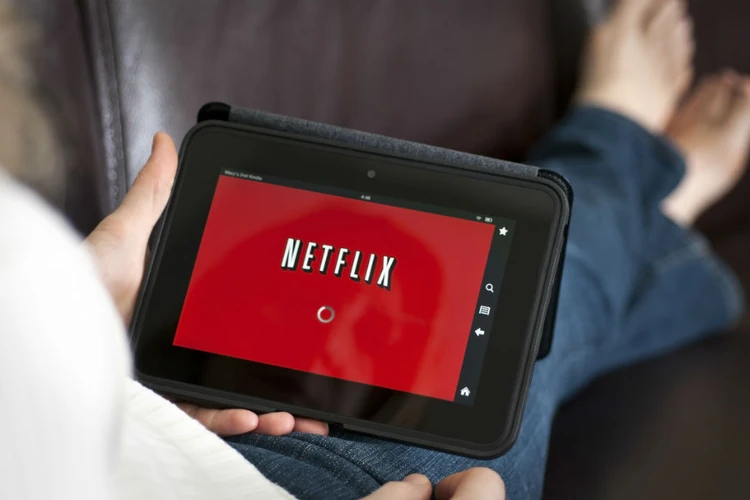
But none of that does much good if the video streaming works poorly or not at all, as seems to be the case for a growing number of consumers.

"I hate that every five minutes or so it stops! I have to reload it at least five times while watching something," said one angry viewer in a ConsumerAffairs post

Ffion of Flintshire, UK, has the same gripe: "We are in the middle of watching a film and it freezes and doesn't load. It's not just one film, but lots. It's very annoying and loses the place you are at by skipping parts you haven't watched, or rewinding and replaying parts we have."

The complaints come from far and wide, not just from isolated hamlets where one might expect Internet connectivity to be on the slow side. We were reminded of this just the other night when, like everyone else in the Washington, D.C., area, we tried to watch "House of Cards," the original Netflix production that shows the seamier side of D.C. (as opposed to the shiny side).

It began loading normally on our superfast FiOS connection (which normally tests out around 35 Mbps), showing an initial speed of 18.1 Mbps. But a few minutes into the first episode, as Kevin Spacey uttered one of his many asides, the image froze, and stayed frozen for a solid six minutes. This happened repeatedly and, after awhile, began to become tiresome.

Everything else worked

Netflix  Feb. 12, 2013, 9 p.m.
Consumers rate Netflix

Admittedly, "House of Cards" was quite a hit around the country, not just in D.C., so we initially wrote it off to too many Congressmen sitting with a bourbon bottle in front of the TV that night. In frustration, we flipped over to Amazon Prime and watched "The Lincoln Lawyer" without a blip. Just the way Amazon used to work.

In the next room, CNN was yakking away normally on a second TV, upstairs  Los Angeles' KUSC-FM was playing normally via the Internet and across the room from the faltering screen displaying Netflix, my laptop was working perfectly as I skimmed through the ConsumerAffairs database, looking at hundreds of Netflix complaints -- all this on the same FiOS connection.

Technically, it's no small feat to serve individual video streams to millions of users but that doesn't mean that it's OK for it not to work. Customers are paying for streaming video and it's streaming video they ought to get. If there are problems, Netflix should admit they exist, fix them and, maybe just maybe, offer refunds to those who did not get the service they are paying for. 

There was a time not long ago when Netflix sent me an email each time I watched a streaming video selection, asking me to rate the quality of the transmission. It was always perfect. 

Now that it is seldom perfect, I no longer get the email surveys. Even more baffling, I emailed the Netflix public relations department to ask about the streaming issues and got zero in the way of replies -- not even an acknowledgement of my inquiry. It's kind of typical for big companies to boast about their accomplishments while stiffing anyone who asks about their problems, but that doesn't make it acceptable. 

It's not just pesky consumer reporters who get short shrift, customers say they don't get very far either when they try to report a problem.

"When you try to contact customer service, they simply try to blame the Roku box (which is what we stream on) or they say they are 'working on it,'" said a consumer in Hawaii. "I just had a chat session where I complained about the streaming being frozen, and the lady told me that the issue was cleared up yesterday, so that it must be my Roku."

A few minutes later, the customer service person said she had been "resolving this issue all day," the consumer said.  "Wait a minute, didn't she just tell me that the issues were all cleared up since yesterday? Yeah, so they clearly have geniuses working the chat lines for customer service."

What to do

So what's a consumer to do? Well, although Netflix could make it a bit more obvious, there is a way to report problems with video streaming. 

Log into Netflix and click the "Your Account" button in the upper right. Then under "Your Streaming Plan," click on "See Instant Watching Activity." This will produce a list of your recent viewings, with a "Report Problems" link for each item. 

Photo

Whether reporting the problem will accomplish anything is hard to say, but it can't hurt. 

It's also a good idea, once again under "Your Streaming Account," to click the "Manage Video Quality" link and choose the download speed that best matches your Internet connection. Choose "Good" if you have a DSL or other slow-as-mud connection, "Better" or "Best" for cable-quality or FiOS accounts.

Netflix does have a support page that discusses streaming problems, although we found it by accident through a search engine, not through the navigation on the Netflix site. It's at http://support.netflix.com/en/node/230#gsc.tab=0  Some of these tips might help but when other streaming services, like Amazon, work pefectly while Netflix falters, that would seem to rule out most problems on the consumer's end.

But not everyone's having problems. We heard from Lola of Lima, Peru, who said: "Mmm...we just finished watching House of Cards and had very few problems. Loved the series, btw."


Share your Comments

Please enable javascript to comment on this page
Melanie Pickett
I have more problems with Amazon then Netflix. Amazon will error stating it can no longer stream in HD and ask if you would accept a lower resolution and even it the lower resolution it won't work. Usually have to wait until another time to try it again. It's worse on our Blueray player compared to our XBox. Netflix either works, that is when you first start it, or it doesn't. In the three years we've had it, less than half a dozen times have movies or tv shows been interrupted due to a streaming issue and usually it's due to Time Warner Cable issues.
Steve LaCroix
Peak times cause the problem. It's due to insufficient capacity at the Netflix end. Extra servers cost money which decrease profits.
Steve LaCroix
It's a problem at Netlix, as they have insufficient equipment to handle peak time loads. Servers are expensive, and buying more of them decrease profits. Enough said.
Tom La Rue
If I be-leaved all I read on line I never would have signed up for netflix three years ago. I have never had a problem and I watch a variety of things. Maybe I am lucky but good for me.
Tom La Rue
If I be-leaved all I read on line I never would have signed up for netflix three years ago. I have never had a problem and I watch a variety of things. Maybe I am lucky but good for me.
Kenny Gregar
It was just after "Christmas" that my Netflix Streaming stopped. When I called their service department to complain, they told me their equiptment was fine and it was on my end. I knew there was no problem on my end and it was on theirs, but because of them lieing to me I cancelled both my streaming and my DVD rental with them. They tried first telling me it was my Roxio box, then it was my P.C., then it was my internet connection even though my up/down speed was normal and no other downloads had problems.
Esequiel Meza Jr.
People! Unplug your modem or router and wait a few minutes, then plug it back in and it should work - at least this does it for me 99.9 percent of the time.
Carol Okutman Lind
Bring back the BLOCKBUSTER stores!
Edwin Walker
I have the opposite issue, Amazon is much more prone to reloads. However, we have a slow Internet 1.5 MBPS DSL and are lucky it works at all. Amazon has improved recently. I'm also wanting to try Redbox, but my TV (Panasonic) does not support it or have a Internet Browser.
Pat Staley
I have had mine for over a year with no problems. Like Esequiel said ciul be router.
Bruce Robbins
Very interesting. I have similar issues and also tested against Amazon Prime. My Netflix streaming issues occur only on week nights (6PM-9:45PM or so). I usually get low bit-rate streaming at that time, even though my Netflix settings are correct and speed tests indicate a 23Mbps connection. On the other hand, in the late evening and day time, Netflix almost always streams in HD. I signed up for a free month of Amazon Prime just to see if my internet provider was the problem. Amazon Prime streamed HD flawlessly during that month regardless of time, while Netflix streaming continued to stream poorly most week nights. Up to that point Netflix had been blaming my internet provider or my equipment, so I thought I had my gotcha. Alas, my new information didn't help customer service find a resolution. Netflix always asserts that I am the only one having this issue (as far as they know).
Quantcast