

What does personally identifiable information include?
PII includes obvious identifiers such as your Social Security number, passport, driver’s license and bank account details. It also covers your email address, phone number, date of birth and biometric data.
“It’s helpful to think of personally identifiable information as anything you wouldn’t disclose to a stranger on the street,” said Anne P. Mitchell, president and CEO of the Institute for Social Internet Public Policy. It’s information someone can use to trace your identity.
You interact with PII constantly, often without realizing it. “When we call the utility company, they ask for an account number and mailing address … we unlock our devices with our fingerprint or face,” explained James Cook, head of technology and chief compliance officer at Alloy. “We use PII to verify that we are who we say we are.”
This verification process powers almost every digital interaction. Businesses use PII to personalize services and deliver products to the right customer. Government agencies like the IRS rely on your Social Security number to track tax obligations. Without PII, the systems that run banking, healthcare, e-commerce and telecommunications couldn’t function.
» NEXT: How to check for identity theft
Types of personally identifiable information
PII splits into categories based on how it identifies you and the level of harm it could cause.
Direct identifiers pinpoint you immediately without needing additional context. “These link to you and can’t be linked to anyone else,” said Cook. Indirect identifiers need to be combined before they reveal your identity. You often find these groupings on social media profiles.
Here’s how the two types break down:
| Direct identifiers | Indirect identifiers |
|---|---|
| Government IDs: Social Security number, driver’s license, passport | Geographic: City, state, postal code |
| Financial info: Bank account numbers, credit card numbers | Demographic: Age, gender, political party |
| Contact info: Full name, email address, phone number | Employment: Employer, job title |
| Account credentials: Usernames, passwords | Education: Schools, degrees |
| Medical records: Patient ID numbers, health insurance details | Health: Diagnoses, procedures, doctor’s office history |
| Biometric: Fingerprints, facial scans | Behavior: Browsing habits, purchase history, voting history |
PII also gets categorized as sensitive or non-sensitive based on the potential harm if it's stolen.
Sensitive PII
“Sensitive information is any PII which, if it falls into the wrong hands, can cause significant, even catastrophic injury to the individual,” Mitchell noted. “For example, if a hacker gets the username and password for your bank account, they could wipe you out.”
According to Cook, this category includes medical records, financial account details, government IDs and biometric data, along with personal characteristics like sexual orientation, religious beliefs, ethnicity and race.
The high stakes explain why organizations protect sensitive data through multiple layers of security. Encryption scrambles your information into unreadable code that only authorized systems can decode. When you submit data to a website, your browser and the server create an encrypted connection called a TLS handshake to protect information in transit.
In addition to encryption, companies use anonymization techniques to minimize exposure risk. Masking replaces characters with asterisks when you type a password. Blurring hides parts of data — credit card numbers often display as XXXX XXXX XXXX 4567. These methods let organizations use data for legitimate purposes without exposing your full information.
Non-sensitive PII
Non-sensitive PII includes data that won’t directly harm you if exposed. Think your name, work email, job title, city and employer — details you might list on a LinkedIn profile or business card.
The “non-sensitive” label doesn’t mean harmless, though. “A threat actor can aggregate non-sensitive PII, use it to get more information about someone or create advanced schemes aimed at obtaining more sensitive information,” warned Kimbrilee M. Weber, an attorney at Norris McLaughlin.
Criminals connect these dots by scraping social media for keywords related to specific companies or services, then using that information for social engineering attacks. A name paired with your employer and hometown can give scammers enough ammunition to trick customer service representatives or craft phishing emails that look legitimate.
Data privacy laws and PII
Laws now control what companies can do with your personal information. The two most powerful are Europe's General Data Protection Regulation (GDPR) and California's Consumer Privacy Act (CCPA).
In 2018, GDPR passed and established a new baseline for data privacy worldwide. “It forbids the collection — or even the recognition — let alone the use of, an individual's PII without their consent,” said Mitchell.
California followed with CCPA, giving its residents similar control. You can demand to see what data a company has about you, delete it or stop them from selling it. Any business serving California customers must comply, no matter where it’s based.
These two laws set the standard, but the U.S. remains fragmented. About 20 states have passed their own data protection laws, “but there’s no federal privacy law such as GDPR," Mitchell pointed out.
American laws typically let companies collect your data first, then require them to protect it. European law requires companies to obtain permission before collecting anything. Businesses operating globally must navigate this patchwork, facing billions in penalties if they fail to comply with different regional requirements.
» MORE: How to report identity theft
How to safeguard personally identifiable information
Protecting your PII involves different strategies, depending on whether you’re an individual guarding your information or an organization handling customer data.
For individuals, Mitchell recommended these steps:
- Limit what you share online, especially on social media and email.
- Only provide the bare minimum PII when signing up for products or services.
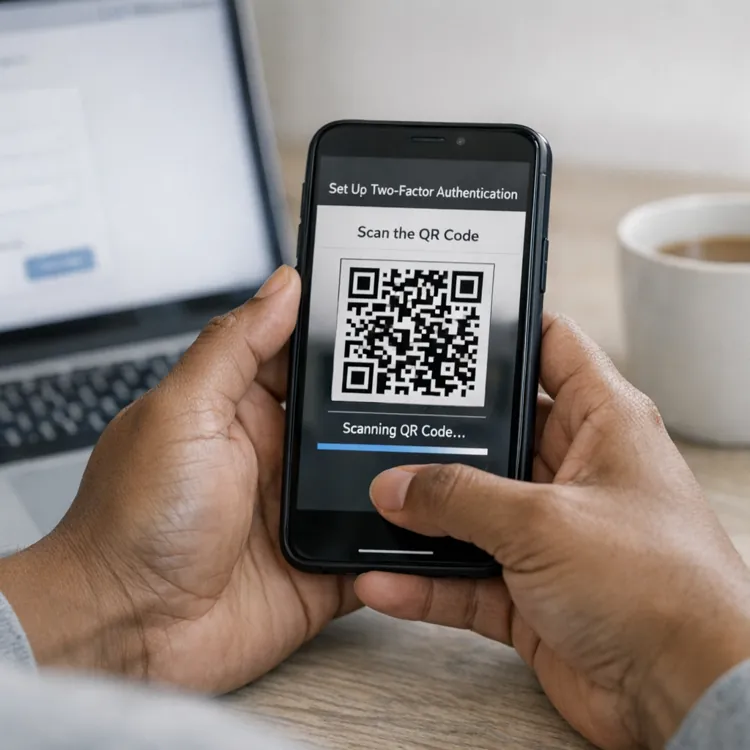
- Enable two-factor authentication on all accounts.
- Freeze your credit with major bureaus.
- Consider identity-theft monitoring services such as LifeLock or McAfee.
- Use tools like DeleteMe to scrub your information from data broker sites.
Organizations need more comprehensive approaches, Weber outlined:
- Implement role-based access so employees only see the PII they need for their jobs.
- Encrypt data when storing and transmitting it.
- Require multi-factor authentication for system access.
- Train employees to spot phishing and security threats.
- Monitor vendors to ensure they meet security standards.
- Conduct regular audits and update policies as new threats come up.
“It’s not enough to have good policies and procedures and ‘set it and forget it,’” Weber emphasized. Creating a culture where employees communicate openly about security issues and feel empowered to ask questions helps prevent breaches before they happen.
Common methods of PII theft
Criminals steal PII through digital attacks and old-fashioned trickery.
Here are common theft methods to know:
- Brute force attacks, through which thieves use computers to guess username and password combinations until they crack your account
- Phishing emails that fool you into clicking on malicious links or sharing login credentials
- Malware like keyloggers that secretly record everything you type on infected devices
- Social engineering scams where criminals impersonate trusted people or organizations
- Skimming devices installed at ATMs or gas pumps that steal card information
- Physical theft of mail, wallets or devices containing personal information
- Unsecured public Wi-Fi networks, where hackers can intercept your data
Mitchell highlighted social engineering as particularly dangerous. “In one infamous incident, a scammer faked his email to look like it was coming from the CEO of the company, and emailed the accounting clerk directing her to transfer over $1 million into the scammer’s bank account, which she did,” she explained.
Tip from the experts
Catching theft early limits the damage. Watch for unexpected bills, denied credit applications, unfamiliar accounts on your credit report or account alerts for password changes you didn't make.
FAQ
What are three examples of personally identifiable information?
Three examples of personally identifiable information are your passport number, Social Security number and driver’s license number.
What isn’t an example of PII?
Information that can’t pinpoint a specific person isn’t considered PII. Examples include standalone details, such as your gender or job title and technical data, such as the type of phone you use. These details become PII only when combined with enough other information to identify you individually.
How is PII protected?
Organizations protect PII through encryption that scrambles data, multi-factor authentication and access controls that limit who can view information. You can protect your PII by using strong passwords, enabling two-factor authentication and being careful what you share on social media.
What are the four recommended measures to protect PII?
The four recommended measures to protect PII are encryption to make data unreadable without authorization, access controls that limit PII viewing to necessary personnel, data minimization to collect only essential information and employee training on security threats.
Article sources
ConsumerAffairs writers primarily rely on government data, industry experts and original research from other reputable publications to inform their work. Specific sources for this article include:
- U.S. Department of Homeland Security, “Handbook for Safeguarding Sensitive PII.” Accessed Dec. 29, 2025.
- U.S. Department of Labor, “Guidance on the Protection of Personally Identifiable Information (PII).” Accessed Dec. 29, 2025.
- U.S. General Services Administration, “Rules and Policies - Protecting PII - Privacy Act.” Accessed Dec. 29, 2025.
- IRS, “IRS privacy policy.” Accessed Dec. 29, 2025.
- Centers for Disease Control and Prevention, “What Is Personally Identifiable Information?” Accessed Dec. 29, 2025.
- U.S. Federal Trade Commission, “Protecting Personal Information: A Guide for Business.” Accessed Dec. 29, 2025.
- USA.gov, “Identity theft.” Accessed Dec. 29, 2025.
- CalPERS, “Preventing Identity Theft.” Accessed Dec. 29, 2025.
- Privacy, Civil Liberties, and Transparency, “About the Offices.” Accessed Dec. 29, 2025.